
Vandaag of morgen in huis

Kwaliteit gegarandeerd

Welkomstaanbiedingen ontgrendelen: GRATIS bezorging | Tot 80% korting | Gratis 30 dagen JoyPlus-proefperiode
Download de app
A gaming headset with a microphone might seem easy to choose at first. However, models can vary significantly in connectivity, comfort, microphone controls and compatibility. A headset for PS5 won’t necessarily work in the same way with Xbox or PC. And terms such as “surround sound” and “noise cancellation” don’t always tell the whole story.
Use these practical checks to avoid a poor purchase and find a gaming headset with a microphone that suits your platform and playing style.
A gaming headset with surround sound may use virtual audio processing through software, such as DTS Headphone:X or 7.1 software. That’s different from having several physical speakers in each ear cup. So check:
For example, the Trust GXT 415 Zirox provides stereo sound and doesn’t have a virtual 7.1 feature. That’s not a hidden drawback if you know what you need before you buy.
A multi-platform gaming headset with a 3.5 mm connection will often work with several devices, but your device’s connection still matters. If your PC has separate ports for headphones and a microphone, you may need a splitter. On consoles, you’ll usually connect the headset to the controller.
USB models may offer extra features, but they’re not always compatible with every console. So check the exact compatibility list before buying a headset for PS5, headset for Xbox or headset for PC.
An over-ear gaming headset can be comfortable, but the fit, weight and clamping force all affect how comfortable it remains during long sessions. Look out for:
Faux leather can help block out some external noise, while breathable fabric ear cushions may feel cooler. Neither material is automatically right for every user.
A wired gaming headset with a 3.5 mm connection doesn’t need a battery. That’s handy for consoles, controllers, laptops and mobile devices with a suitable connection. However, a cable can get in the way, and it needs to be long enough for your set-up.
A wireless gaming headset gives you more freedom to move, but needs charging and usually uses a USB receiver or Bluetooth. Check that the wireless connection works with your platform. For example, the HyperX Cloud III S lists 2.4GHz and Bluetooth, but supported platforms and features vary depending on the connection.
For online multiplayer, the microphone is just as important as the sound. Look at the type of controls:
A unidirectional microphone is designed to pick up sound mainly from the front. Manufacturers may also claim noise cancellation. Treat these claims with care: according to HyperX’s product description, the Cloud III has a noise-cancelling microphone and a built-in mesh filter. Your experience will also depend on your room, microphone position and settings.
Larger drivers, such as 40 mm, 50 mm or 53 mm, don’t tell you on their own what a headset will sound like. Frequency range and driver size are technical specifications, not a guarantee of a particular gaming experience. Focus on how these features work together:
Some wired headsets for PS5 can use Tempest 3D Audio or similar platform features. That doesn’t automatically mean the headset itself has true surround-sound speakers.

Why it suits this profile: According to the product description, its wired 3.5 mm connection works with PC, laptop, PlayStation, Xbox and Nintendo Switch. That makes it a practical choice if you want to get started without needing to charge it.
The specifications clearly state that it offers stereo, not virtual 7.1 surround sound. So you’re not paying for a feature you won’t use.
244 grams, 50 mm drivers, over-ear ear cushions, flip-up microphone and a 2-metre cable.

Why it suits this profile: According to the product description, this model combines a metal frame, memory foam in the headband and ear cushions, a detachable microphone and several connectivity options.
The included USB-A, USB-C and 3.5 mm connections make it easier to choose the right platform. DTS Spatial Audio is virtual and needs to be set up appropriately.
53 mm angled drivers, detachable 10 mm boom microphone, 308 grams and support for PC, PS5, Xbox, Switch, Mac and mobile devices.
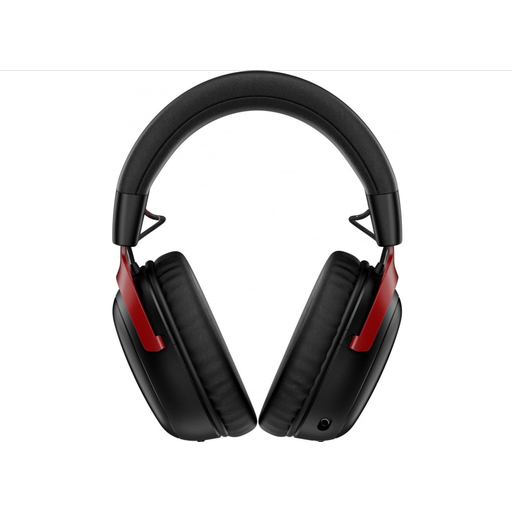
Why it suits this profile: For players who don’t want a cable getting in the way during long sessions, HyperX claims up to 120 hours of use via 2.4GHz and up to 200 hours via Bluetooth. These are manufacturer figures, not guaranteed battery life in every situation.
The headset supports both 2.4GHz and Bluetooth. However, check in advance that your console and the microphone feature you want work with the connection you choose.
Wireless radio connection, Bluetooth 5.3, detachable microphone, 53 mm drivers, and USB-C and USB-A accessories.
We’ve put together a complete, up-to-date list of products that meet these strict selection criteria and comply with current European safety regulations.
That depends on the connection and the stated compatibility. A model with a 3.5 mm connection will often work with a range of devices via a controller or a combined audio connection. USB and wireless models may be platform-specific. Also check whether you need a splitter for your PC.
Its lifespan depends on how the cable is used, as well as the hinges, headband and ear cushions. Keep the headset dry, don’t pull on the cable and don’t adjust the microphone beyond what its design allows. A legal guarantee doesn’t mean wear and tear is covered indefinitely, so keep your proof of purchase and follow the instructions.
Not necessarily. A more expensive model may offer extra features, such as a wireless connection, software-based surround sound or several connection options. For voice chat, the microphone position, mute controls, connection and settings are especially important. Compare these points with how you’ll use the headset rather than looking at the price alone.
