What should you look for?
Start with what you want to hear in your own game. Then check that the headset works with your system and suits the way you play.
| What to consider |
What to look for |
Who is this important for? |
| Positioning movement sounds |
Compare the sound in your game and settings; don’t treat a surround-sound label as proof of better positioning. |
If I want to distinguish and pinpoint footsteps during practice, I compare the sound in my own game. Around 29% of consumers give sound positioning top priority. |
| Compatibility with your platform |
Check the exact model, the available port and support for audio, the microphone and the software features you want. |
If you play on PC or console, you’ll want to know in advance whether the headset and its features work with your system. Around 23% of consumers put platform compatibility first. |
| Playing without a cable |
Check that the receiver is compatible with your system, and bear charging in mind. |
If I don’t want a headset cable while practising, I’m happy to use a compatible receiver and charge it regularly. Around 18% of consumers put cable-free play at the top of their list. |
| Comfort |
Look for adjustability and consider the cushion material; try the fit for yourself if possible. |
For long practice sessions, I want a headset that feels comfortable, even if I care less about other extra features. Around 18% of consumers prioritise comfort over long periods. |
| Team chat and controls |
Check the microphone on your platform and see where the mute control is. |
If I want to communicate clearly with my team and mute quickly, I check both features on my system. Around 12% of consumers say team chat is their main consideration. |
Joybuy headsets to compare for wired and wireless play
This Joybuy selection includes wireless headsets with a receiver and wired models with a suitable connection. Compare platform compatibility and the conditions for using audio features on each model.
 No image available
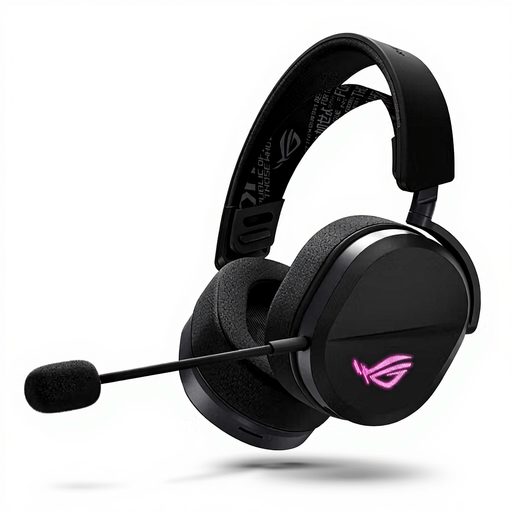
ASUS ROG Pelta Wired & Wireless Gaming Headset
An option to compare if you want to practise without a headset cable and need team chat.
The product description lists a 2.4 GHz receiver, USB-C and Bluetooth, as well as a unidirectional boom microphone. The USB receiver is required for the listed 2.4 GHz connection.
Joybuy
 No image available
HyperX Cloud III S Wireless Gaming Headset
A model to compare if you want to practise wirelessly and assess sound positioning on PC.
The product description lists 2.4 GHz and Bluetooth, a detachable boom microphone and DTS Spatial Audio for PC. It also mentions memory foam in the ear cushions and headband; check the fit for yourself.
Joybuy
 No image available
Razer BlackShark V2 X 7.1 Wired Gaming Headset
A wired option to consider if you don’t want to recharge a headset battery while practising.
The product description lists a 3.5 mm connection, a cardioid microphone and a mute control. The stated weight is 240 g; this alone doesn’t determine how comfortable the headset will feel to you.
Joybuy
 No image available
HyperX Cloud III Gaming Headset – PC, PS5, Xbox Series X|S
A wired model to compare if you play on one of the listed gaming platforms and need a choice of connections.
The product description lists 3.5 mm, USB-A and USB-C, DTS Headphone:X and a microphone with a mute indicator. Check which connections and software features are available on each system.
Joybuy
 No image available
Sony INZONE H3 Wired Gaming Headset – PC/PS5
A wired option to compare if you play on PC or PS5 and want to be able to mute the microphone while using it.
The product description lists a USB connection and a 3.5 mm cable. Sony links 360 Spatial Sound for Gaming to INZONE Hub software and USB; this feature isn’t listed for a direct 3.5 mm connection. Flip the microphone up to mute it.
Joybuy
Frequently asked questions
Do I need 7.1 surround sound to pinpoint footsteps?
No. A 7.1 label isn’t a requirement for assessing movement sounds. Compare how stereo and the spatial audio supported by your game and platform sound to you.
How can I check whether a headset works with my console?
Check the compatibility information and connection for the exact model on your console. HyperX lists 3.5 mm, USB-C and USB-A for the wired Cloud III; SteelSeries lists a USB-C dongle for supported systems for the Arctis Nova 5 Wireless. Then check the audio and microphone on your own device.
Should I turn the volume up to hear subtle movement?
No. Turning it up isn’t a good substitute for comparing settings and sound output. The World Health Organization gives the example of a maximum of 40 hours a week at an average of 80 dB, compared with four hours at 90 dB. This is listening advice, not a legal headset volume limit in the Netherlands; a volume percentage also isn’t an accurate dB measurement.
Am I automatically entitled to exactly two years’ legal guarantee in the Netherlands?
No. According to the Dutch Government, the Netherlands has no fixed statutory warranty period; what you can reasonably expect depends, among other things, on the product and the sales information. Contact the retailer if a product is faulty. A manufacturer’s warranty is in addition to your statutory rights.
Can I return a headset I bought online?
For distance purchases from a business, the Dutch Government says you generally have a 14-day cooling-off period, with some exceptions. Before buying, check which terms and exceptions apply to your order; a voluntary returns policy isn’t the same as the statutory rules.


