
Story-focused player
You want to follow spoken clues and subtle in-game sounds without turning the volume up unnecessarily. The WHO recommends paying attention to both listening volume and listening time.


Start by checking the connection to your PC or console, then choose a headset that lets you follow dialogue at a comfortable volume. A wired headset means no charging, while wireless gives you more freedom to move but means checking the platform version, receiver and battery. The fit and how much of the room’s noise you want to hear will determine which trade-off matters most in your student room.
You want to follow spoken clues and subtle in-game sounds without turning the volume up unnecessarily. The WHO recommends paying attention to both listening volume and listening time.
You play in a shared room and need to decide how much background noise you want to hear. A fit that suits you matters more than an unsubstantiated promise of surround sound.
You switch between devices such as a laptop and console, so you need to check the connection, platform version and whether a receiver is required. Manufacturers such as SteelSeries and Turtle Beach offer different versions.
A good fit if: you play close to your device and don’t want to use a battery or wireless receiver.
Bear in mind: the cable limits your freedom to move. Check whether your device has a combined port or needs a splitter.
A good fit if: you want to play without an audio cable and the headset version is compatible with your device.
Bear in mind: you’ll need to charge it and choose the right receiver. Bluetooth alone doesn’t guarantee compatibility with every console.
| What to consider | What should you check? | Who is this important for? |
|---|---|---|
| Dialogue and game audio | Try listening to speech and subtle clues at a comfortable volume. A larger driver doesn’t, by itself, guarantee clearer dialogue. | If story and clues come first for me, I want to follow the details without constantly turning up the volume. Around 29% of consumers put clear story audio first. |
| Comfort | Check how adjustable it is, whether it presses around your ears or glasses, and the material of the ear cushions. A stated weight doesn’t guarantee a comfortable fit for you. | During longer gaming sessions, I want my headset to feel comfortable without pressing in one spot. Around 24% of consumers give comfort their highest priority. |
| Noise in a shared room | Think about how much background noise you want to hear and try the fit. Don’t turn up the volume to drown out room noise. | With housemates nearby, I want the right balance between blocking out noise and hearing what’s going on in the room. Around 18% of consumers choose this as their main consideration. |
| Connection and extra parts | Check your device’s ports, the full headset version and which cables or adapters are included. The included splitter can vary between versions. | I want to know in advance whether both audio and the microphone will work with my device, without having to find an extra part unexpectedly. Around 17% of consumers put compatibility and additional purchases first. |
| Freedom to move wirelessly | Check the platform version, receiver and stated battery life for the exact model you’re considering. Battery life is a manufacturer claim. | I want to move around more freely without an audio cable, while still having a connection that works with my device. Around 12% of consumers make freedom of movement their top priority. |
According to SteelSeries, the PC version of the SteelSeries Arctis Nova 1 comes with a Y-splitter; the cable isn’t included with the console version.
Before ordering, check your PC’s ports and what’s in the box for the exact version on offer.
If you need a compatible splitter and one isn’t included, you may have to buy it separately.
Turtle Beach says that Stealth 600 Gen 3 receivers for Xbox, PC and PlayStation aren’t interchangeable.
Make a note of the full platform version before choosing a headset or replacement receiver.
The WHO explains that higher sound levels reduce the amount of time you can be exposed to them. The examples given aren’t proven safe volume settings for a specific headset.
Start at a low volume and take regular listening breaks rather than turning it up to drown out room noise.
The wired Arctis Nova 1 is an option if you’re looking for an adjustable model with a 3.5 mm connection.
The wireless G435 is designed for use with certain LIGHTSPEED platforms or Bluetooth devices. Check which connection is right for each device.
According to HyperX, the wired Cloud III has 3.5 mm, USB-C and USB-A connections.
The wireless Stealth 600 Gen 3 is worth considering if you’re weighing up a platform-specific receiver alongside Bluetooth.
The BlackShark V2 X is a wired 3.5 mm option. Platform-specific wireless versions of the BlackShark V3 Pro are also available.
This selection includes wired gaming headsets for specific Xbox and PlayStation versions and 3.5 mm connections, as well as a wireless PlayStation headset. For each model, check that the connection and version are right for your device.
 No image available
A wireless option if you’re looking for a PlayStation version. Check that this version is compatible with your device.
 No image available
Worth considering if you’re looking for a gaming headset for detective adventures. Check the connection and device compatibility for your set-up.
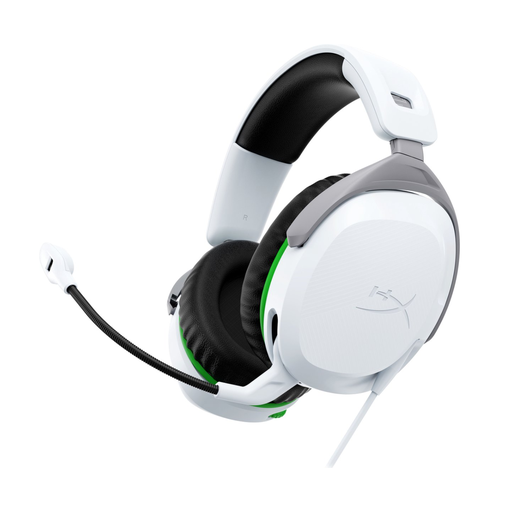 No image available
A good fit if you’re looking for a wired headset for Xbox. Check that your console matches the version listed.
 No image available
A good fit if you’re looking for a wired headset for PlayStation. Check that your console matches the version listed.
 No image available
A wired 3.5 mm option for a set-up with a compatible connection. Check that your device’s port is suitable.
No, 7.1 surround sound isn’t a must-have for everyone. First check that you can follow dialogue and clues comfortably, and whether any spatial audio features work with your device.
If your PC has separate 3.5 mm ports for audio and microphone, you may need a Y-splitter. SteelSeries says one is included with the PC version of the Arctis Nova 1, but not the console version. Also check which input device is selected in your sound settings.
No, it depends on the headset version. For the Stealth 600 Gen 3, Turtle Beach specifies a receiver that matches the model and platform. The Xbox, PC and PlayStation receivers aren’t interchangeable.
According to the Dutch government, the seller must provide a product that works properly and is your point of contact for a solution. The Netherlands doesn’t have one fixed statutory guarantee period for all products. What you can expect depends, among other things, on the product and the sales information. Online purchases from a business also generally come with a 14-day cooling-off period, although there are exceptions.
The WHO recommends keeping the volume low and taking regular listening breaks. The WHO examples of 80 dB for up to 40 hours per week and 90 dB for four hours per week relate to sound exposure; they aren’t proven safe settings for a specific headset.