
Player practising with audio cues
You want to assess in-game sounds without treating claims about footsteps as proven competitive advantages. SteelSeries lists presets for the Arctis Nova 5; check that the available settings work with your platform.


Start with the connection: wired is a good fit for practising in one place without having to recharge, while wireless gives you more freedom of movement if your device supports the connection. Then consider sound settings, fit and microphone. Bright room lighting alone is no reason to choose a different headset system; assess any reflections on your screen separately.
You want to assess in-game sounds without treating claims about footsteps as proven competitive advantages. SteelSeries lists presets for the Arctis Nova 5; check that the available settings work with your platform.
You want to avoid a cable restricting your movement and can accommodate a compatible receiver and charging breaks. SteelSeries and HyperX describe wireless connection options for their respective models.
You care about fit, clear speech and keeping the listening volume at a manageable level. Logitech lists memory foam ear pads for the PRO X; the World Health Organization emphasises that safe listening depends on both volume and listening time.
| What to consider | What should you check? | Who should pay particular attention? |
|---|---|---|
| Audio cues and platform features | Check that presets and any software features work on your platform. Logitech states that Blue VO!CE and DTS Headphone:X 2.0 are available on the wired PRO X only on PC via G HUB. | I want to assess in-game sounds on my own platform during competitive practice, without treating a preset as proof of better performance. Around 36% of consumers prioritise audio cues and platform features. |
| Freedom of movement | Check that the receiver and headset variant are compatible with your device. Compare battery life only within the same connection mode; SteelSeries and HyperX provide manufacturer figures for each model and mode. | If I move around a lot, I don’t want a cable to get in the way of my practice. Around 29% of consumers give freedom of movement top priority. |
| Fit and safe listening | Try the headset if possible. The World Health Organization links safe listening to both volume and duration. | During long practice sessions, I want a comfortable fit and to keep my listening volume at a manageable level. Around 21% of consumers prioritise comfort during extended use. |
| Clear team chat | Check the mute function, microphone position and any software requirements. Make a short test recording after connecting the headset. | If team chat matters most to me, I want the microphone to work with my device. Around 14% of consumers give communication with teammates top priority. |
You may expect a feature that isn’t available in your setup. Logitech states that Blue VO!CE and DTS Headphone:X 2.0 are available on the wired PRO X only on PC via G HUB.
Check the exact headset variant, platform and connection before relying on an additional feature.
HyperX lists different maximum battery life figures for 2.4 GHz and Bluetooth on the Cloud III S Wireless; these figures refer to different modes.
Compare the figure for the connection mode you’ll actually use during practice.
In the Netherlands, the government does not set a fixed statutory warranty period. Your statutory rights depend on what you can reasonably expect from the product; any additional manufacturer’s warranty is separate.
Read what extra cover is offered and, if there’s a problem with the product, check which rights and options apply to your situation.
The Arctis Nova 5 is a wireless option for anyone looking for a USB-C dongle and the ability to switch between 2.4 GHz and Bluetooth.
The wired PRO X is worth considering if you want to avoid charging and use team chat settings on PC.
The Cloud III S Wireless lets you compare 2.4 GHz and Bluetooth as connection modes.
The BlackShark V2 HyperSpeed is a wireless option to compare if you’re drawn to a competitive gaming range.
The products shown are aimed at wireless practice with greater freedom of movement. Check the platform variant, connection and features you need for each model.
 Image unavailable
This PlayStation variant is designed for anyone who wants to practise without a headset cable; check that this version is compatible with your device.
Wireless model; the product name specifies the PlayStation Black variant.
 Image unavailable
The Xbox variant is a good fit for anyone who wants to move freely while using team chat during practice.
The product name lists Xbox Series X|S, Xbox One, PC, Switch 2 and mobile, plus a flip-to-mute microphone.
 Image unavailable
A wireless option for anyone who wants to practise without a headset cable; check that it’s compatible with your device before buying.
The product name specifies the white version.
 Image unavailable
This wireless version is a good fit for anyone weighing up freedom of movement and the choice between 2.4 GHz and Bluetooth.
HyperX lists up to 120 hours via 2.4 GHz and up to 200 hours via Bluetooth; these are manufacturer figures for different modes. The product name also specifies a detachable 10 mm boom microphone.
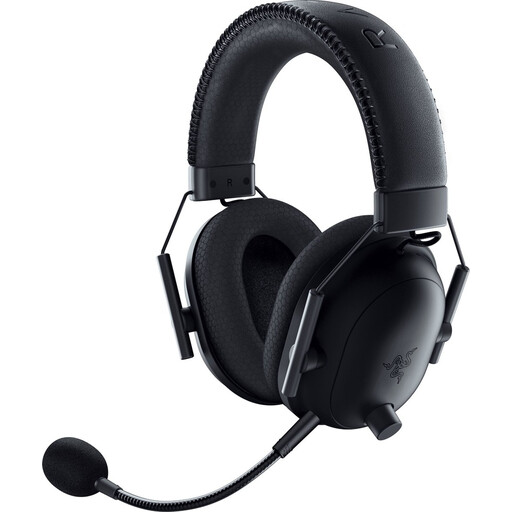 Image unavailable
This PlayStation-licensed version is a wireless option for practising without a headset cable; check that the connection suits your setup.
The product name specifies the black PlayStation Licensed variant.
No, not when choosing between wired and wireless or for the audio features mentioned here. Assess any problems caused by light on your screen separately.
Not automatically. Logitech states that Blue VO!CE and DTS Headphone:X 2.0 are available on the wired PRO X only on PC via G HUB; check the features for the exact model and platform.
Connect the headset using the connection intended for your device, select it as the audio input and output, and check the mute setting. Then make a test recording; the HyperX guide gives separate instructions for using the Cloud III S Wireless with PlayStation.
Keep the volume at a manageable level and take listening breaks. The World Health Organization emphasises that safe listening depends on both volume and duration of exposure.
Not when they’re different connection modes. HyperX lists up to 120 hours via 2.4 GHz and up to 200 hours via Bluetooth; compare these manufacturer figures with the mode you actually use.