
Commentators who want to be clearly heard
You record your voice or stream live, and want to check the microphone position, mute function and balance with the match audio. A test recording in your own room helps you assess how your voice sounds.


Start with a microphone you can set up to make yourself clearly audible, then make a test recording with the match audio playing. A wired headset suits a fixed setup with a compatible connection. If you want to hear audio from two devices at once, also check that the microphone sends your voice to the right device.
You record your voice or stream live, and want to check the microphone position, mute function and balance with the match audio. A test recording in your own room helps you assess how your voice sounds.
You might want to hear match audio from one device and communication from a second. Check separately whether the model plays both sources at once and which device the microphone sends your voice to.
You may wear your headset for an entire match, so fit and ear cushions matter. HyperX and Logitech G describe the materials used in their models, but that information won’t tell you how a headset will fit your head.
First, check that the microphone and connection are compatible with your recording device. Then consider whether you need a second audio source and how comfortable the headset feels during a long session.
| What to consider | What should you check? | Who is this important for? |
|---|---|---|
| Clear voice audio | Make a test recording with the match audio playing, and check the microphone position, mute function and audio levels. | I want my commentary to remain clear while the match audio is playing; around 36% of consumers give clear voice recording top priority. |
| Two audio sources | Check whether the exact model plays both sources at once and which device the microphone sends your voice to. | I want to hear match audio and, for example, communication at the same time without switching; around 29% of consumers prioritise hearing two sources simultaneously. |
| Comfort during a match | Pay attention to pressure from the ear cushions and headband, and listen at a moderate volume. | I wear my headset for long periods and want it to feel comfortable without having to keep turning up the volume; around 21% of consumers say comfort is their top priority. |
| Connection and features | Check your device’s port or dongle, microphone input and any software requirements. | I want to make sure the microphone and features I need work with my recording device; around 14% of consumers put connectivity and compatibility first. |
A headset that can connect in two ways won’t necessarily play audio from both sources at the same time. SteelSeries confirms simultaneous playback via 2.4 GHz and Bluetooth for the Arctis Nova 7, but the microphone doesn’t send audio to both sources at once. According to SteelSeries, Quick Switch on the Nova 5 only allows one connection to be active at a time.
Check the features of the exact model, and separately establish which device your commentary microphone needs to send audio to.
Logitech states that Blue VO!CE and the advanced surround feature mentioned for the wired PRO X require a PC and G HUB. A voice filter also doesn’t prove that distracting room noise will disappear automatically.
Check the software and connection requirements for your recording device before relying on a feature.
The Government of the Netherlands states that there is no fixed statutory guarantee period in the Netherlands, and that a manufacturer’s warranty is an additional benefit.
Check what any additional warranty covers. If a product is faulty, contact the seller.
The wired Cloud III is an option if you’re looking for several connection options for a fixed setup.
The wired PRO X is worth considering if you want to adjust voice filters while recording on a PC.
The Arctis Nova 7 is an option if you want to hear audio from a dongle-connected device and a Bluetooth device at the same time.
The wired BlackShark V2 X is worth a look if a flexible boom microphone and closed ear cups suit your needs.
These headsets are designed for commentary with either a wired connection or a wireless setup. Check the microphone, connection and any software requirements for each model.
 Image unavailable
An option for commentary if you want a wired connection and a flip-up microphone that mutes when raised.
3.5mm connection; USB audio adaptor included for USB use. The product description mentions memory foam ear cushions.
 Image unavailable
A wireless option if you’re looking for a boom microphone with a mute indicator and volume control.
Connection modes: 2.4 GHz and Bluetooth. Detachable 10mm boom microphone; the description mentions memory foam in the headband and ear cushions. Listed battery life: up to 120 hours via 2.4 GHz and up to 200 hours via Bluetooth. Wireless use requires charging.
 Image unavailable
A wired option if you want a microphone that flips up to mute during commentary.
The description lists a 6mm microphone, a USB DAC and a 3.5mm connection. The advanced surround feature requires G HUB software.
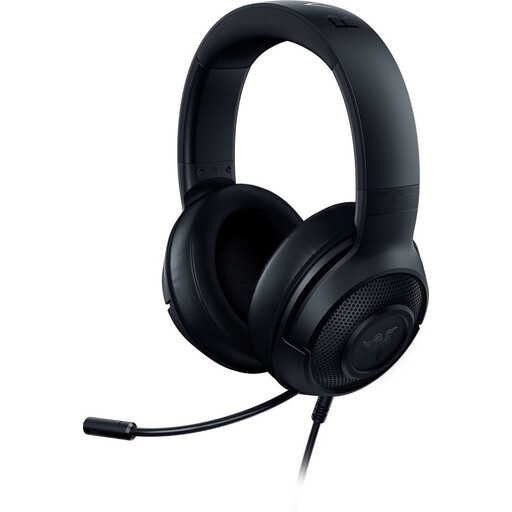 Image unavailable
A wired option if you want to be able to position and mute the microphone.
3.5mm connection; flexible cardioid microphone and mute control. The description lists a weight of 230 g and memory foam ear cushions. The 7.1 surround feature is limited to 64-bit Windows 10.
 Image unavailable
A wired option if you want to mute the microphone and check its status.
The description lists a detachable 10mm microphone, a mute button and an LED mute indicator. Connections: 3.5 mm, USB-A and USB-C; available features may vary by connection.
Make a short test recording using the recording or streaming software you plan to use. OBS Project provides level meters and lets you adjust audio sources separately; listen back to check that your voice remains clear.
Capturing the same audio device in two places can cause an echo. OBS Project recommends checking that the device isn’t enabled both as a scene source and as a global audio source.
Being able to listen to two sources at once doesn’t automatically mean that the microphone sends audio to both devices. SteelSeries confirms that the Arctis Nova 7 can mix two audio sources, but the microphone doesn’t send audio to both at the same time.
For eligible distance purchases, you’ll usually have a 14-day cooling-off period, although conditions and exceptions may apply. The Government of the Netherlands also states that there is no fixed statutory guarantee period in the Netherlands, and that the seller is your point of contact if a product is faulty.
Keep the volume low and take regular breaks. The World Health Organization points out that sound level, listening time and frequency of exposure all affect the risk of hearing damage.