
The chatty team player
You use voice chat often and want to be able to mute or adjust the microphone quickly without leaving the game. HyperX and Microsoft describe models with chat or mute controls on the headset.


Start with the device you play on and check that its connection supports both game audio and voice chat. Then choose between wired, which means no headset battery to worry about but less freedom to move, and wireless, which requires you to manage pairing and charging. If you chat a lot, also look for easy-to-reach mute controls, a comfortable fit and the option to test the microphone with your own setup.
You use voice chat often and want to be able to mute or adjust the microphone quickly without leaving the game. HyperX and Microsoft describe models with chat or mute controls on the headset.
You switch between devices, so check which connection and headset version supports voice chat on each platform. Logitech, HyperX and SteelSeries explain that connections and support can vary by model.
You don’t want to be tethered by a cable in the spare room, and you’re happy to factor in charging and choosing the right wireless connection. PlayStation, Microsoft and SteelSeries describe different pairing methods and model versions.
First, check that the microphone and game audio work with your device. Then think about how you’ll use the headset: close to your PC or controller, or with enough room to stand up and move around.
| What to consider | What should you check? | Who is this important to? |
|---|---|---|
| Team chat and mute | Check the microphone’s position and controls, and test whether you can mute it quickly. Also check the microphone volume on your device. | If I talk to my team often during co-op games, I want to switch quickly between talking and muting; around 29% of consumers give clear team chat and instant microphone control top priority. |
| Connection and platform | Note the ports on your PC or console and check the exact headset version. Microsoft describes connecting its stereo headset to a compatible Xbox controller; SteelSeries specifically lists the Nova 5X for Xbox. | If I switch between PC and console, I want to be sure chat works through the connection I’ve chosen; around 29% of consumers put platform connections and compatibility first. |
| Comfort | Look at adjustability and ear cushions, but judge the fit for yourself. A manufacturer’s comfort claims don’t guarantee that a headset will feel comfortable for everyone. | For longer gaming sessions, I want a headset that feels comfortable and can be adjusted; around 24% of consumers choose comfort as their top consideration. |
| Freedom to move | For wireless use, check the pairing method, whether an adapter is needed and how often you’ll need to charge it. PlayStation describes a USB adapter for compatible wireless headsets; Microsoft describes direct pairing for its wireless Xbox headset. | If I want to get up in the spare room without taking a cable with me, I’ll weigh that against charging and pairing; around 18% of consumers give freedom to move top priority. |
A headset might play game audio, while the microphone connection or a software feature isn’t available on another device. For example, Logitech says DTS Headphone:X 2.0 and EQ presets on the G432 require Windows and G HUB.
For each device and connection method, check separately whether game audio, the microphone and any extra features are supported.
Those labels alone don’t tell you how a headset pairs with your console. PlayStation describes a USB adapter for compatible wireless headsets, while Microsoft describes direct console pairing for its wireless Xbox headset.
Compare the full model name with the pairing instructions for your console, and check which connection method and accessories come with that version.
An optional seller or manufacturer warranty isn’t the same as your statutory rights. ACM ConsuWijzer explains that the legal guarantee is a separate right that applies when a product doesn’t meet what you could reasonably expect from it.
Check exactly which additional situations are covered by any extra protection, and keep those terms separate from your statutory rights.
The wired G432 is an option for gaming at a desk or using a suitable 3.5 mm connection.
The wired Cloud III shows how 3.5 mm, USB-A and USB-C connections can be useful across the different platforms listed.
The Arctis Nova 5 family is worth considering if you’re comparing wireless versions for different consoles.
Microsoft offers a wired stereo headset for a compatible Xbox controller and a wireless headset for supported Xbox consoles.
Here you’ll find wired and wireless gaming headsets with microphones for team chat. Check that each model’s connection works with your PC or console.
 No image available
A wireless version with a detachable microphone and mute controls, worth comparing if you want to mute quickly during team chat.
The product information lists 2.4 GHz and Bluetooth, a 10mm boom microphone and a mute indicator. Quoted battery life varies by connection: up to 200 hours via Bluetooth and up to 120 hours via 2.4 GHz. Check which connection best suits your device and how you use it.
 No image available
A wired option if you play close to your PC or controller and don’t want to worry about charging a headset battery.
The product information lists a 3.5mm connection, USB DAC and flip-to-mute microphone. According to Logitech, DTS Headphone:X 2.0 and EQ presets require Windows and G HUB, so check which features are available on your device.
 No image available
A wireless option to compare if you want more freedom to move during team chats and easy-to-reach mute controls on the headset.
The product information lists a 2.4GHz USB receiver, Bluetooth, a detachable microphone and mute controls. PS5, PS4 and Windows are listed as compatible systems; check the right connection method for your device.
 No image available
A wired headset to compare if you want mute controls on the earcup and don’t need a wireless connection.
The product information lists 3.5 mm, USB-A and USB-C, as well as a mute indicator. PC, PS5 and Xbox Series X|S are listed in the model information; check which connection is suitable for each device.
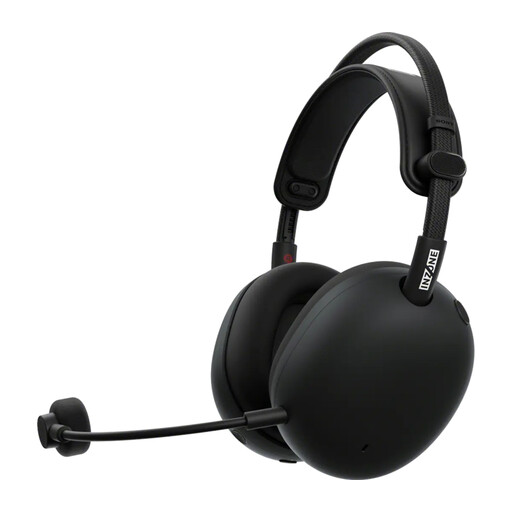 No image available
A wireless option to compare if you want chat controls on the headset and can check how it pairs with your device.
The product information lists a USB-C dongle for 2.4 GHz, Bluetooth, and chat and mute controls. The 2.4GHz dongle is listed for PC or PS5; Bluetooth is listed for mobile devices.
First, check that the microphone isn’t muted and that you’ve selected the right input device. PlayStation says you can adjust the microphone volume on PS5 and check the input meter to see if a signal is coming through. For a wireless headset, also check the connection and any adapter.
No, check the pairing method for the exact model. PlayStation describes a USB adapter for compatible wireless headsets; Microsoft describes direct console pairing for its wireless Xbox headset. For headsets from other brands, check the instructions for your console.
Keep the volume down and take listening breaks. The World Health Organization explains that both sound level and duration of exposure matter, and recommends, among other things, keeping your device volume below 60% of the maximum. This is general guidance, not a measurement of the sound pressure from your headset.
That depends on the game and chat feature you use, not just the headset. Microsoft says some voice chat features on supported consoles may require a separate Game Pass subscription; check the terms for the feature you want to use.
For eligible distance purchases from a business, the Dutch government says you’ll often have a 14-day cooling-off period. You’re also covered by the legal guarantee if a product, when used normally, doesn’t meet what you could reasonably expect from it. ACM ConsuWijzer makes clear that the legal guarantee isn’t automatically limited to a two-year manufacturer’s warranty.