
Players who love a story and its soundtrack
You mainly play cinematic single-player games and want to pick out dialogue, music and sound effects clearly. That’s why sound quality comes first, followed by chat features.


First, choose a headset that connects to your platform and feels comfortable during longer gaming sessions. Then compare its sound and any spatial audio features in the games you play. A bright room doesn’t, by itself, mean you need noise cancellation; it only becomes a consideration if there’s also distracting background noise. A wired headset limits your freedom to move, but you won’t need to charge a headset battery. Wireless gives you more freedom, provided the connection is compatible with your platform.
You mainly play cinematic single-player games and want to pick out dialogue, music and sound effects clearly. That’s why sound quality comes first, followed by chat features.
You play for long stretches and care about fit and ear cushions, as well as what a cable or charging a battery means for the way you play.
You might switch between PC and console, or use a phone too. Check the exact connection and headset variant, not just a general claim that it works with multiple platforms.
Daylight alone doesn’t make noise cancellation essential. Start with platform compatibility and fit, then consider sound, wireless freedom and whether you need to block out background noise.
| What to consider | What to look for | Who is this important for? |
|---|---|---|
| Sound for cinematic games | Compare sound quality and check whether spatial audio works on your platform. | I want to follow dialogue, music and sound effects in story-driven games clearly. Around 28% of consumers put sound quality first. |
| Comfort during long sessions | Check the fit, headband and ear cushions; try the headset on if possible. | If I play for long stretches, I want my headset to stay comfortable. Around 22% of consumers say comfort is their top consideration. |
| Compatibility with your platform | Check the full model name, variant, connection and any adapter you may need. | I want to make sure the headset works with my PC or console and supports the features I need. Around 22% of consumers put platform compatibility first. |
| Freedom to move | Check which wireless connections your platform supports, along with the stated battery life and charging method. | I want to be able to get up or sit further away from my device without an audio cable. Around 17% of consumers prioritise playing without cables. |
| Blocking out background noise | Work out whether there really is distracting noise, and distinguish earcup isolation from microphone noise filtering. | If noise in my room disrupts my game, I want to know how the earcups affect what I hear. Around 11% of consumers put this kind of isolation first. |
Virtual surround sound depends in part on the software and platform. A label alone won’t tell you whether the dialogue, music and sound effects will sound the way you like.
Check which audio features your platform and games support, and compare the sound rather than relying on the product description alone.
A product range name doesn’t guarantee that every variant works with the same console or connection. SteelSeries specifically lists the Nova 5X for Xbox.
Before buying, check the full model name and the included connection or adapter.
Microphone processing focuses on what other people hear; it doesn’t automatically block out background noise for you.
If your room is noisy, look separately for information about how well the earcups seal or whether the headset has active noise cancellation.
The wired Cloud III is worth considering if you want to use a compatible 3.5mm, USB-C or USB-A connection.
The PULSE Elite is a wireless option designed for PS5 that uses PlayStation Link.
The Arctis Nova 5 range is worth comparing if you’re looking for wireless game audio and adjustable profiles.
The Maxwell 2 is worth comparing if sound quality is a priority. Audeze offers separate PlayStation and Xbox models.
The Barracuda X is a wireless option to consider if you want to use your headset with different types of device.
This Joybuy selection includes wired and wireless gaming headsets. First, check which connection suits your platform, then compare the listed features for your gaming sessions.
 No image available
A wired USB option for PC and PS4. Check that the connection and features are compatible with your device.
40mm drivers; weight 285 g; cardioid microphone. The product description says 7.1 audio is available on Windows.
 No image available
A wireless option if you want to switch between supported devices; the product description lists PC, PS5, PS4 and Switch.
Connects via 2.4 GHz and Bluetooth; stated battery life is up to 120 hours via 2.4 GHz and up to 200 hours via Bluetooth. 53mm drivers and memory foam ear cushions. DTS Spatial Audio is listed for PC.
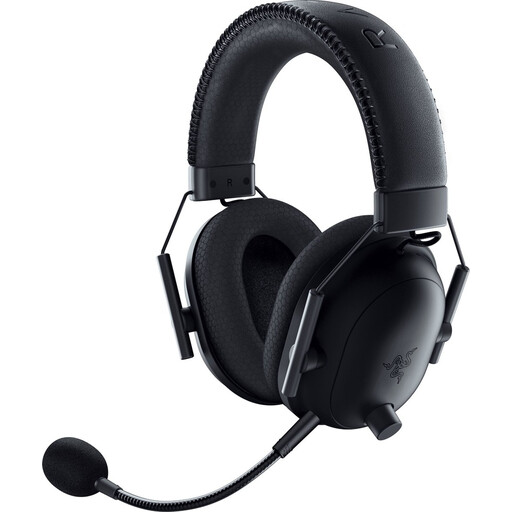 No image available
The product title describes a wireless gaming headset licensed for PlayStation. Check which connections and features your device supports.
The description lists a USB dongle and a 3.5mm connection, 50mm TriForce drivers and a detachable microphone.
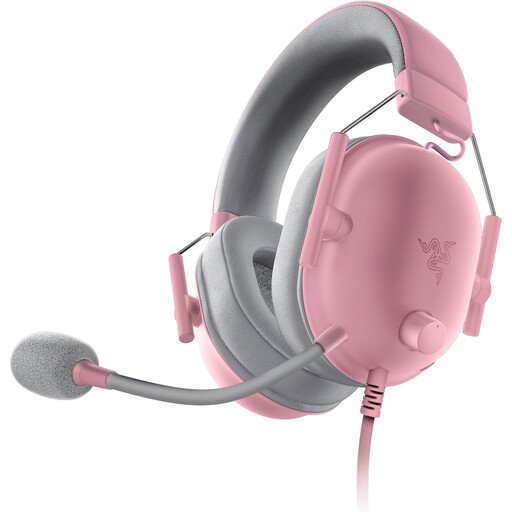 No image available
A wired option for devices with a 3.5mm connection. Check that your platform has a compatible connection.
50mm TriForce drivers and memory foam ear cushions. The description mentions passive noise isolation; software and an activation code are required for the full 7.1 surround sound experience.
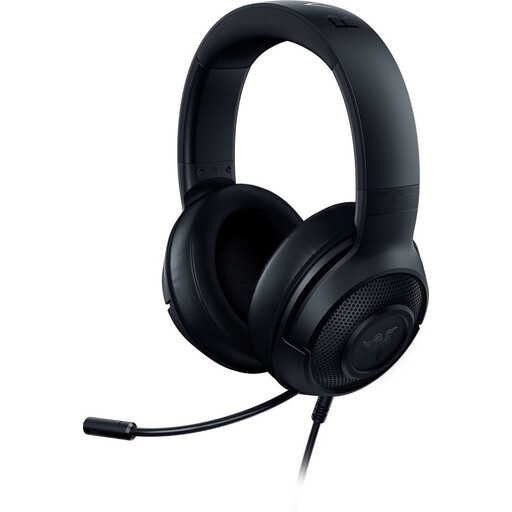 No image available
A wired headset with a 3.5mm connection; the description lists compatibility with several platforms and soft ear cushions.
Weight 230 g. According to the product description, 7.1 surround sound is only available on Windows 10 64-bit.
Not because of the daylight itself. Consider noise isolation if there’s also distracting background noise; microphone noise filtering isn’t the same as blocking noise from reaching your ears.
A wired headset is a good fit if your device has a suitable connection and you’d rather not charge it, although the cable limits your freedom to move. Choose wireless if being able to move freely matters to you, but first check that the included connection works with your platform and remember that you’ll need to charge it.
PlayStation explains how to set up 3D audio for headphones under Settings > Sound. You can use a personal profile or a preset; try it in a game you play to see whether it sounds right to you.
Radio equipment placed on the EU market is subject to the Radio Equipment Directive, which sets requirements including safety, electromagnetic compatibility and radio spectrum use. According to the European Commission, the CE mark indicates that the manufacturer declares a product complies with applicable EU product rules; it is not a separate EU quality certificate. Check the information for the specific model.
According to the Netherlands Authority for Consumers and Markets, the seller is responsible for the statutory guarantee if a product is faulty. For online consumer purchases, you generally have 14 days from delivery to change your mind, subject to conditions and exceptions. This right to change your mind is separate from your rights if a product is faulty.