
Vandaag of morgen in huis

Kwaliteit gegarandeerd

Welkomstaanbiedingen ontgrendelen: GRATIS bezorging | Tot 80% korting | Gratis 30 dagen JoyPlus-proefperiode
Download de app
At first glance, choosing a gaming headset with a microphone seems straightforward. But there are clear differences in connectivity, microphone quality, comfort and software. A low price isn’t automatically a drawback, but a headset that doesn’t suit your device or how you plan to use it can quickly turn out to be the wrong choice.
And it’s not just gamers who need one. People working from home, students and professionals also use headsets for video calls, online lessons and long work sessions. Below, we cover the main pitfalls, technical details and some popular options, based on verifiable product information.
A surround sound headset can offer virtual spatial audio, but it won’t necessarily work on every platform. Some models require software, and the feature may only be available on a PC. So check:
A 3.5 mm gaming headset is often compatible with a wide range of devices, but usually provides standard stereo sound without additional software. That can be handy if you want to plug in and get started quickly.
Terms such as “clear communication” and “noise reduction” don’t tell you much without technical context. Look at the microphone type, positioning and controls. A directional boom microphone may pick up background noise differently from an omnidirectional model. A mute function on the microphone or earcup is also useful during a call.
According to the manufacturer’s product information, the HyperX Cloud III has a noise-cancelling microphone and an LED indicator that shows when the microphone is muted. This is a product specification, not a guarantee that every user will experience the same clarity in every room.
A lightweight gaming headset isn’t automatically comfortable. The shape of the ear cushions, headband, clamping force and materials also affect how long you can wear it comfortably. Look out for the differences between:
A cable measuring 1.3 to 2 metres is handy at a desk, but can get caught underfoot. Keep it out of walkways, and pull the plug rather than the cable when disconnecting it.
A 3.5 mm gaming headset usually works with devices that have a combined headphone and microphone socket. Some desktop PCs have separate audio and microphone ports. You may need a Y-splitter for these, so check whether one is included.
A USB gaming headset processes audio using built-in electronics. It may be plug-and-play on a PC or laptop, but USB isn’t automatically compatible with every console. Check the exact platform, USB standard and whether additional software is required.
If you switch between PC and console, a multiplatform gaming headset with a 3.5 mm connection can be a straightforward choice. Models with both USB and 3.5 mm offer more options, but check which features are available with each connection.
Look for an adjustable microphone that can be positioned close enough to your mouth. A flip-to-mute feature or mute button means you don’t have to search through menus during a call. For working from home, a microphone designed for picking up speech is useful; for gaming, quick volume controls and a sturdy microphone arm are handy too.
Also pay attention to claims about noise-cancelling. Microphone noise reduction reduces certain background noises in voice recordings, according to the product description. This is different from active noise cancellation in the headphones. With passive sound isolation, the shape and material of the ear cushions partially block out ambient noise.
Weight is a useful point of comparison, but it isn’t the only one. According to the specifications, the Razer BlackShark V2 X weighs 240 grams, while the Corsair HS55 weighs 273 grams. The HyperX Cloud III is listed at 308 grams. The actual wearing experience also depends on the fit.
The driver diameter, such as 40, 50 or 53 mm, doesn’t tell you on its own how good a headset sounds. It’s better to consider the whole picture: driver specifications, frequency range, connection, microphone and intended use. A wide frequency range isn’t a guarantee of quality on its own either.
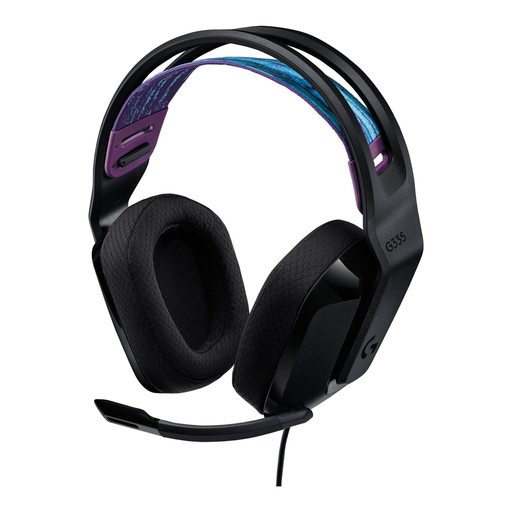
Why it suits this user type: The 3.5 mm connection and compatibility with PC, PlayStation, Xbox and Nintendo Switch make this an easy choice if you want to get started without a complicated set-up.
You don’t depend on a specific USB driver or surround sound software. The product information also lists a flip-to-mute microphone and volume controls on the earcup.
240 grams, memory foam ear cushions, 3.5 mm plug-and-play connection and compatibility with multiple platforms.

Why it suits this user type: This model combines 3.5 mm, USB-A and USB-C connections with support for PC, PlayStation, Xbox, Switch, Mac and mobile devices.
The connection options reduce the chance of choosing the wrong connector. According to the product information, DTS Headphone:X 2.0 is a virtual feature; check which devices it works with before you buy.
53 mm drivers, memory foam in the headband and ear cushions, detachable microphone and volume controls on the earcup.

Why it suits this user type: For long gaming sessions, this wired model offers a 3.5 mm connection, 50 mm drivers and a weight of 240 grams.
The product description mentions passive sound isolation, so don’t assume it has active noise cancellation. The virtual 7.1 feature requires software and an activation code.
50 mm TriForce drivers according to Razer, a cardioid microphone, memory foam ear cushions and support for PC, Mac, PlayStation, Xbox and Switch.
We’ve put together a complete, up-to-date list of products that meet these strict selection criteria and the applicable European safety regulations.
It depends on the connection. A 3.5 mm model often works with multiple devices, but you may need a splitter for a desktop PC with separate ports. USB models are usually designed for PC or specific consoles. Always check the compatibility list for the exact model.
Its lifespan depends on how you handle the cable, hinges and ear cushions, and how you store it. Store the headset somewhere dry, don’t pull on the cable, and clean the ear cushions according to the product instructions. In the EU, consumers are entitled to a minimum statutory guarantee of conformity; the exact rights depend on the circumstances and where you bought it.
No. Weight, clamping force, ear cushion shape and materials matter more than price alone. Compare these specifications with how you’ll use it: an on-ear model may suit short calls, while a comfortable over-ear gaming headset may provide more isolation for longer sessions. Keep the volume at a moderate level and take regular breaks.
