
Vandaag of morgen in huis

Kwaliteit gegarandeerd

Welkomstaanbiedingen ontgrendelen: GRATIS bezorging | Tot 80% korting | Gratis 30 dagen JoyPlus-proefperiode
Download de app
A gaming headset needs to do more than just play sound. During a long gaming session, you want to hear footsteps and teammates clearly, without pressure on your ears. At the same time, the microphone needs to be intelligible, and the connection must suit your PC, PlayStation, Xbox or Nintendo Switch.
Yet buyers often pay for features they barely use. So pay particular attention to these three common pitfalls:
“Surround sound” without clear compatibility
Virtual 7.1 or 3D audio often only works via specific software, USB connections or platforms. A gaming headset with surround sound isn’t automatically available on every console.
A wireless gaming headset without the right connection
Bluetooth is handy for mobile use, but not every device supports the same features. A 2.4GHz USB dongle can be more suitable for gaming, while with a wireless headset you also need to consider charging and range.
Comfort that only sounds good on paper
An over-ear gaming headset may feel soft, but weight, headband, ear cushions and clamping force determine whether you’ll wear it comfortably for hours. Also check whether the microphone is foldable, detachable or fixed.
A wired gaming headset with a 3.5mm jack is generally easy to connect to a controller, laptop, PC or mobile phone. Models like the Trust GXT 489W Fayzo work, according to the product information, with PC, laptop, PS4, PS5, Xbox and Switch. For some PCs with separate audio and microphone connections, an extension cable or splitter is needed.
USB headsets can offer extra features, such as software equalisers, RGB lighting or virtual surround sound. Do check, however, that the USB connection and software are compatible with your system. The Corsair HS80 RGB USB mentions Dolby Audio 7.1 for PC; that doesn’t mean the same surround function is available on every console.
A gaming headset for PS5 also needs to work well with the console’s 3D audio settings. With a gaming headset for Xbox, it’s wise to check the connection and official compatibility list. A 3.5mm model is practical, but features can vary between devices.
If you often play with others, a clear gaming headset with microphone is more important than flashy lighting. Look at:
A brand’s claim of “crystal-clear” communication isn’t a guaranteed result. Base your choice instead on verifiable features such as microphone type, mute control and connection.
A comfortable gaming headset usually has adjustable parts and soft ear cushions. Pay attention to weight: the Trust GXT 415 Zirox weighs 244 grams according to the product specification, while the HyperX Cloud III weighs 308 grams. That difference can be noticeable during long sessions.
A 40mm or 50mm driver doesn’t in itself tell you how the headset sounds. It’s just one part of the sound build-up. Stereo is sufficient for many players. Virtual surround sound can offer extra spatial awareness, but first check whether the feature works on your platform.
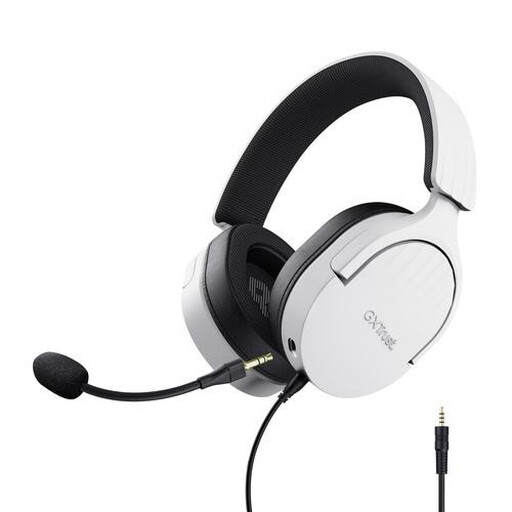
Why this fits the profile: The wired 3.5mm connection works with PC, laptop, PlayStation, Xbox and Switch. No charging required.
The features are clearly defined: stereo audio, no virtual 7.1 function and no wireless battery that needs charging.
50mm drivers, over-ear cushions, detachable microphone and on-ear cup controls.

Why this fits the profile: Ideal for players who want one headset for multiple systems and place high value on wearing comfort and voice communication.
Compatibility is specifically listed for PC, PS5, Xbox, Switch, Mac and mobile. The microphone is detachable and has a mute indicator.
53mm drivers, memory foam in headband and ear cushions, USB-C, USB-A and 3.5mm connection.
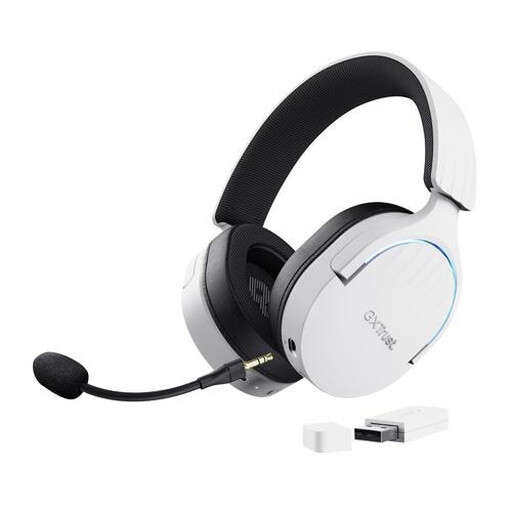
Why this fits the profile: For players who want freedom of movement and use a headset with PC or console. The combination of 2.4GHz and Bluetooth offers different connection options.
The battery life is specified at up to 22 hours. Before buying, do check whether the included dongle and virtual 7.1 function are compatible with your device.
2.4GHz and Bluetooth, up to 22 hours of playtime, 50mm drivers, detachable microphone and included USB dongle.
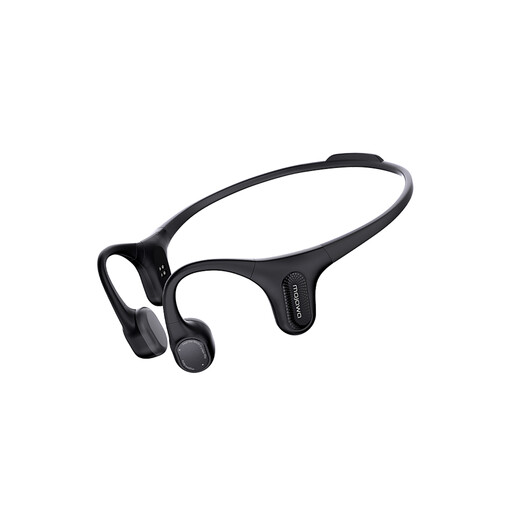
Why this fits the profile: This isn’t a traditional gaming headset, but an open-ear sport headphone for running, cycling, music and calls where ambient sound remains audible.
The application is clear: open-ear use for active situations. The IP67 rating is stated in the product information, but always check the user manual.
Open-ear design, Bluetooth, built-in microphone and IP67 rating according to the product description.
We’ve put together a full, up-to-date list of products that fully meet these strict selection criteria and current European safety regulations.
A wired gaming headset doesn’t need a battery and can be a simple choice for PC or console. A wireless gaming headset offers more freedom of movement, but needs to be charged. Also pay attention to the difference between Bluetooth and a 2.4GHz dongle, and check which connection your device supports.
That varies by model and connection. A headset with a 3.5mm jack often works with multiple devices, but features such as surround sound or software control can be platform-specific. Always check the compatibility information before buying.
The lifespan depends on use, storage and maintenance. Don’t pull on the cable, keep electronic parts dry and store the headset without unnecessarily bending the headband. With intensive use, replaceable ear cushions, a detachable microphone and a sturdy connection are practical points to consider. Also, don’t use the volume at high levels for long periods, and take breaks during long sessions.
