
Vandaag of morgen in huis

Kwaliteit gegarandeerd

Welkomstaanbiedingen ontgrendelen: GRATIS bezorging | Tot 80% korting | Gratis 30 dagen JoyPlus-proefperiode
Download de app
A gaming headset needs to do more than play sound. You want to hear your teammates clearly, make sure your voice comes across properly and play for hours without pressure on your ears. However, it is easy to pay too much for features you never use. A high price, RGB lighting or “surround sound” alone says little about whether a headset is suitable for your PC or console.
This buying guide helps you assess specifications in practical terms and choose a suitable wired gaming headset, wireless gaming headset or headset with microphone.
Virtual 7.1 or 3D sound can depend on the connection, software and platform. With some models, for example, the spatial audio mode only works on PC. On a console, you may then get stereo sound instead.
Therefore, check:
A model with “7.1” on the packaging is therefore not automatically suitable for every gaming setup.
A wireless gaming headset gives you more freedom of movement, but it needs a battery. Pay attention to the difference between Bluetooth and a 2.4GHz receiver. Bluetooth is useful for phones and laptops, while a USB receiver is often intended for PC or console use.
Before buying, check:
A 300-gram headset may look perfectly suitable on paper, but the fit, headband and ear cushions determine how comfortable it feels during long sessions. On-ear models sit on your ears; over-ear models usually enclose your ears more effectively, but may feel warmer.
Look at:
A 3.5 mm gaming headset is often easy to connect to a controller, laptop, Nintendo Switch or PC. If your PC has separate connections for audio and the microphone, a Y-adapter may be required.
A USB gaming headset processes the audio signal through the USB connection. This can be useful for volume control, microphone functions and virtual surround sound, but make sure your console supports USB audio.
A model with multiple connections offers greater flexibility. According to the product information, the Trust GXT 491W Fayzo supports 2.4GHz, Bluetooth, USB-C and 3.5 mm. The included receiver and cable allow you to use it with different devices, but check which functions are available on each platform.
A headset with a microphone is particularly useful if you often play online. A fold-away microphone can be muted automatically or manually. A detachable microphone is practical if you also want to use the headset for music or while out and about.
Do not focus solely on terms such as “noise cancelling”. According to the brands’ own product information, this usually refers to reducing background noise picked up by the microphone. It does not automatically mean that all ambient noise will disappear. The position of the microphone and its distance from your mouth remain important.
Stereo uses two audio channels and is suitable for music, games and general communication. Virtual surround sound attempts to reproduce direction and distance more spatially through software or processing in the headset. The result can vary depending on the game, device and personal preference.
A larger driver size, such as 50 mm, tells you about the speaker unit, but does not by itself predict sound quality. Also consider the frequency response, fit and available settings.

Why it suits this profile: A straightforward wired gaming headset for PC, PlayStation, Xbox and Nintendo Switch via 3.5 mm.
No battery or wireless receiver required. The specifications list a fixed 2-metre cable and a fold-away microphone.
244 grams, over-ear cushions, 50 mm drivers and volume control on the ear cup.

Why it suits this profile: For players who value comfort, multiple connections and virtual spatial audio.
The product information lists USB-C, USB-A and 3.5 mm, making you less dependent on a single connection.
53 mm drivers, DTS Headphone:X 2.0, memory foam and a detachable microphone with noise reduction according to the product specifications.
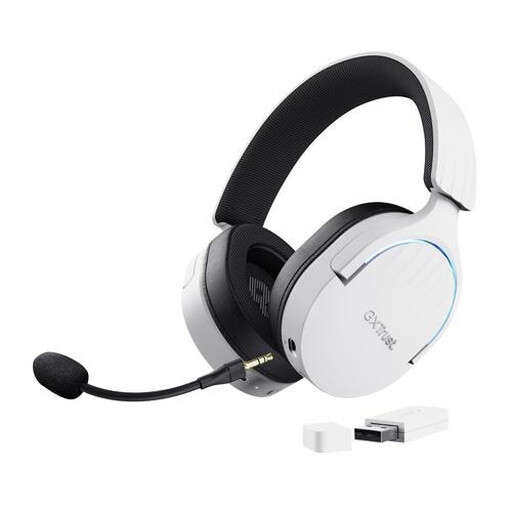
Why it suits this profile: For players who want wireless freedom on PC or console and also use Bluetooth with a phone.
The battery, USB receiver and Bluetooth are listed separately in the specifications. This lets you choose the connection that best suits the device you are using.
Up to 22 hours of playback according to the product information, 50 mm drivers, virtual 7.1 and a detachable microphone.
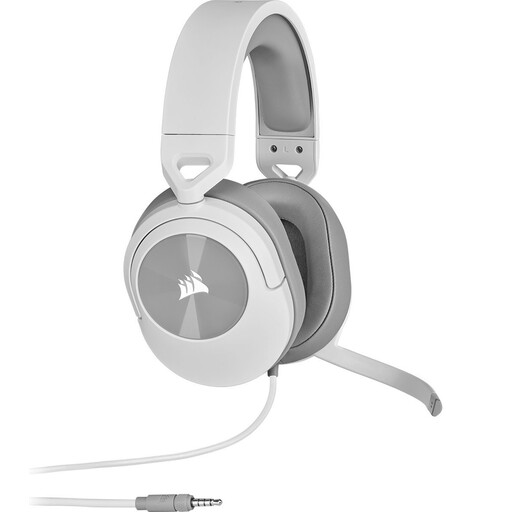
Why it suits this profile: A lightweight headset for PC, PS5, Xbox, Nintendo Switch and mobile devices via 3.5 mm.
The 3.5 mm connection and included Y-adapter make compatibility easy to check before buying.
273 grams, 50 mm neodymium drivers, flip-to-mute microphone and support for PS5 3D audio according to the product specifications.
We have put together a complete, up-to-date list of products that fully meet these strict selection criteria and the applicable European safety regulations.
For PS5, you can choose a 3.5 mm model that connects to the controller, or a USB or wireless model that is explicitly compatible. Also check whether surround sound is available on PS5. According to the product specifications, the Corsair HS55 supports stereo and PS5 3D audio. The Trust GXT 498W Forta is officially licensed for PS5 and uses a detachable 3.5 mm cable.
A wired headset does not need a battery and usually works as soon as you plug it in. This makes it suitable for long sessions and for players who do not want to plan charging breaks. A wireless model gives you greater freedom of movement, but requires you to keep an eye on battery life, charging time and the included receiver. Choose wired for simplicity; choose wireless if freedom of movement matters more to you.
Its lifespan depends on cable use, hinges, ear cushions and storage. Do not pull on the cable, bend the microphone beyond its range of movement or store the headset somewhere damp. Use a moderate volume and take regular breaks to avoid exposing your hearing unnecessarily to high sound levels. Also check the statutory warranty and the seller’s terms and conditions before placing your order.
