
Vandaag of morgen in huis

Kwaliteit gegarandeerd

Welkomstaanbiedingen ontgrendelen: GRATIS bezorging | Tot 80% korting | Gratis 30 dagen JoyPlus-proefperiode
Download de app
A gaming headset needs to do more than just play audio. You want to hear your teammates clearly, make sure your own voice comes across properly and play for hours without pressure on your ears. Yet marketing terms such as “surround sound”, “noise cancelling” and “professional microphone” often create unrealistic expectations.
The main pitfalls:
First, check what you want to use the headset with. A wired gaming headset with a 3.5 mm connection is often practical for a controller, laptop, mobile phone or Nintendo Switch. Models such as the Razer BlackShark V2 X, Logitech G335 and JBL Quantum 300 are listed in their product information as being suitable for multiple devices.
A USB headset can be useful with a PC, as the audio processing takes place via USB. The Sony INZONE H3 is designed for PC and PlayStation 5 and uses a USB audio connection for features such as virtual spatial audio. If you are looking for a headset for Xbox, check particularly carefully that the cable, dongle or wireless connection is compatible with your Xbox model.
A gaming headset with a microphone should have an adjustable microphone that can be positioned close enough to your mouth. A flip-to-mute function is practical: on the Logitech G432, Logitech G335 and Sony INZONE H3, the microphone is muted when you move it upwards, according to the product descriptions.
Also pay attention to the microphone connection. On some models, the microphone only works via USB or a specific adapter. With a basic headset with a microphone using 3.5 mm, you may need a splitter if your PC has separate audio and microphone ports.
Over-ear headphones fully enclose your ears and can therefore provide more passive isolation than an on-ear model. Look at:
A comfortable headset for long gaming sessions is therefore not just about soft cushions. The combination of weight, clamping force and ventilation determines the overall experience.

Why it suits this profile: The 3.5 mm connection makes this model easy to use with a PC, PlayStation, Xbox, Nintendo Switch, Mac and mobile devices, depending on the available port.
The product information states a weight of 240 grams and memory foam ear cushions. According to the description, the 7.1 function requires software and an activation code, so you know that this feature is not simply available without installation.
50 mm TriForce drivers, a cardioid microphone, a 3.5 mm connection and passive sound isolation according to the product specifications.
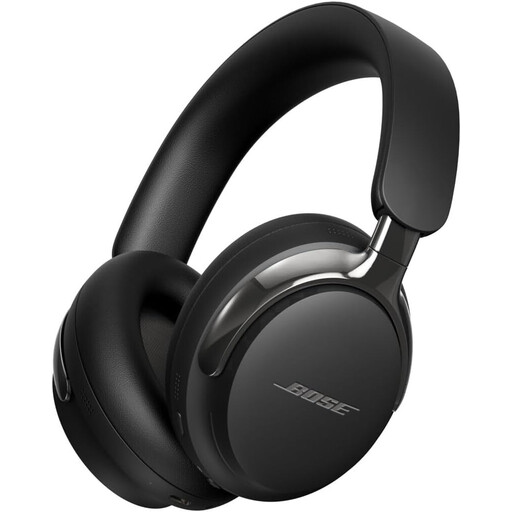
Why it suits this profile: This is primarily a wireless over-ear pair of headphones for music, films, calls and everyday use. For gaming, the wired connection is relevant if you want to avoid Bluetooth latency.
The product details distinguish between Bluetooth and the supplied detachable cable. This means you can listen wirelessly for everyday use and choose a wired connection for certain devices.
Bluetooth 5.4, active noise cancelling, up to 24 hours of battery life according to the product information, and USB-C and 3.5 mm connections.
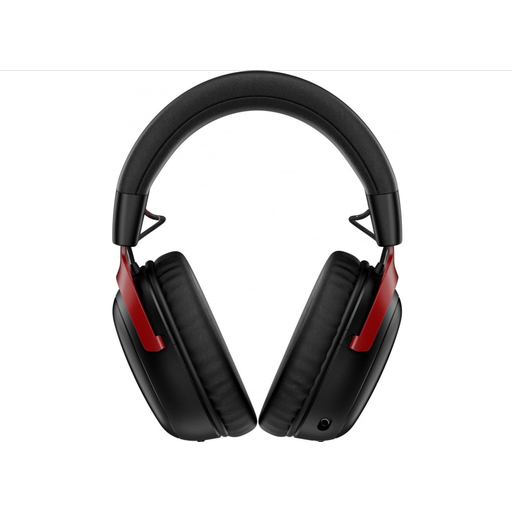
Why it suits this profile: Streamers and gamers who regularly switch between PC, console and mobile devices can use 2.4GHz wireless or Bluetooth, depending on the device.
The stated battery life varies by connection: up to 120 hours via 2.4GHz and up to 200 hours via Bluetooth. Check which mode you are using beforehand and whether your device is compatible.
53 mm drivers, a detachable microphone, USB-A and USB-C dongles according to the product information, and support for PC, PS5, PS4, Nintendo Switch and mobile devices.
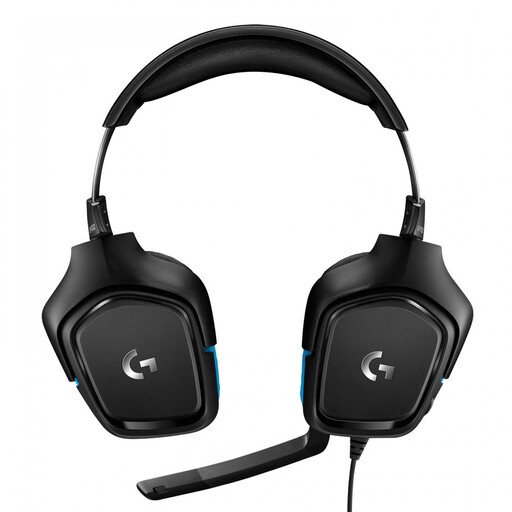
Why it suits this profile: The wired connection and supplied USB DAC are suitable for players who want reliable audio on PC or console without having to recharge a battery.
According to the product information, DTS Headphone:X and 7.1 audio are linked to the USB DAC and Logitech G HUB software. Check beforehand that you can install the software on your platform.
50 mm drivers, a flip-to-mute microphone, a 2-metre cable and support for PC, Mac, PlayStation 4, Xbox One and Nintendo Switch according to the product specifications.
We have put together a complete, up-to-date list of products that fully meet these strict selection criteria and the applicable European safety regulations.
It depends on the connection. A 3.5 mm headset often works through the controller or combined audio connection. USB, Bluetooth and 2.4GHz models are more likely to have specific platform limitations. Always check the compatibility list for the exact model.
The electricity cost of charging is generally limited. More important factors are the battery capacity, charging time and battery lifespan. With intensive use, a wired gaming headset may be more practical because it does not need charging. A wireless model, on the other hand, offers greater freedom of movement.
Its lifespan depends on use, storage and how you handle the cable or battery. Ear cushions can wear out over time, while the battery in wireless models deteriorates through charging cycles. Keep the headset dry, do not pull on the cable and listen at a moderate volume. Also check the statutory guarantee and any additional manufacturer’s warranty.
