
Vandaag of morgen in huis

Kwaliteit gegarandeerd

Welkomstaanbiedingen ontgrendelen: GRATIS bezorging | Tot 80% korting | Gratis 30 dagen JoyPlus-proefperiode
Download de app
A gaming headset needs to do more than play sound. For gamers, clear chat communication matters; for streamers, a useful gaming microphone; and for people working from home, comfort and easy controls are particularly important. Yet many buyers are tempted by terms such as “surround”, “noise cancellation” or an extremely long battery life without checking the most important details.
In this buying guide, I explain as a Joybuy Product Recommendation Officer what to look out for in practical terms. The selection is based on verifiable product specifications and the information in the product descriptions, rather than general marketing claims.
A headset can emulate surround sound, but that does not mean every game or device supports this function in the same way. So check whether the connection and software are suitable for your platform. A wired gaming headset with a 3.5mm connection often works directly through a controller, but advanced features may depend on the PS5, Xbox or PC settings.
Wireless headphones or Bluetooth headphones give you freedom of movement, but they require a battery. Pay attention to the difference between the stated maximum battery life and the actual usage time at higher volumes or with additional features enabled. Also check whether the headset uses a dedicated dongle, Bluetooth or both. Bluetooth can be convenient for music and calls, while a low-latency gaming connection may be more practical for some games.
A headset with a microphone is handy for team chat, but streamers and people working from home may sometimes benefit more from a separate USB microphone. Pay attention to its positioning, mute function and connection. A button for instant muting means you do not have to open the settings manually during an online call.
First, check what you want to play on:
A USB port on a wired headset may sometimes only power the LED lighting. For example, the ONIKUMA K8 states that its USB connection is intended solely for the lighting; audio and microphone use the 3.5mm connection.
For team chat, a flexible or flip-up microphone is practical. The Turtle Beach Recon 70 uses a flip-to-mute boom microphone: according to the product description, the microphone is muted when you flip it upwards. A separate USB microphone, such as the Razer Seirēn V3 Mini, uses a supercardioid pickup pattern, according to the product specifications. The product description states that it is designed to capture your voice directly and includes a tap function for quick muting.
These features can be verified, but they do not mean that every voice will sound the same in every room. Background noise, the distance from the microphone and the acoustics of your desk will still have an impact.
Pay attention to the weight, the shape of the ear cushions and how adjustable the headband is. Over-ear models usually enclose the ear more fully than on-ear models, but they can feel warmer. A lightweight model may be more comfortable during long lectures, working from home or gaming sessions.
Also consider:
Noise-cancelling headphones are primarily designed to reduce ambient noise. Always check that active noise cancellation is actually listed as a specification. A closed earcup or passive sound isolation is not the same as ANC.
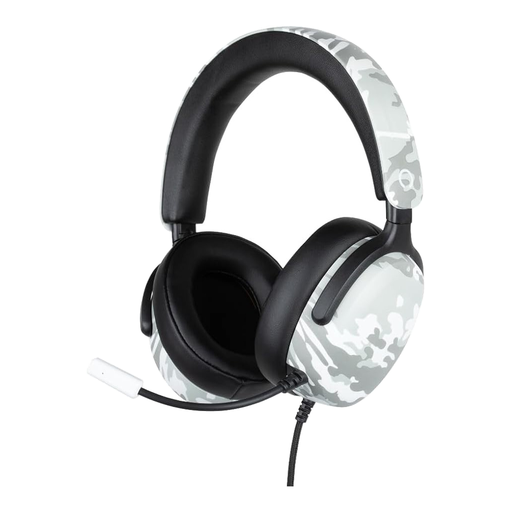
Why it suits this profile: The 3.5mm connection makes this model suitable for users who want to get started on PS5, Switch 2, Xbox Series X|S and other compatible devices without a battery, software or complicated installation.
The specifications clearly state the wired connection, 40mm drivers, built-in flexible microphone and 1.5-metre cable. This leaves no uncertainty about the power supply.
40mm speakers, volume wheel on the earcup and compatibility with multiple devices via 3.5mm.
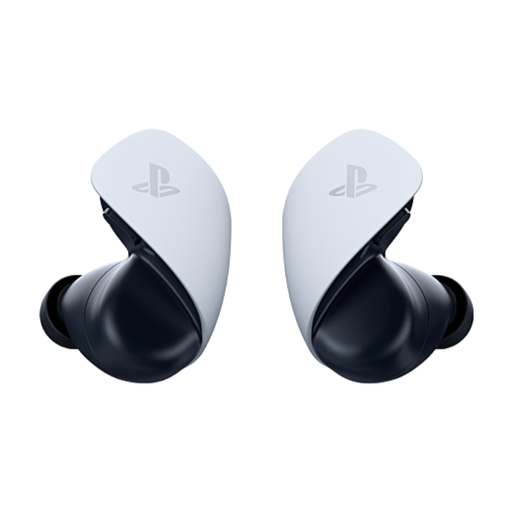
Why it suits this profile: Designed for PS5 users looking for a wireless solution with PlayStation Link, Bluetooth and a compact in-ear design.
The connections are specified: PlayStation Link for PS5, PC and PlayStation Portal, plus Bluetooth for mobile devices. The stated play time is up to 5 hours per charge and up to 10 hours with the charging case.
Planar magnetic drivers, two noise-reducing microphones and different ear tip sizes according to the product information.
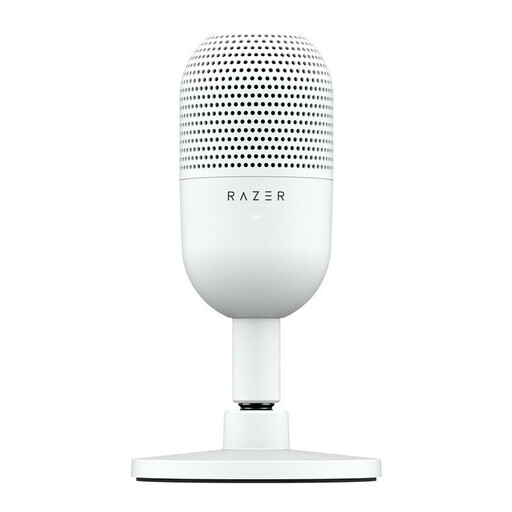
Why it suits this profile: Streamers, students and people working from home who already have headphones can use a separate USB microphone without adding a large desk accessory.
The USB connection and plug-and-play setup are clearly stated. The tap-to-mute control makes muting instantly accessible.
Compact size, white finish, supercardioid pickup and compatibility with PC and Mac according to the product specifications.
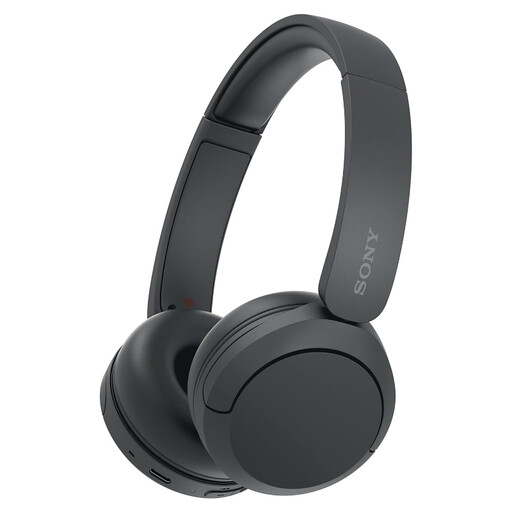
Why it suits this profile: Suitable for anyone who wants to use one lightweight pair of wireless headphones for a laptop, smartphone, music, video and calls.
The product specifications list Bluetooth, multipoint, USB-C and a microphone. However, make sure you are not expecting active noise cancellation; this is not listed as a feature.
Weight of 147 grams, multipoint connection and a manufacturer-stated battery life of up to 50 hours.
We have compiled a complete, up-to-date list of products that fully meet these strict selection criteria and the applicable European safety regulations.
That depends on the connection and the model. Headsets with a 3.5mm plug can often be used via the controller, but check the manufacturer’s compatibility list. A PS5 headset is not automatically suitable for every Xbox configuration.
Bluetooth is useful for music, video and calls. For competitive gaming, latency can be important. So check whether the model uses a dedicated low-latency connection, such as PlayStation Link, or comes with a dongle.
Its lifespan depends on use, storage and maintenance. Do not pull on the cable, avoid leaving a wireless model uncharged for long periods and keep the ear cushions dry. Keep the volume at a moderate level and take regular breaks during extended listening sessions. Also check the warranty and your statutory consumer rights before ordering.
