
Players learning sound direction
You’re exploring routes and want to pinpoint footsteps and other cues. Judge this in your own game rather than relying on a surround-sound label alone; Tweakers discusses the importance of directional audio in games.


Start with a headset that works with your PC or console, feels comfortable during long sessions and offers useful directional audio as well as clear team chat. A surround-sound label alone won’t tell you how well you can pinpoint sounds in your game: Tweakers’ review also highlights differences in sound positioning, warmth around the ears and connectivity. Playing wired means you won’t need to recharge; with a wireless headset, you’ll also need to check platform compatibility and battery life.
You’re exploring routes and want to pinpoint footsteps and other cues. Judge this in your own game rather than relying on a surround-sound label alone; Tweakers discusses the importance of directional audio in games.
You may only notice pressure or warmth after a while, so it’s worth paying particular attention to the fit and ear cushion material. For example, Tweakers noted that the tested HyperX Cloud III Wireless could feel warm around the ears.
You want clear conversations and need to check that the receiver, microphone and any phone audio work with your devices. Tweakers’ reviews and SteelSeries’ product specifications show why the exact headset version matters.
When learning a map, four things matter: pinpointing sounds, wearing your headset comfortably, chatting clearly and choosing a connection that suits your platform.
| What to consider | What should you look for? | Who is this most important for? |
|---|---|---|
| Directional audio | Compare how cues sound in your game and check which spatial audio features work on your platform. | If you’re learning routes, you’ll want to locate footsteps and other signals. Around 29% of consumers put useful directional audio at the top of their list. |
| Comfort | Check the fit, adjustability and ear cushion material; a long stated battery life tells you nothing about how comfortable the headset is. | Pressure and warmth can be deciding factors during long gaming sessions. Around 29% of consumers give long-term comfort their top priority. |
| Team chat | Check that the microphone and chat controls work with your platform and are easy to use. | If you’re talking to teammates while learning a map, you’ll want to hear each other clearly. Around 18% of consumers put clear team chat first. |
| Connectivity and battery life | Check the exact platform version, the connection you need and whether Bluetooth works at the same time as the gaming connection or only as an alternative. | If you play on a specific console or want to hear phone audio, the connection needs to suit your setup. Around 24% of consumers prioritise platform, connectivity or battery life. |
An audio mode may only be available on a particular platform. On its own, it doesn’t tell you how well you’ll be able to pinpoint cues in your game.
Check the platform requirements and, where possible, compare independent findings for the exact model you’re considering.
Support varies by model and version. According to HyperX, the HyperX Cloud III Wireless doesn’t support Xbox, while the original SteelSeries Arctis Nova 7X Wireless is an Xbox version.
Before buying, check the full model name, platform version, receiver and microphone support.
Some headsets can use two audio sources at once; others make you switch between connections. This matters if you want to hear phone audio while gaming.
If you need both audio sources at once, look specifically for simultaneous connectivity in the specifications.
The Cloud III Wireless is an option if you want to play wirelessly on a supported platform and value a long stated battery life.
The original Arctis Nova 7X Wireless suits players using an Xbox and other supported devices who also want to hear phone audio.
The Stealth 600 Gen 3 is an option if you’re looking for a wireless multiplatform headset and want to switch between game audio and Bluetooth.
The wired BlackShark V2 X could be a good fit if you have a suitable 3.5 mm connection and want to avoid recharging.
The PRO X 2 LIGHTSPEED is worth considering if you want to play wirelessly and compare different types of ear cushions.
Below you’ll find wired headsets, including models with a 3.5 mm connection, as well as a wireless option with a 2.4 GHz USB transceiver. Check each model’s connection and platform support to make sure they suit your gaming setup.
 No image available
A wired option for team chat during long sessions; you’ll need a suitable 3.5 mm connection.
The product information lists support for Nintendo Switch, PC and mobile devices, 40 mm speakers, mesh ear cushions and a bidirectional flip-to-mute microphone.
 No image available
A wired headset for game audio and team chat; check which connection suits your device.
The product information lists a 3.5 mm or USB DAC connection, DTS Headphone:X, a 6 mm flip-to-mute microphone and synthetic leather ear cushions. Logitech G HUB is required to access 7.1 surround sound.
 No image available
This wired option has a 3.5 mm connection; check that it’s suitable for your PC or console before buying.
The product information lists 7.1 surround sound, 50 mm drivers, a cardioid HyperClear microphone, volume controls and a mute switch. Razer limits the BlackShark V2 X’s 7.1 feature to Windows 11.
 No image available
A wired option with a detachable microphone; check the connection and features for the platform you play on.
The product information lists 3.5 mm, USB-A and USB-C connections, memory foam in the headband and ear cushions, and a microphone with a mute function. DTS Headphone:X Spatial Audio is mentioned for PC in the description; don’t assume the same feature is available on consoles.
 No image available
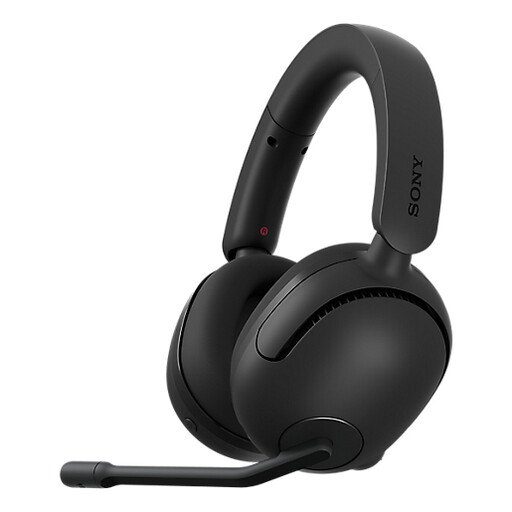
A wireless option for PC and PS5, with a 3.5 mm cable included for wired use.
The product information lists a 2.4 GHz USB transceiver, up to 28 hours of playback, a weight of 260 grams, 360 Spatial Sound and a bidirectional noise-cancelling microphone.
Not necessarily. Compare how cues sound in your game with your current settings, and check whether the feature is available on your platform. According to Razer, the 7.1 feature listed for the BlackShark V2 X is only available on Windows 11.
It depends on the model. SteelSeries specifies simultaneous 2.4 GHz and Bluetooth audio for the original Arctis Nova 7X Wireless; Turtle Beach describes a button for switching between connections on the Stealth 600 Gen 3.
Keep the volume low and take regular listening breaks. The World Health Organization gives the example of a maximum of 40 hours per week at an average of 80 dB, compared with four hours per week at 90 dB. This is health advice, not a product specification or a general buying limit.
When you buy as a consumer in the Netherlands, you’re entitled to a product that works as it should; there is no fixed statutory warranty period of two years. The seller is your point of contact if there’s a fault. For online purchases from a business, you’ll often also have a 14-day cooling-off period; check the terms and any exceptions that apply to your purchase. This information is based on the Dutch Government.
Radio equipment is subject to EU requirements covering areas such as safety, electromagnetic compatibility and spectrum use. According to the European Commission, EU rules for a common USB-C charging connection have also applied to headsets within scope since 28 December 2024. This alone doesn’t establish whether an individual model complies with the rules; check the product and conformity information for the exact version.