
Explorer playing on a TV
You want to follow dialogue and ambient sounds, so your first priority is a working connection between your headset and the device you play on.


Start with the device you play on: check the connection for game audio and, if you use voice chat, for the microphone. A big screen doesn’t affect compatibility. A wired headset means no charging, while wireless gives you more freedom to move but requires a compatible connection and time to recharge.
You want to follow dialogue and ambient sounds, so your first priority is a working connection between your headset and the device you play on.
You play for long stretches and want to assess the fit of the headband and ear cushions. If you choose a wireless headset, you’ll also need to factor in charging.
You want clear voice chat alongside game audio and an easy-to-reach mute button, without assuming these features work the same way on every platform.
| What to consider | What should you check? | Who is this important for? |
|---|---|---|
| Connection | Make a note of your gaming device and the connections available. Then check the exact headset variant and the microphone connection. | If I want to play on my own console or PC, I want to be sure the audio and microphone work through the connection I choose. Around 26% of consumers prioritise compatibility. |
| Game audio | Check which spatial audio features your platform and game support, and assess the sound at a moderate volume. | If I want to follow dialogue, music and ambient sounds in the game world, I look beyond a surround sound label alone. Around 26% of consumers prioritise game audio. |
| Fit | Look for adjustability and enough room around your ears. Try the headset on yourself if possible. | During long gaming sessions, I want the headband and ear cushions to fit comfortably around my head and ears. Around 21% of consumers prioritise long-lasting comfort. |
| Freedom to move | Compare your seating distance and cable route with the required dongle or direct pairing. Treat the stated battery life as a manufacturer’s estimate. | If I want to play away from the screen without a headset cable, I check which wireless connection my device supports. Around 16% of consumers prioritise freedom to move. |
| Voice chat | Check microphone support on your platform and the location of the mute button. Make a test recording if possible. | If I want to talk to other players and mute the microphone quickly, I look at both the controls and the support offered by my platform. Around 11% of consumers prioritise voice chat. |
Microsoft says that an Xbox One console doesn’t offer a Bluetooth headset connection. The Xbox Wireless Headset uses a different pairing method with the console.
Before choosing, check the console compatibility and connection method for the exact variant.
HyperX says the USB adapter and included DTS licence for the wired Cloud III don’t work on Xbox, although the headset can be used there with a suitable connection.
Check both the connection and the extra features you want to use for each platform.
PlayStation says the 3D audio described for PULSE Elite is available with PS5 games that support the feature. The stated maximum battery life doesn’t guarantee the same playing time in every setup.
Read the conditions for features and manufacturer claims, and consider whether the standard sound and fit suit you too.
VeiligheidNL recommends well-fitting headphones, so ambient noise is less likely to tempt you to turn up the volume. The World Health Organization warns about the risks of unsafe listening while gaming.
Check that the ear cushions fit snugly and keep the volume at a sensible level. Turning it up isn’t a substitute for a headset that fits properly.
The wired Cloud III is worth considering if you don’t want to recharge your headset and need a choice of connection options.
The Arctis Nova 7X Wireless is worth considering if you want one wireless headset to use with several platforms listed by the manufacturer.
PULSE Elite is designed for PS5 players who want to use the PlayStation Link connection.
The updated Xbox Wireless Headset is an option for playing wirelessly and directly on a supported Xbox console.
This Joybuy selection includes wired headsets and wireless models for use with a console or PC. Check the connection and compatibility listed for each model against your own setup.
 Image unavailable
A wireless option for gaming on PlayStation or PC. Check that the USB base station connection is suitable for your device.
 Image unavailable
A wired option for a setup that doesn’t require charging. Check that the 1.2 m cable reaches your seat.
 Image unavailable
A wireless option for gaming on Xbox. Check that the 2.4GHz receiver suits your preferred connection. Bluetooth is listed for other devices, not as an Xbox gaming connection.
 Image unavailable
A wired option for voice chat. HyperX says the included USB adapter doesn’t work on Xbox; check that the 3.5mm connection is suitable for your setup.
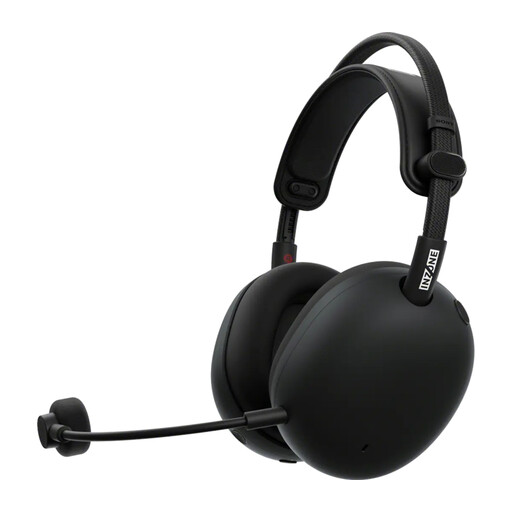 Image unavailable
A wireless option for gaming on PC or PS5 using the stated USB-C dongle. Check that the required port is available.
Not necessarily: choose the connection based on the device you play on. For example, Microsoft describes using a 3.5mm headset with a compatible Xbox controller and pairing its wireless headset directly with Xbox. PlayStation describes connecting PULSE Elite to PS5 using a USB adapter.
No. Support depends on the platform and game. PlayStation says the 3D audio described for PULSE Elite is available with PS5 games that support it. Microsoft also describes a Windows Sonic setting that can be used on Xbox with a compatible stereo headset.
According to PlayStation, plug the included PlayStation Link adapter into a USB-A port on the PS5, switch on the headset and follow the on-screen instructions. PlayStation also describes software updates and charging via USB.
According to the Dutch government, consumers buying remotely from a business are often entitled to a 14-day cooling-off period, subject to exceptions. You’re also entitled to a product that meets legal standards of quality. The Netherlands has no fixed statutory warranty period, and the retailer is your point of contact if something goes wrong.
Not automatically. According to the Dutch government, extra cover is only worthwhile if its terms give you more rights than the statutory guarantee you already have. Read the cover details and costs before deciding.