
Multi-platform player
You switch between PC and console, or play on Xbox, and want to check in advance that the version and connection will work. SteelSeries says that, within the Nova 5 range, the 5X version is designed for Xbox.


Start with your gaming platform and check that both the headset and microphone work with the version and connection you’ve chosen. A wired headset means you won’t need to recharge it, but it does limit your freedom to move; a wireless headset needs a compatible receiver and a charged battery. Bright light alone doesn’t call for a special type of headset. But if the room also gets warm, fit and ear cushion material may matter more.
You switch between PC and console, or play on Xbox, and want to check in advance that the version and connection will work. SteelSeries says that, within the Nova 5 range, the 5X version is designed for Xbox.
You use voice chat during matches and want a microphone and mute control that suit the way you play. How clearly you can be heard also depends on how you use it and your settings.
You pay attention to fit, ear cushions and freedom to move. Battery life matters for wireless play, too; if your room feels warm, the ear cushion material may be an extra consideration.
First, check compatibility with your platform. Then decide how much importance to give to in-game audio, team chat, comfort and wireless freedom to move.
| What to consider | What to look for | Who should pay extra attention? |
|---|---|---|
| Platform and connection | Check the exact version, available port and support for both audio and microphone. | If I play on different devices, I want to make sure the connection and version are right before buying. Around 28% of consumers put compatibility first. |
| In-game audio | Check the settings for your own game and platform; a label such as 7.1 doesn’t, by itself, prove that positioning will be better. | When I want to follow what’s happening in an arena match, I check which audio settings my game and platform support. Around 22% of consumers give useful in-game audio top priority. |
| Team chat | Check the microphone, its position and how to mute it; noise reduction doesn’t guarantee clear speech in every room. | If I talk to my team a lot during matches, I want to speak clearly and mute the microphone quickly. Around 22% of consumers choose clear team chat as their main consideration. |
| Comfort | Check the fit and ear cushion material; product specifications can’t predict exactly how a headset will fit your head. | For long gaming sessions, I want my headset to feel comfortable; in a warm room, the cushion material may also matter. Around 17% of consumers put comfort first. |
| Wireless play | Check that you have the right version and receiver, as well as the stated battery life; wireless use means you’ll need to recharge it. | If I don’t want a cable by my chair, I check that the wireless connection works with my device. Around 11% of consumers choose freedom to move as their main reason. |
SteelSeries says that, within the Arctis Nova 5 range, only the 5X is designed for Xbox. A 5X receiver won’t make a standard 5 or 5P compatible with Xbox.
Before buying, check the full model name and the connection supported by your platform.
An unsuitable version or receiver could mean you have to buy a compatible product after all.
The spatial audio available depends in part on the headset, software, game and platform. Stereo isn’t automatically unsuitable for a match.
Compare the settings for your own game and platform instead of looking only at the number of advertised audio channels.
According to the Dutch government, it’s only worth buying extra cover if it provides additional rights or protection; the retailer remains your point of contact if something is faulty.
Check what protection the package adds and what’s already covered by your rights to a product that meets the required standards.
An optional service package may cost extra, so consider what additional cover it provides.
The wired Cloud III is worth considering if you want to compare connection options and on-earcup controls.
The wireless Arctis Nova 5 range is worth considering if you want to compare 2.4GHz, Bluetooth and audio profiles.
The Stealth 600 Gen 3 comes in versions for different platforms and is worth considering if you’re looking for a flip-up microphone that can be muted.
The PRO X 2 LIGHTSPEED is worth considering if you want to play wirelessly and compare ear cushion materials.
This selection includes wired headsets and wireless models for online gaming and team chat.
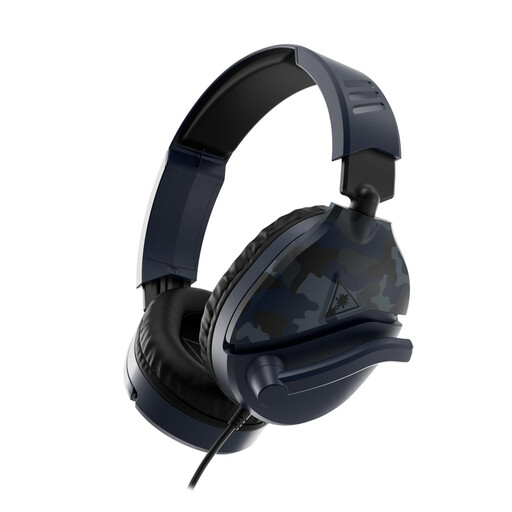 No image available
A wired option for gaming with voice chat.
3.5mm connection, 40mm speakers and a flip-to-mute microphone. The cable limits your freedom to move.
 No image available
A wireless option if you’re looking for the Xbox version mentioned.
The product information lists 2.4GHz, Bluetooth, 50mm drivers and a flip-up microphone that can be muted. A wireless USB receiver is needed for the Xbox connection described; wireless use means you’ll need to recharge it.
 No image available
A wired option for the Switch, PC and mobile devices mentioned.
3.5mm connection, 40mm speakers and mesh ear cushions. Flip the microphone up to mute it; the cable limits your freedom to move.
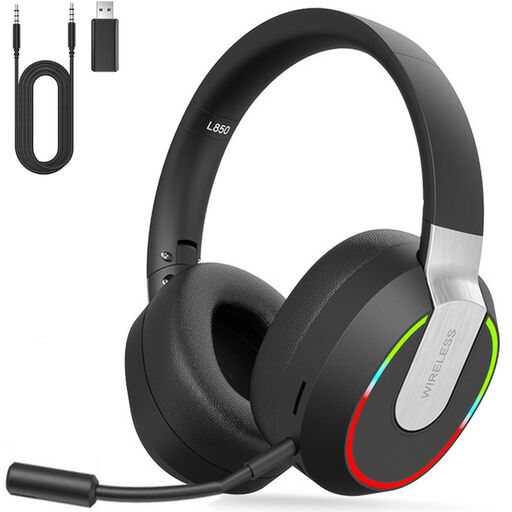 No image available
A wireless option with a detachable microphone for team chat.
The product information lists 2.4GHz via USB dongle, Bluetooth and 40mm drivers. According to that information, Bluetooth doesn’t connect directly to PS4, PS5 or PC; the 2.4GHz mode is specified for those consoles.
 No image available
A wired USB headset for the PC and PS4 platforms mentioned.
The product information lists a cardioid microphone. The 7.1 feature is specified for Windows.
No, bright light alone doesn’t call for a special type of headset. If it also makes the room feel warm, you may want to consider the fit and ear cushion material. This is a matter of personal comfort, not a proven performance improvement.
First, check that the version is compatible with your platform, then connect the matching receiver to a supported port. For connection problems, SteelSeries recommends checking the dongle and its position, among other things; for Xbox, the Nova 5X should be set to Xbox mode.
The World Health Organization recommends keeping the volume down and taking regular listening breaks. As an example, it advises a maximum of 40 hours per week at an average of 80 dB; this is health advice, not a Dutch legal limit or a promise that a headset measures your exposure.
In the Netherlands, online purchases from a business generally come with a 14-day cooling-off period; check whether an exception applies to your purchase. You’re also entitled to a product that meets the required standards. According to the Dutch government, there’s no fixed statutory warranty period in the Netherlands, and the retailer is your point of contact if something is faulty.