
Vandaag of morgen in huis

Kwaliteit gegarandeerd

Welkomstaanbiedingen ontgrendelen: GRATIS bezorging | Tot 80% korting | Gratis 30 dagen JoyPlus-proefperiode
Download de app
Buying a new gaming monitor or racing wheel might seem straightforward – until you start comparing the specs side by side. A high refresh rate, for example, doesn’t automatically mean your computer can actually deliver that many frames per second. And a racing wheel with pedals might offer vibration, but that’s not the same as a force feedback racing wheel.
The right choice depends on the games you play, your hardware, the space you have available, and your budget. Below, you’ll find out which features to check first, which marketing claims to take with a pinch of salt, and which gaming hardware suits different play styles.
A 240Hz gaming monitor or 300Hz gaming monitor can deliver incredibly smooth visuals, but only if your PC or console is producing enough frames per second. With demanding single-player games, you might not reach that speed. For competitive shooters, a high refresh rate can be more relevant – provided your system can handle the required frame rate.
Also check the connection. Some models need a specific HDMI or DisplayPort version to achieve the maximum refresh rate.
A stated response time of, say, 0.5ms or 1ms can be measured using different methods, such as GTG or MPRT. These figures aren’t always directly comparable. Alongside response time, look at the panel type, refresh rate, and real-world reviews of motion handling.
A Full HD gaming monitor with 240Hz can be practical for fast-paced games, while a QHD gaming monitor with 165Hz shows more detail for both gaming and productivity. So the choice isn’t just about picking the highest number.
With a racing wheel, the difference matters. Vibration feedback gives you shakes when you hit something or change surface. A force feedback racing wheel uses a motorised system to simulate resistance and forces through the wheel.
If you’re looking for a racing wheel with pedals for casual racing, vibration feedback may be enough. For sim racers who do longer stints, compatibility, steering rotation, pedal feel, and motorised resistance are more important than looks alone.
A VA panel typically offers high contrast and is popular for dark scenes. IPS panels are often chosen for their wide viewing angles and colour reproduction. Also check the resolution:
A curved gaming monitor with a 1500R curve can wrap the screen towards you. Whether that feels comfortable depends on your seating distance and personal preference. Also check the adjustability of the stand – some models only tilt and don’t offer height adjustment.
Refresh rate is measured in hertz. 144Hz, 165Hz, 240Hz and 300Hz tell you how many times the screen can refresh per second. A higher number can make motion look smoother, but the difference is most noticeable when your source delivers enough frames.
A gaming monitor with Adaptive Sync can match its refresh rate to the frame rate of a compatible graphics card. Check that the monitor, graphics card and connection all work together. Also see whether the mode you want is available via HDMI, DisplayPort, or both.
Before you buy, check:
With a racing wheel, also check the maximum desk thickness, the mounting method, and which games are supported. A USB connection doesn’t automatically mean every console or game will recognise the wheel.
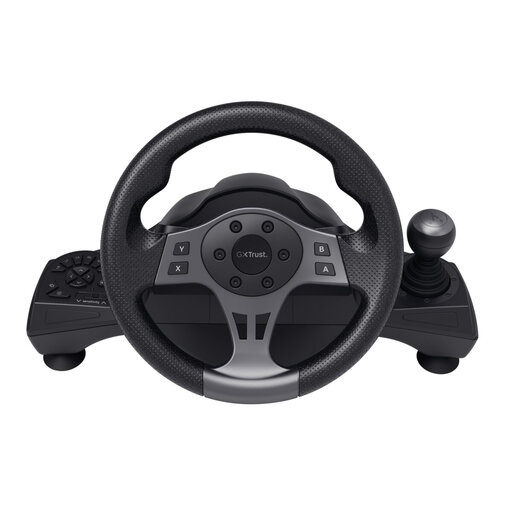
Why this fits the profile: This wired wheel is aimed at beginner PC racers who want more control than a controller offers, without jumping straight into a full sim-rig setup.
The product info clearly states vibration feedback, not motorised force feedback. So you know upfront this is an entry-level model.
270° steering rotation, separate accelerator and brake pedals, programmable buttons, and desk mounting with clamps.
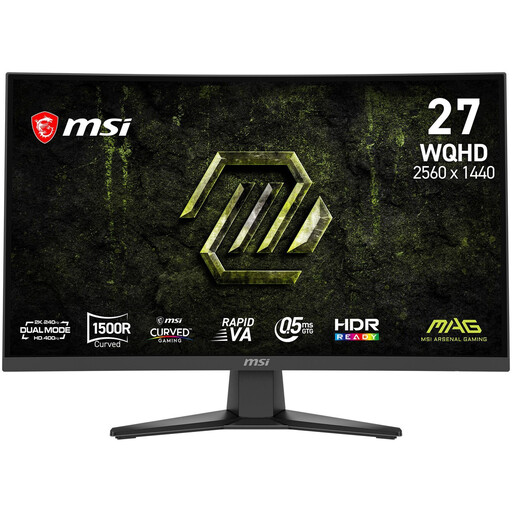
Why this fits the profile: Ideal for gamers who want to combine QHD detail, a large curved screen, and a high refresh rate for both gaming and everyday computer use.
The combination of resolution, connections and Adaptive Sync is clearly stated. Just check whether your graphics card can deliver 240Hz at QHD.
2560 × 1440 resolution, 240Hz, 1500R Rapid VA panel, FreeSync Premium, DisplayPort 1.4a and VESA 100 × 100mm.
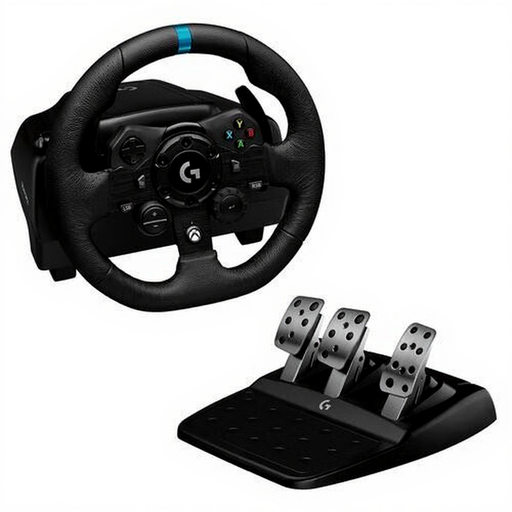
Why this fits the profile: For sim racers and players on PC or Xbox who want a wheel with motorised feedback, generous rotation, and extra pedal features.
The specs explicitly mention force feedback, 900° rotation, and support for PC and Xbox. Check per game whether all features are supported.
TRUEFORCE force feedback according to the product description, 900° rotation, progressive brake pedal, and USB connection.
We’ve put together a full, up-to-date list of products that fully meet these strict selection criteria and comply with current European safety regulations.
Not always. The difference is most relevant in fast-paced games and when your PC is producing a high frame rate. For strategy, simulation and story-driven games, resolution, contrast and screen size may matter more.
It can be. A 1500R screen can feel comfortable for a wide viewing angle from a single seated position, but check your desk space and the stand dimensions. For multiple viewers or precise image editing, a flat screen may be more practical.
Its lifespan depends on use, mounting and maintenance. Secure the wheel firmly, don’t pull on the USB cable, and store the pedals and cables dust-free. With a force feedback racing wheel, it’s also wise not to put prolonged heavy strain on the motor unnecessarily. Always check the warranty and statutory conformity rights stated with the product.
