
Vandaag of morgen in huis

Kwaliteit gegarandeerd

Welkomstaanbiedingen ontgrendelen: GRATIS bezorging | Tot 80% korting | Gratis 30 dagen JoyPlus-proefperiode
Download de app
Building the perfect gaming setup can be overwhelming. The market is flooded with products vying for your attention with flashy lights and impressive numbers. But which specs truly matter, and what's just marketing hype? As a Joybuy Product Recommendation Officer, I'm here to help you cut through the noise and make choices you'll be happy with for the long haul. We'll dive into the most common pitfalls and the specifications that actually make a difference.
Before you pull out your wallet, it's crucial to recognise common marketing ploys. Many gamers overpay for features that barely enhance their gaming experience.
To avoid buyer's remorse, focus on the technical details that directly impact your gameplay. These are the specs you can't afford to ignore.
The 'feel' of your keyboard is determined by its mechanical switches. The three main types are:
Also, look for hot-swappable keyboards. These allow you to easily change switches without soldering, letting you customise the keyboard to your preferences.
For competitive games, response time and smooth visuals are crucial.
With a gaming laptop, it's all about the synergy between components. A powerful graphics card (GPU) is of little use if the processor (CPU) creates a bottleneck or if the cooling system can't handle the heat. Look for a combination of a recent-generation CPU (like an Intel Core i5/i7 or AMD Ryzen 5/7) and a capable GPU (like the NVIDIA RTX series), supported by at least 16 GB of RAM and a fast SSD.
Based on these criteria, we've selected a few products that suit different types of gamers.
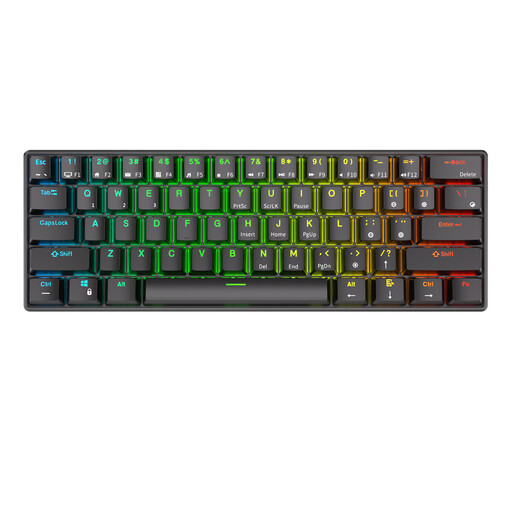
Why This Fits Their Persona: Ideal for those looking to take their first serious step without paying a premium. This keyboard offers the mechanical experience, RGB lighting, and wireless flexibility you'd typically find in more expensive models. Perfect as a first upgrade for your PC gaming accessories.
This keyboard avoids the 'RGB trap' by offering functional lighting without inflating the price. You get a true mechanical keyboard with quiet, fast Red switches, preventing the 'switch blunder' for gamers who don't want a lot of noise.
The compact 60% form factor leaves plenty of room for your mouse. Its tri-mode connectivity (Bluetooth, 2.4GHz, and wired) makes it extremely versatile for use with various devices.
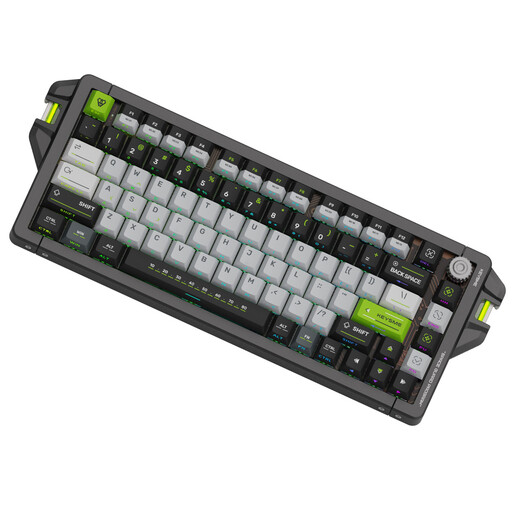
Why This Fits Their Persona: Built for pure speed and precision. This is esports gear for players seeking every millisecond of advantage. The adjustable actuation and extremely high polling rate are designed for competitive-level play.
This keyboard bypasses the 'spec fog' by focusing on numbers that truly matter. The 8kHz polling rate and adjustable actuation aren't gimmicks; they are features that make a measurable difference in response time.
The Gateron Magnetic Jade Switches with adjustable actuation (0.1–4.0mm) and Rapid Trigger technology offer extreme control. The CNC-machined aluminium case provides a robust and stable foundation.
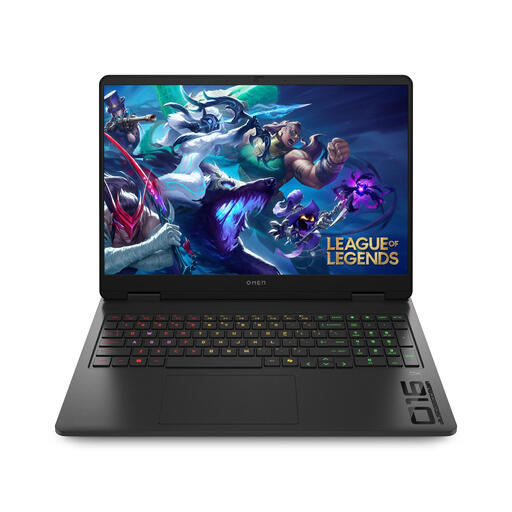
Why This Fits Their Persona: This gaming laptop is a powerhouse for more than just gaming. It's suitable for demanding software, content creation, and multitasking, thanks to its powerful hardware and functional 16:10 display.
HP focuses on a balanced and well-cooled system here. The emphasis is on sustained performance from the Intel Core 7 processor and RTX 5060 GPU, rather than on an overly flashy design that can't dissipate heat.
The 16-inch screen with a 16:10 aspect ratio and 144Hz refresh rate is ideal for both productivity and smooth gameplay. The advanced cooling system ensures that performance remains stable during long sessions.
The selection can be especially overwhelming when choosing a keyboard. If you're specifically looking for more options in that area, we have a broader range for you.
We've compiled a complete, up-to-date list of products that fully meet these strict selection criteria.
Is a mechanical keyboard really better for gaming? For most gamers, yes. A mechanisch toetsenbord offers faster, more precise, and more reliable keystrokes than a standard membrane keyboard. The choice of switch type (linear, tactile, or clicky) depends on your personal preference and how you use the keyboard.
How much DPI does a good gaming mouse need? Focus less on an extremely high DPI and more on the polling rate. A higher polling rate (1000Hz or more) provides a more direct response, which is more important for fast-paced games. Most players find a DPI setting between 800 and 3200 to be the sweet spot for a good balance of speed and precision.
What is the advantage of a high refresh rate on a gaming monitor? A higher refresh rate, measured in Hertz (Hz), means the image is updated more times per second. A gaming monitor with 144Hz or more provides significantly smoother motion compared to a standard 60Hz screen. This makes it easier to track fast action and can improve your reaction time.
