
Console player on TV
You play from the sofa on Xbox, PS5 or Switch and want to avoid buying a controller for the wrong console model. Information from Microsoft, Sony and Nintendo explains which systems work with specific controllers.


First, choose a controller that works with the console or PC you play on and with your game. The TV only displays the picture; it doesn’t determine which controller you need. Then decide whether you want to play wirelessly from the sofa or use a wired connection that’s long enough. Extra features are only worth considering if your device and game support them.
You play from the sofa on Xbox, PS5 or Switch and want to avoid buying a controller for the wrong console model. Information from Microsoft, Sony and Nintendo explains which systems work with specific controllers.
Your PC displays the picture on your TV. You’re looking for a connection that suits the distance to your seat and want to check that your game supports the controller. Microsoft, Sony, PowerA and 8BitDo describe a range of device and connection options.
You’re considering haptic feedback, adaptive triggers or customisable buttons, but first want to find out whether your device and game use these features. Sony and Nintendo describe the features and requirements of specific models.
| What to consider | What should you check? | Who prioritises this? |
|---|---|---|
| Device and game | Check the exact console model or PC system, the connection type and whether the game supports the controller. | I want to be sure my device recognises the controller before I think about its looks or extra features. Around 33% of consumers prioritise compatibility with their device and game. |
| Distance from the sofa and connection | Check Bluetooth, receiver or USB support. For a wired controller, measure the cable route. | When playing from the sofa, I want to avoid a cable getting in the way—or make sure a cable is long enough. For around 27% of consumers, the connection between their seat and gaming device is their top buying priority. |
| Power for long sessions | Check the power source and charging options. Treat a stated battery life as an estimate where indicated. | During longer gaming sessions, I’d rather not have to stop to charge or change batteries. Around 20% of consumers prioritise power during play. |
| Extra features | Check whether the specific game supports haptics, adaptive triggers or extra buttons. | I only want extra controls or feedback if my game actually uses them. Around 13% of consumers prioritise support for these kinds of features. |
| Wired play | Check platform compatibility and measure whether the cable will reach from your gaming device to your seat. | If I don’t want a wireless connection or a controller battery, the cable still needs to reach the sofa in a practical way. Around 7% of consumers prioritise wired play without having to manage a battery. |
Controllers may be designed for different consoles, PCs and connection types. A model that doesn’t suit your gaming device won’t work for your setup.
Before you buy, check the exact device, generation, connection type and in-game support.
According to Sony, haptic feedback on PC requires both game support and a USB connection.
Check your game’s features, and be prepared to use a cable if haptic feedback on PC is a deciding factor for you.
According to PowerA, the PowerA Enhanced Wired Controller covered here has a detachable 3 m cable. Whether that’s long enough depends on the route to your seat.
Measure the route around furniture rather than just the straight-line distance between the controller and your device.
In the Netherlands, statutory rights are separate from a manufacturer’s warranty or an additional warranty service, according to the Dutch government.
Check what extra terms a commercial warranty service offers, and keep these separate from your statutory rights.
Xbox controllers are an option for supported Xbox consoles and Windows PCs in a TV setup.
DualSense is an option for PS5 and can also be used with compatible PC games.
The Switch 2 Pro Controller is designed for Switch 2. An original Switch Pro Controller is another option if you use both generations.
The Enhanced Wired Controller covered here is a wired option for Xbox Series X|S, Xbox One and Windows.
The Ultimate Bluetooth Controller covered here offers connection options for the original Switch and PC.
These controller options are for playing on Switch or Switch 2, PS5, Xbox or PC. Choose based on the device running the game, and check that the specific game supports the controller.
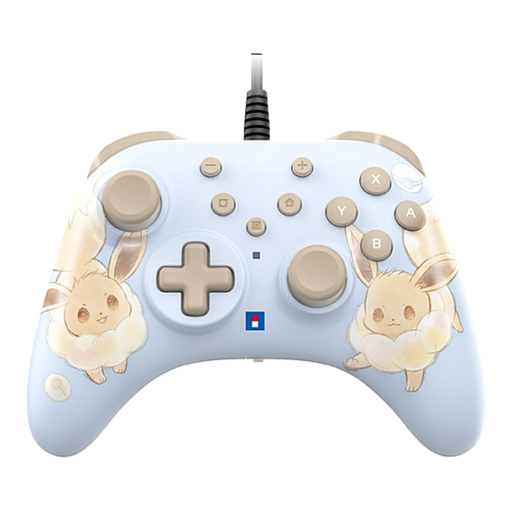 Image unavailable
A wired option for Switch and Switch 2 games. The product description states that the USB cable isn’t included.
According to the product description, this controller doesn’t support HD Rumble, NFC/amiibo or motion controls.
 Image unavailable
A PS5 version to consider if you’re looking for a DualSense controller. Check which haptic and trigger features each game supports.
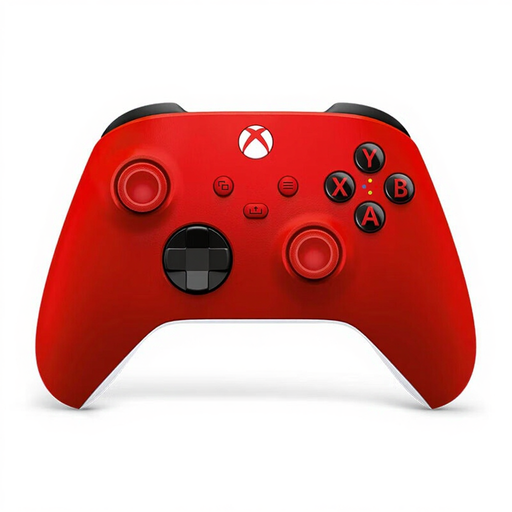 Image unavailable
A wireless Xbox controller to consider for Xbox or PC gaming. Check that your game and gaming device support the connection you want to use.
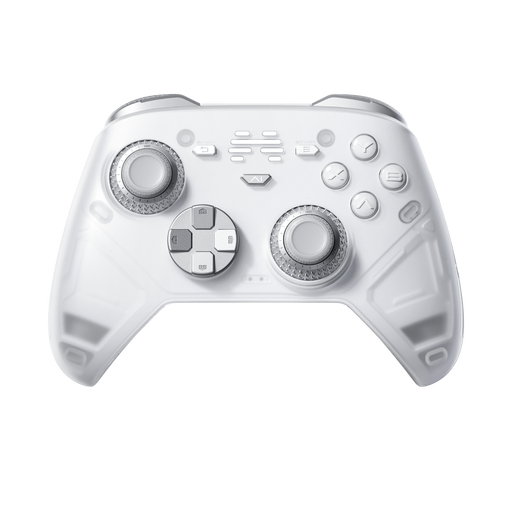 Image unavailable
A wireless controller to consider for PC and Switch or Switch 2 gaming. Check which connection types your device and game support.
 Image unavailable
A Pro Controller for playing on Nintendo Switch 2. Check that the games you want to play support the controller features you need.
Choose a controller based on the console or PC running the game, not just the TV. For TV-style play on Switch 2, Nintendo describes using the Switch 2 dock. Also check how the controller connects to your gaming device.
Sony describes USB-C or Bluetooth for supported Windows systems. To pair over Bluetooth for the first time, put the controller into pairing mode by pressing the Create and PS buttons, then select it on your device. According to Sony, haptic feedback on PC requires USB and game support.
Yes. Nintendo lists wireless compatibility with Switch 2. However, the HOME button on an original Switch controller can’t wake Switch 2 from sleep.
In the Netherlands, the Dutch government advises contacting the retailer to resolve an issue with a faulty product. There’s no fixed statutory warranty period of two years; what you’re entitled to expect depends on factors including the product.
According to the Dutch government, many distance purchases from a business come with a 14-day cooling-off period. This doesn’t automatically apply to purchases from a private seller, for example.