
Student with a USB-C controller
Wants to top up a DualSense or Nintendo Switch Pro Controller with a compatible cable without having to find a spare socket first. PlayStation and Nintendo specify a USB-C connection for these controllers.


A power bank makes sense if your controller can charge via USB and the cable fits, so check this before choosing a capacity. PlayStation and Nintendo specify USB-C for the DualSense and Nintendo Switch Pro Controller respectively, while Xbox says that standard rechargeable AA batteries do not charge inside the controller itself. Then choose the ports and capacity based on how many devices you want to power, and charge the power bank in a clear space, not under bedding.
Wants to top up a DualSense or Nintendo Switch Pro Controller with a compatible cable without having to find a spare socket first. PlayStation and Nintendo specify a USB-C connection for these controllers.
Needs to check which type of battery the controller uses before buying. Xbox says that standard rechargeable AA batteries do not charge inside the controller itself.
May also want to connect a second USB device, so suitable outputs and cables are useful. If charging multiple devices at once, check how the total output power is shared.
First check whether the controller battery can charge via USB and which cable fits. Then choose the capacity and ports based on how many devices you want to connect.
| What to consider | What to look for | Who is this important for? |
|---|---|---|
| Controller and cable | Check the controller model, battery type and connection, and whether the power bank port you choose supplies power. | I want to know first whether my controller battery can charge via USB and which cable fits. Consumers who put compatibility first are estimated to make up around 31%. |
| Power reserve | Compare the stated capacities, such as 5.000 and 10.000 mAh. Don’t use these figures to calculate the number of controller charges directly. | If I want to charge another USB device as well as my controller, I look at both the reserve and the shared output power. Consumers mainly looking for extra charging capacity are estimated to make up around 25%. |
| Size and connections | Balance the capacity you want against the size and ports you need; also check whether a suitable cable is included. | I don’t want to carry more features than I need for one controller. Consumers looking for a compact, straightforward option are estimated to make up around 19%. |
| Safe charging | Don’t use a damaged cable or battery, place the power bank in a clear space, and check the exact model number if there’s a safety warning. | I want to be able to charge the power bank in a small room without putting it under the bedding. Consumers who prioritise safe charging are estimated to represent around 25%. |
Xbox says that standard rechargeable AA batteries do not charge inside the controller itself. A USB power bank won’t solve this problem.
First check which type of battery your controller version uses. Follow the manufacturer’s instructions for a compatible battery pack or separate AA batteries.
Depending on the controller, you may need a compatible battery pack or a separate AA charger as well as the power bank.
Anker explains that the capacity of the internal cells differs from the capacity delivered, partly because of conversion and circuit losses. So the figure on the power bank doesn’t tell you how many full controller charges you’ll get.
Use mAh to compare power banks, not as a guaranteed number of charges.
If a product title and its specifications show different model numbers, the product’s identity isn’t immediately clear.
Before buying, compare the full manufacturer model number and the connections shown on the product page.
On 15 July 2025, the Netherlands Food and Consumer Product Safety Authority (NVWA) issued a warning about specific power banks: Anker A1257, A1647, A1681 and A1689. The warning applies to the models listed, not automatically to every product from the same brand.
Check the exact model number and don’t use a product covered by the warning.
According to Trust, the Primo 24679 has 5.000 mAh and USB-A and USB-C ports. The Primo 25029 has 10.000 mAh, two USB-A ports and one USB-C port.
Belkin lists the BoostCharge BPB011btRG as having 10.000 mAh, two USB-A outputs, one USB-C output and a USB-A/USB-C cable included.
Xtorm lists the Fuel Series 5 FS5103U as a 10.000 mAh model with two USB-C ports and one USB-A port.
Anker’s documentation distinguishes between the capacity of the internal cells and the capacity available at the output. Check the specifications for each model.
These power banks are for anyone looking to power a controller that charges via USB, using a compatible USB-C cable or connection. Check your controller’s connection, and remember that standard rechargeable AA batteries in an Xbox controller don’t charge via its USB port.
 No image available
The built-in USB-C cable and additional USB-C and USB-A outputs give you connection options; check which connector fits your controller.
10.000 mAh; three connections according to the product description.
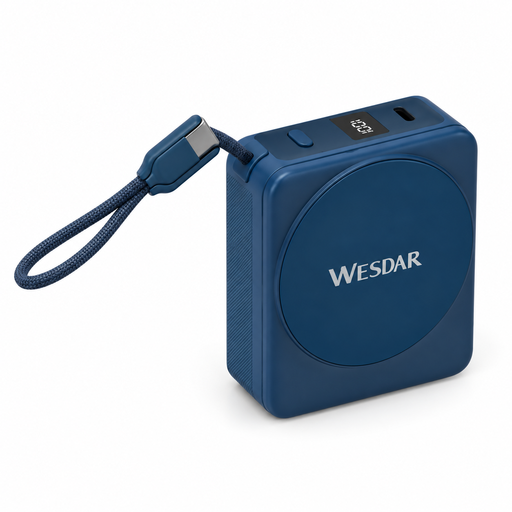 No image available
The built-in USB-C cable provides a wired connection; check that it fits your controller.
10.000 mAh; the product name lists 22,5 W fast charging and 15 W wireless charging.
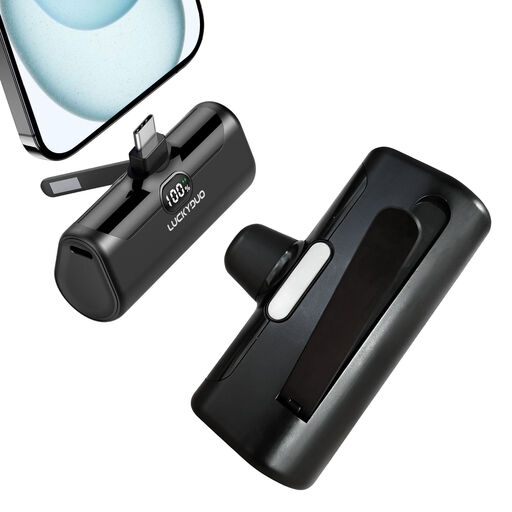 No image available
A 5.000 mAh model with USB-C may suit you if you’re looking for a more compact reserve; use a cable with the right connectors.
5.000 mAh; USB-C; 15 W Power Delivery according to the product name.
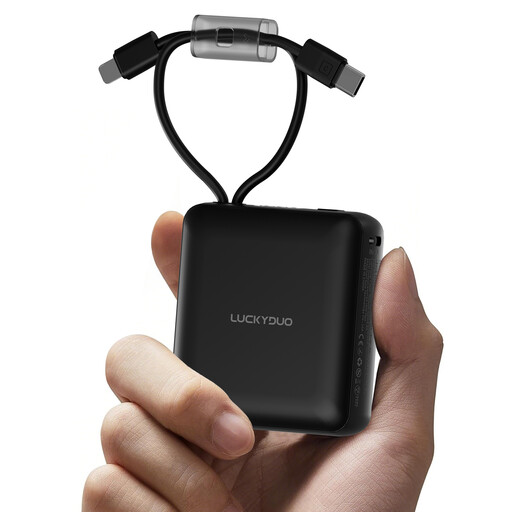 No image available
The product description lists a built-in Type-C cable; check that it’s compatible with your controller model.
10.000 mAh; built-in Lightning and Type-C cables; LED display.
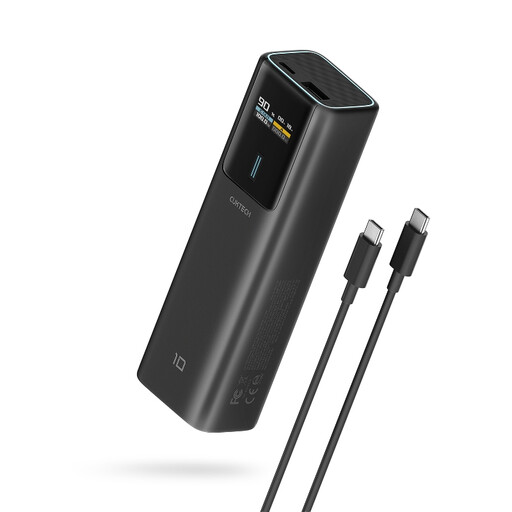 No image available
The USB-C output provides a wired connection; check that you have the right cable for your controller.
10.000 mAh; up to 100 W USB-C output according to the product description; TFT display.
No. According to Xbox, standard rechargeable AA batteries don’t charge inside the controller. You can charge a compatible Xbox battery pack from a USB power source; check which battery pack suits your controller version.
Not directly: the stated capacity of the internal cells isn’t the same as the capacity available through the USB output. Anker describes conversion and circuit losses, among other factors; the number of charges also depends on the controller and how you use it.
Both controllers have a USB-C connection. Choose a connector for the other end of the cable that fits an output on your power bank, and follow the instructions for your controller.
Place the power bank in a clear space so heat can dissipate, not under a pillow or duvet. The fire service advises against using damaged cables; make sure there’s also a working smoke alarm in the room.
The NVWA warning of 15 July 2025 names models A1257, A1647, A1681 and A1689. Check the model number on the power bank, and don’t assume the warning applies to other products without checking their model numbers.