
Controller owners who want to be sure about charging
You want to check first whether your controller’s battery can be charged via USB. Microsoft, for example, states that rechargeable AA batteries do not charge inside an Xbox controller.


A power bank is only a suitable option if your controller’s battery can actually be charged via USB. Microsoft states that rechargeable AA batteries do not charge inside an Xbox controller, so check the battery type and the instructions first. If your controller can be charged using a suitable USB power source, choose the right cable and output. If you already have a suitable power source within reach, you may not need a power bank.
You want to check first whether your controller’s battery can be charged via USB. Microsoft, for example, states that rechargeable AA batteries do not charge inside an Xbox controller.
You’re looking for a suitable cable and accessible ports, without unnecessary clutter on your desk.
You may want extra ports or backup power for a second USB device. Consider capacity and simultaneous charging separately.
First check how your controller charges. Then choose a cable, connection and capacity to suit your desk and any other devices you use.
| What to consider | What should you check? | Who is this important for? |
|---|---|---|
| Does the controller battery charge via USB? | Check the exact controller model, battery type and charging instructions in the manual. | If I want to avoid buying a power bank that can’t charge my controller battery, I check the charging method first. Around 33% of consumers put compatibility first. |
| Will the connection work at my desk? | Check the output type, the cable you need and its length. Also consider where you can put the power bank. | At a busy home-working desk, I want to connect my controller without misplacing loose cables or putting the power bank somewhere awkward. Around 27% of consumers prioritise cable convenience and desk set-up. |
| How much backup power do I need? | Decide which devices you want to charge. Compare the stated capacity with independent test results where available, and check performance when charging multiple devices at once. | If I want to charge another device as well as my controller, I weigh extra backup power against how I actually use it. Around 20% of consumers prioritise backup power. |
| Is the product safe to use? | Check safety warnings for the full model number, and don’t use a damaged cable or a deformed battery. | Before using a power bank at my desk, I want to know whether the exact model is subject to a safety warning and whether the product is undamaged. Around 20% of consumers make product safety their top priority. |
Microsoft states that rechargeable AA batteries do not charge inside an Xbox controller. So a USB cable or power bank won’t charge those batteries while they’re in the controller.
Before you buy, check your controller’s battery type and manual. You may need a suitable separate charger for rechargeable AA batteries.
You may need a suitable rechargeable battery or separate AA charger as well as the power bank.
The stated capacity alone doesn’t tell you how much power a power bank will actually deliver or how many times it can charge your controller. The Consumers’ Association of the Netherlands explains that power output and charging performance are tested separately, including when several devices are connected.
Choose a capacity that suits how you use it, and check the outputs. Where possible, look for test results for the exact model and check its performance when charging several devices at once.
A warning doesn’t automatically apply to every product from a brand. On 15 July 2025, the Netherlands Food and Consumer Product Safety Authority named the specific Anker models A1257, A1647, A1681 and A1689 in connection with a risk of overheating and fire.
Compare the full model number of the product on offer with the relevant warning, and check for current notices relating to that specific model.
Xtorm describes the Fuel Series 5 FS5101U as a 10,000 mAh power bank with two USB-C ports and one USB-A port.
Trust describes the Fiera 10,000 mAh as a power bank with a fixed USB-C cable and an additional USB-C port.
Belkin describes the BoostCharge BPB027hqWH as a 10,000 mAh power bank with two USB-C ports, a display and a removable USB-C cable included.
These power bank options are intended for controllers that, according to their manuals, charge via a suitable USB connection. Check which cables, ports and capacity suit the way you use each model.
 No image available
The built-in cable could be handy if its connector is compatible with your controller.
10,000 mAh; built-in cable.
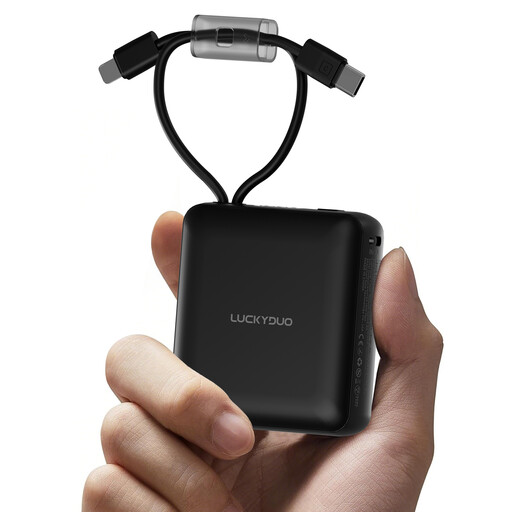 No image available
The built-in cables could save you carrying separate ones if one of the connectors is compatible with your controller.
10,000 mAh; two built-in cables; LED display.
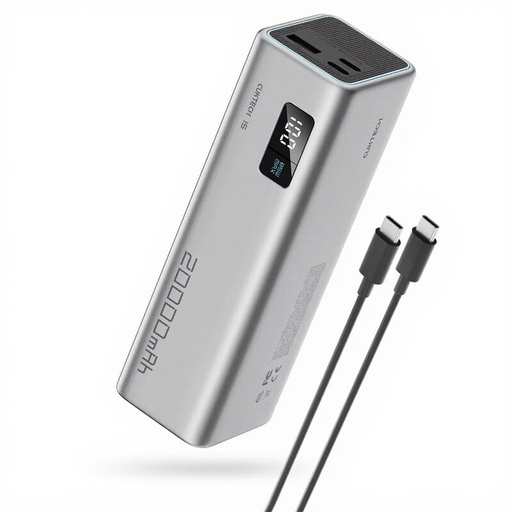 No image available
Check whether one of the outputs is suitable for your controller. The capacity may also suit use with other devices.
20,000 mAh; up to 65 W; 3 ports.
The product information warns that the device must only be used by adults and that the lithium-ion battery must not be opened, modified or short-circuited.
 No image available
The USB-C ports may be useful if your controller’s manual says it charges via a suitable USB-C connection.
20,000 mAh; up to 45 W; 3 USB-C ports.
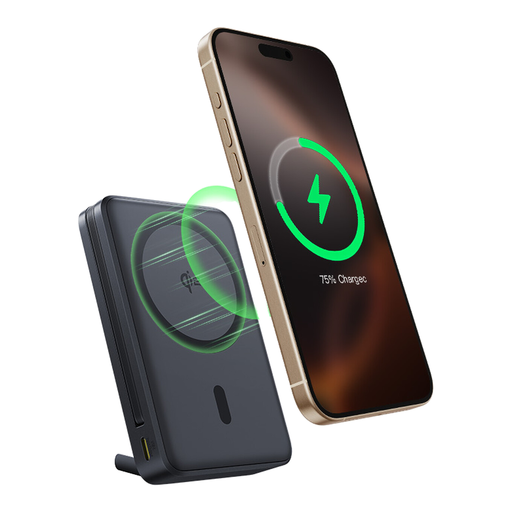 No image available
The built-in USB-C cable could be handy if its connector is compatible with your controller. The built-in stand is an extra feature for your desk.
10,000 mAh; up to 45 W; built-in stand.
No. Microsoft states that rechargeable AA batteries do not charge inside an Xbox controller. Check which type of battery you have, and follow the battery manufacturer’s instructions for rechargeable batteries.
Only if the power source and cable meet your controller’s charging requirements. Place the power bank in an open space so heat can escape, and don’t use a damaged cable. The Fire Service advises keeping chargers in an open space.
Choose a capacity to suit the devices you want to charge, and don’t treat the stated mAh as a guaranteed number of controller charges. The Consumers’ Association of the Netherlands explains that power output and charging performance are tested separately. Also check what happens when you connect several devices at once.
Dutch government information explains that sellers of electrical or electronic equipment must comply with the applicable European product rules. The specific requirements depend on the product. Don’t put a discarded battery in your general waste: the Government of the Netherlands recommends using collection points, including shops that sell batteries.