
Vandaag of morgen in huis

Kwaliteit gegarandeerd

Welkomstaanbiedingen ontgrendelen: GRATIS bezorging | Tot 80% korting | Gratis 30 dagen JoyPlus-proefperiode
Download de app
Is your old controller due for an upgrade, are you looking for an extra gamepad for local multiplayer sessions, or do you simply want a better gaming experience? Choosing a new gaming controller can be overwhelming with so many options available. That's why we at Joybuy have broken down the specifications of popular models. This guide is designed to help you make an informed decision that suits your console or PC.
Before you make a choice, there are a few key points to consider. Paying attention to these will ensure you select a controller that seamlessly fits your playstyle.
The most important question is: what will you use the controller for? A console controller is often designed specifically for one system. For example, a PS5 controller works natively with a PlayStation 5, but you might need additional software for a PC. An Xbox controller is known for often working as a controller for PC right out of the box. Therefore, always check if the gamepad is compatible with your Xbox, PlayStation, Nintendo Switch, or computer.
Most modern controllers are wireless. A wireless controller gives you complete freedom of movement and usually connects via Bluetooth or a proprietary wireless technology. This is ideal for gaming from the couch. However, a wired connection can offer a fractionally faster response time, which some competitive gamers prefer. Plus, with a cable, you never have to worry about a dead battery.
Comfort is subjective. Some players prefer the symmetrical stick layout of a PlayStation controller, while others find the asymmetrical setup of an Xbox controller more comfortable. Also, pay attention to extra features. Think about vibration features (haptic feedback), adaptive triggers, a built-in microphone, or a 'share' button to instantly share your gameplay moments.
Based on specifications and functionalities, we have made a selection of controllers that stand out for different platforms.

Why It Stands Out This controller is a true all-rounder. It's not only designed for the Xbox Series X and S but also works seamlessly with Xbox One, Windows PCs, and even Android and iOS devices. The design has been refined for comfort during long gaming sessions. The textured grip on the triggers and back provides added control.
Key Features
Who It's For For the gamer looking for a reliable and versatile controller for PC and Xbox. Its broad compatibility makes it a practical choice if you play on multiple platforms.

Why It Stands Out The DualSense controller for the PS5 is engineered for a more immersive gaming experience. Its key features are haptic feedback and adaptive triggers. Haptic feedback provides nuanced vibrations that replicate in-game actions, while the adaptive triggers offer resistance, for example, when drawing a bowstring.
Key Features
Who It's For Specifically for the PS5 gamer who wants to experience the latest generation of games to the fullest. The unique features of this gamepad are best utilized in games designed to support them.
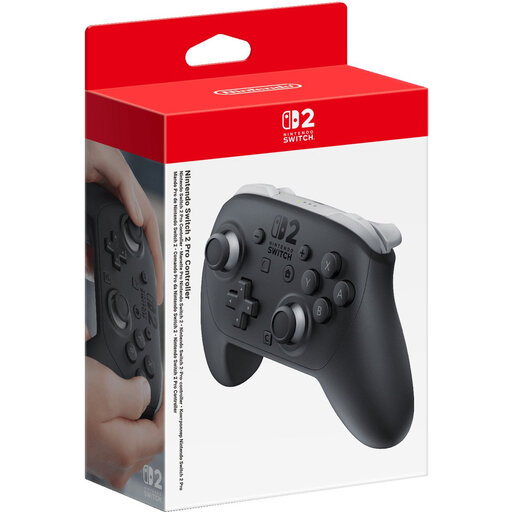
Why It Stands Out For those who play a lot on the Nintendo Switch 2, the Pro Controller offers a more traditional and comfortable gaming experience than the standard Joy-Cons. This controller is equipped with motion controls, HD rumble, and a built-in amiibo reader. It's a robust console controller for longer and more intense play sessions.
Key Features
Who It's For For the serious Nintendo Switch controller user seeking more precision and comfort than the Joy-Cons can offer, especially when playing larger titles on the TV.
Is your ideal match not listed here, or are you curious about other models? Many more options are available that might better suit your needs.
Check out our full range of wireless controllers for more choices.
1. Can I use a PS5 controller on a PC? Yes, you can use a PS5 controller on a PC. You can connect it via a USB cable or Bluetooth. For full functionality, such as the adaptive triggers, you may need specific software or games that support these features.
2. What is the main difference between an Xbox and a PlayStation controller? The most notable difference is the layout. The Xbox controller has an asymmetrical stick layout (left joystick above the D-pad), while the PlayStation controller has a symmetrical layout (both joysticks at the bottom). The choice between them is largely a matter of personal preference and what you're used to.
3. How long does the battery of a wireless controller last? Battery life varies greatly by model and usage. The manufacturers of the controllers mentioned above claim a battery life of up to 40 hours. In practice, this depends on the intensity of features like haptic feedback and the brightness of any lighting. However, most controllers will easily last for several long gaming sessions before needing a recharge.
