
Reader who plays handheld in the dark
Wants to play story-driven games up close and adjust the brightness of the built-in screen. Nintendo describes brightness controls for handheld and tabletop modes.


Choose based on the games you want to play and where you’ll be reading the text. A handheld with adjustable brightness is a good fit for reading on its built-in screen. For text on a TV, you’ll need a console with TV output, and you’ll need to adjust the TV picture separately. A handheld PC is mainly worth considering if you want to play games from your PC library: check the language, readability and controls for each game.
Wants to play story-driven games up close and adjust the brightness of the built-in screen. Nintendo describes brightness controls for handheld and tabletop modes.
Wants to read text on a TV they already own and compare platforms based on specific games, picture settings, and the choice between digital and physical games.
Wants to play PC games on the go and checks whether each title is easy to read on the handheld screen and works with the built-in controls. Valve and ASUS describe the features of their handheld PC platforms.
Start with the game you want and where you’ll be reading the text. Then check the screen and control options on the exact model and in the game itself.
| What to consider | What should you check? | Who is this important for? |
|---|---|---|
| Games you want | Look up the full game title and check the edition, supported model and language you need. | If there’s a particular story I want to play, I first check that the exact title is available on my chosen platform. Around 31% of consumers put the availability of the games they want first. |
| Readability in the dark | Compare the screen type, brightness controls and text options in the specific game. | When I’m reading story text for a long time, I want to know whether the screen and text options suit my dark gaming environment. Around 25% of consumers give readability of in-game text their top priority. |
| Where you’ll play | Check whether the exact model supports handheld play, TV output or both. | If I want to switch between playing up close and reading on a TV, the console needs to support both ways of playing. Around 25% of consumers give the choice between handheld and TV play the greatest weight. |
| Buying games | Check whether you want to play your games digitally or from disc, and which purchase options are available. | If I already own games on disc or prefer to buy physical copies, I want to know in advance whether the console can play discs. Around 19% of consumers put how games are bought first. |
A feature for the console interface isn’t automatically available in every game.
Check the accessibility information for the game you want separately.
Nintendo states that the Switch Lite doesn’t support TV mode.
If TV play is essential, choose a model that supports TV mode.
If you also want to play on a TV later, you may need another console for that.
Nintendo warns that some Switch games aren’t compatible with Switch 2, or may not work fully.
Check compatibility for each title you want to play.
Xbox Series S and the PS5 Digital Edition don’t have a disc drive, according to Microsoft Xbox and Sony PlayStation.
Check in advance whether the games you want are available digitally or whether you’ll need to use discs.
The Switch models offer different ways to play handheld, on a tabletop or on a TV.
Steam Deck OLED is a portable option for players who want to play games from their Steam library.
Xbox Series S is a digital console for playing on a connected screen.
PS5 is designed for playing on a TV; the Digital Edition is intended for digital games.
ROG Ally handhelds are an option if you want to play PC games on a Windows handheld.
This selection includes handheld consoles and handheld gaming PCs for anyone who wants to read interactive stories on a built-in screen. Some Switch models also support TV mode.
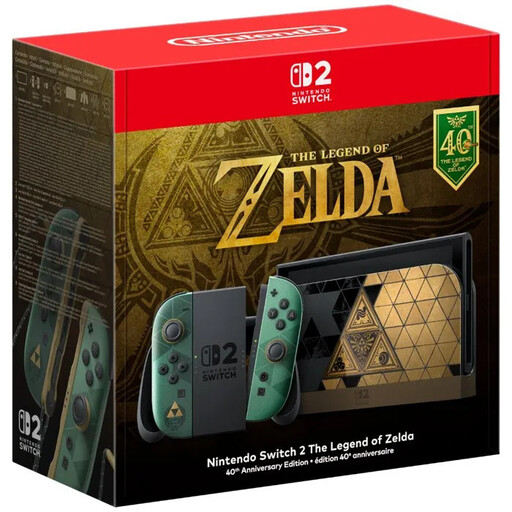 Image unavailable
Play handheld or connect to a TV. Nintendo lists a 7.9-inch LCD screen and warns that not every older Switch game is fully compatible. The product information mentions adjustable text size and text-to-speech; check the accessibility options in each game. A game isn’t included.
 Image unavailable
This handheld PC is suited to anyone who wants to play story games and other PC games on the go. Check compatibility, readability and how well the built-in controls work for each title you want to play.
 Image unavailable
A handheld PC for anyone who wants to play PC games on a built-in screen. For each game you want to play, check that its compatibility and controls suit the way you play.
 Image unavailable
For reading on the built-in screen or switching to play on a TV. Nintendo lists a 7-inch OLED screen and describes brightness controls in handheld and tabletop modes; TV mode is also available.
 Image unavailable
A handheld PC with an 8-inch touchscreen for gaming on the go. Check that the controls and text display suit each story game you want to play. The charger isn’t included and must be purchased separately.
No. Nintendo describes brightness controls for handheld and tabletop modes. In TV mode, the built-in screen turns off, so adjust the picture on the TV for that setup.
There’s no guarantee. Sony describes it as reading on-screen text and prompts for using the console. Check the accessibility features of the individual game.
No. Nintendo warns that some Switch games aren’t compatible with Switch 2, or may not work fully. Check the specific title before relying on an existing game library when choosing a console.
According to the Dutch government, you should contact the retailer if there’s a problem. A manufacturer’s warranty or an extended warranty you’ve bought doesn’t replace your statutory rights with the retailer.