
Story-driven gamer
You start by choosing the adventure games you want to play, then check whether they’re available for the console or handheld you’re considering.


Start with the adventure games you want to play, then check which platforms they’re available on. A PS5 or Xbox is designed for playing on a TV or monitor, while the Switch 2 also has a built-in screen. Headphones can let you listen to game audio privately, but they won’t solve the problem of sharing a TV. So, also consider discs, downloads and how you want to play.
You start by choosing the adventure games you want to play, then check whether they’re available for the console or handheld you’re considering.
You share a bedroom and want to listen to game audio through suitable headphones. That won’t necessarily free up the TV.
You can’t always use the shared TV and want a device with its own screen. Check that the games you want to play are available on it, too.
First, check that your chosen games are available. Then decide whether you can share the TV or need your own screen, and choose the model and audio connection that suit your room.
| What to consider | What should you check? | Who is this important for? |
|---|---|---|
| Games you want to play | Check the platform and edition for each title. For Steam Deck, also check its compatibility rating. | I want to play specific adventure games and don’t want to choose a console that doesn’t have them. Around 33% of consumers put game choice first. |
| Sound in the room | Check that your headphones work with the console and that any required setup or system update has been completed. | I want to hear dialogue and game audio through headphones, without needing the TV speakers. Around 27% of consumers put their room-mate’s peace and quiet first. |
| Your own screen | Choose between a TV or monitor and a handheld screen, then check that the games you want to play work on your device. | I want to play when the shared TV is in use, without having to wait for a turn. Around 20% of consumers prioritise having their own screen. |
| Model and storage | Check whether there’s a disc drive, how much storage the model has and what type of card you’ll need for any expansion. | I want to know in advance whether my discs will work and whether I might need extra storage. Around 20% of consumers start by considering the cost of the model, games and storage. |
A digital PS5 model doesn’t have a built-in disc drive, and the Xbox Series S can’t play game discs. That means you can’t use your existing discs with these models.
Make a list of your disc-based games before choosing a model. For the PS5 Digital Edition reviewed, a compatible disc drive is sold separately.
Nintendo specifies a maximum resolution of 1920 × 1080 for the Switch 2 in handheld and tabletop modes; output of up to 4K applies in TV mode. Support for certain features also varies by game.
Compare the mode you’ll actually play in and check what your chosen game supports.
Nintendo specifies microSD Express for expanding game storage on the Switch 2. Other microSD standards aren’t suitable.
Check the card type and whether a system update is required before buying a memory card.
According to ACM ConsuWijzer, Dutch statutory warranty applies alongside a commercial warranty; the seller is responsible for statutory warranty.
Check what cover an additional warranty product provides and keep it separate from your statutory rights.
Worth considering if your chosen story-driven games are available for PS5 and you’re deciding between a model with or without a disc drive.
The Series X and Series S differ in several ways, including disc support, stated storage and the gaming resolution listed by Microsoft.
The Switch 2 is worth considering if you want a built-in screen and the option to play on a TV, provided your chosen games are available.
The Steam Deck OLED could suit you if you want to play on a handheld screen and use games from your Steam library.
This selection includes consoles for TV gaming and devices with their own screen. Check whether the games you want are available and playable on each product.
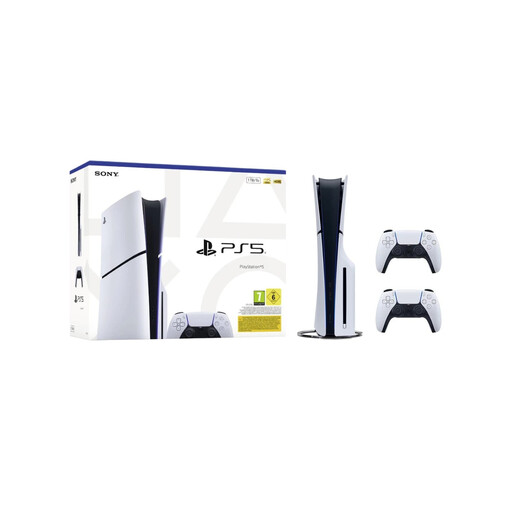 Image unavailable
Ideal if you want to play on a TV and use a disc drive. The bundle lists 1 TB of SSD storage and 2 white DualSense wireless controllers.
 Image unavailable
Ideal if you’re looking for a handheld gaming console with a built-in screen, so you don’t need the shared TV. Check that the games you want to play are available on this device.
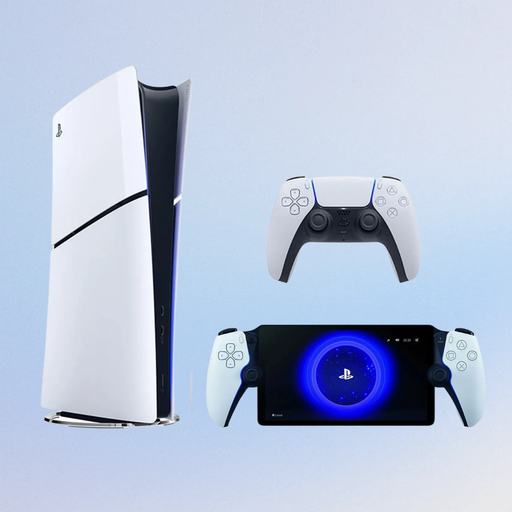 Image unavailable
Ideal if you’re looking for a digital PS5 model with a Portal Remote Player. The console doesn’t have a disc drive; according to the product information, the Portal uses your home Wi-Fi to play supported games.
 Image unavailable
Ideal if you’re looking for a portable gaming console with a built-in screen. According to the product information, the charger must be bought separately.
 Image unavailable
Ideal if you want to play on both a built-in screen and a TV. A microSD Express card is required to expand game storage.
Yes. With suitable headphones, you can listen to game audio privately. For the PS5 models reviewed, PlayStation lists analogue or USB stereo headphones for 3D audio after setup and a system update. Nintendo lists a 3.5mm connection for the Switch 2, but doesn’t guarantee that every connected product will work. Headphones won’t solve the problem of sharing a TV.
For TV gaming, check that your screen and console have the HDMI connections you need. To expand game storage on the Switch 2, you’ll need a compatible microSD Express card. Nintendo also says that you’ll need to install a system update via the internet.
No. Buying an additional warranty product isn’t a condition of your Dutch statutory warranty rights. ACM ConsuWijzer explains that statutory warranty applies alongside a commercial warranty and that the seller is responsible for statutory warranty. Online purchases usually also come with a 14-day cooling-off period, subject to applicable exceptions.
Don’t assume that the same subscription terms apply to every game. Check the requirements for the specific title and the features you want to use before choosing a subscription.