
Gamer with a cluttered desk
You want to save clips without having a large drive or extra power adapter next to your keyboard. Check the dimensions of your chosen model and leave room for the cable too.


For a small desk and regularly transferring or editing clips, a compact SSD is the obvious choice. If you mainly want to archive files, a portable HDD could work, provided you’re happy with slower transfer speeds. ID.nl describes external SSDs as faster and more compact than HDDs, but actual speeds also depend on the connection and cable. Also check how to save clips from your PC, PS5 or Xbox: Microsoft requires USB 3.0 and NTFS for recording Xbox clips directly, while PS5 clips are copied to a USB drive via the Media Gallery.
You want to save clips without having a large drive or extra power adapter next to your keyboard. Check the dimensions of your chosen model and leave room for the cable too.
You want to transfer PS5 or Xbox recordings to a computer and need to check which recording and formatting process applies to your console. Microsoft and PlayStation describe different methods.
If you store lots of video files, weigh up the capacity you need against how often you transfer or edit clips. Toshiba lists 1, 2 and 4 TB versions of the Canvio Flex.
First, decide whether the drive will mainly be used to archive clips, regularly transfer large files or record directly from a console. Its intended use will determine which capacity, connection and format you need to check.
Suitable for: a small desk and regularly transferring or editing large clips.
Bear in mind: quoted maximum speeds depend on having a compatible USB port and cable.
Suitable for: storing a growing archive and copying clips less often.
Bear in mind: ID.nl describes SSDs as faster and more compact, so with a mechanical HDD you’ll need to weigh up archiving capacity against transfer speeds.
| What to consider | What should you check? | Who does it matter to? |
|---|---|---|
| Limited desk and cable space | Dimensions of the exact model, direction of the connection and room for the cable. | If the drive will sit next to your computer or console, you’ll want to know whether there’s room for the cable once it’s plugged in. Around 31% of consumers consider desk space their main concern. |
| Recording compatibility | Recording source, USB port, file system and whether the drive is intended for clips or games. | If you record clips directly or copy them from a console, the drive needs to suit that specific process. An estimated 31% of consumers focus mainly on recording compatibility. |
| Space for a growing archive | Current folder size, expected new recordings and how long you want to keep them. | If you save lots of clips, it helps to match the capacity you need to the size of your archive and how long you plan to keep it. Around 23% of consumers prioritise archive capacity. |
| Time spent transferring and editing | USB support on your computer and drive, the cable supplied and how often you move large files. | If you regularly transfer large clips or edit them from external storage, the connection affects the speeds you’ll actually get. Around 15% of consumers give transfer speed top priority. |
Microsoft says storage formatted for Xbox games isn’t suitable for recording game clips directly. For direct recording, Microsoft requires USB 3.0 and NTFS.
First decide whether you’ll use the drive for games or clips, then follow the relevant setup instructions. You may need to move your games or use a second drive.
Formatting a drive as extended PS5 storage erases the files on it. For clips, PlayStation describes a copy function in the Media Gallery.
Back up important files elsewhere, then use the Media Gallery to copy recordings to a USB drive.
Files already on the drive may be lost when you format it.
Crucial says that the X9’s performance can vary. Its maximum speed won’t necessarily be achieved with every computer, USB port and cable.
Before taking the quoted top speed into account, check that the USB connections on the drive, cable and computer are compatible.
A drive may fit on your desk without the cable, but could get in the way once it’s connected.
As well as checking the dimensions of the exact model, leave room for the connection and the cable route.
The XS1000 series is worth considering if you’re looking for a particularly small external SSD. Kingston lists 1 TB and 2 TB versions.
The X9 series is a compact USB-C SSD to compare for storing files and video clips.
The Portable SSD T7 is worth considering if you want to compare a compact SSD supplied with USB-C-to-C and USB-C-to-A cables.
The Canvio Flex range is a portable HDD to consider if capacity and both USB-A and USB-C cables are important to you.
The Backup Plus Slim is an example of a slim portable HDD for archiving.
These Joybuy products include compact external SSDs for regular transfers and portable HDDs for storing larger clip archives.
 No image available
A compact SSD option for regularly transferring large video files.
1 TB storage; USB-C, USB 3.2 Gen 2x2, plus a USB-C cable and USB-A adapter included.
Its quoted read speed of up to 2.000 MB/s requires a compatible USB 3.2 Gen 2x2 host; write speeds are lower.
Dimensions: 85,09 × 50,8 × 9,91 mm. USB bus-powered, with no separate charger required.
 No image available
A portable HDD option for anyone looking to store a larger video archive.
5 TB storage; 2.5-inch model with USB-C and USB 3.2 Gen 1.
The product description lists a weight of 240 g and compatibility with Windows and Mac.
 No image available
A compact SSD option for clips you want to transfer to a computer.
2 TB storage; USB 3.2 Gen 2 and quoted sequential read and write speeds of up to 1.050 and 1.000 MB/s.
The product description lists a USB-C-to-C cable and a USB-C-to-A cable.
 No image available
A portable SSD option for keeping a collection of clips on a desk with limited space.
1 TB storage; USB 3.2 Gen 2 and quoted read and write speeds of up to 1.050 and 1.000 MB/s.
Dimensions: 88 × 59 × 13 mm. The product description lists IP65 protection and drop resistance from up to 3 metres; IP65 isn’t designed for prolonged immersion.
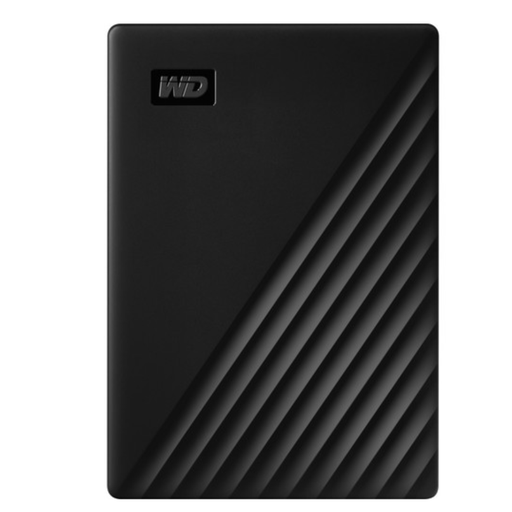 No image available
A portable HDD option for storing a large clip archive.
5 TB storage; USB 3.2 Gen 1 and a quoted transfer speed of up to 5 Gb/s.
The product description lists NTFS for Windows and USB bus power, with no external power supply required. Check which format is compatible with your console recording method.
No, not in that setup. Microsoft requires USB 3.0 and NTFS for recording clips directly to external storage, and says that storage formatted for Xbox games isn’t suitable for this. Use a different drive or move your games before reformatting a drive.
Connect a USB drive, then select ‘Copy to USB Drive’ for the recording in the PS5 Media Gallery. This copies media files; it doesn’t set up extended USB storage for games.
The word ‘gaming’ alone doesn’t determine whether a drive is suitable for your setup. Check the connection, capacity and required format; for example, the steps differ between recording Xbox clips directly and copying PS5 recordings from the Media Gallery.
First, copy important files elsewhere. PlayStation warns that formatting a drive for extended PS5 storage erases existing data, and that disconnecting it incorrectly can cause data loss or corruption.
When you buy remotely from a business, you’re entitled to a 14-day cooling-off period in many cases, according to the Dutch government. You’re also covered by the legal guarantee if a product doesn’t meet what you could reasonably expect under normal use. ACM ConsuWijzer explains that this guarantee doesn’t have a fixed term of just two years and that the seller is your point of contact.