
Vandaag of morgen in huis

Kwaliteit gegarandeerd

Welkomstaanbiedingen ontgrendelen: GRATIS bezorging | Tot 80% korting | Gratis 30 dagen JoyPlus-proefperiode
Download de app
Upgrading your setup with new gaming accessories can feel like navigating a minefield. Manufacturers make lofty promises with sky-high specs and flashy lights. But which upgrades truly enhance your performance, and which are just clever marketing? As a Joybuy Product Recommendation Officer, I'm here to help you separate fact from fiction, ensuring you invest in gear that makes a real difference.
Before you pull out your wallet, it's crucial to recognise the most common pitfalls.
To avoid buyer's remorse, focus on a few core specifications that directly impact your user experience. These are the non-negotiable factors for popular PC accessories.
A good gaming mouse isn't about the highest DPI, but about a reliable sensor and responsiveness.
A portable monitor is ideal for multitasking, working remotely, or gaming on a console.
One of the most impactful upgrades for any PC is switching to an internal SSD. The loading times for games and applications are drastically reduced. Pay attention to the read and write speeds, expressed in MB/s. A SATA SSD already offers a huge improvement over a traditional hard drive (HDD), with speeds around 500 MB/s. This is essential for modern computer hardware for gaming.
Below are some products that suit different user profiles, based on their objective specifications.
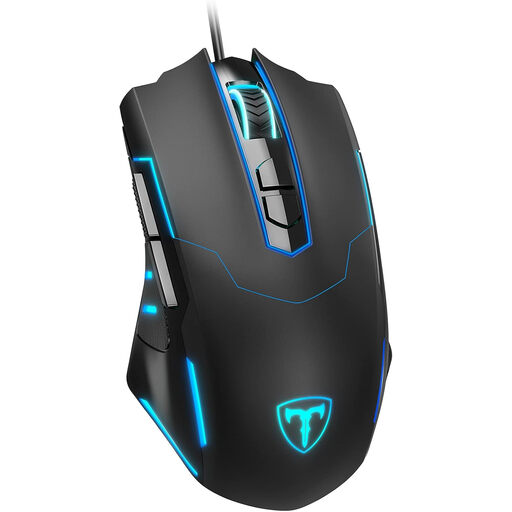
Why This Fits Their Persona: Ideal for those seeking a functional gaming mouse without paying a premium. This mouse offers the essential features you need to play competitively, such as adjustable DPI and extra buttons.
This mouse focuses on concrete performance instead of marketing. You get a solid DPI range up to 7200 and programmable buttons—features with direct in-game benefits—without paying for an unnecessarily high DPI or a premium brand logo.
7 programmable buttons for extra functionality and an ergonomic design for comfort during long sessions.
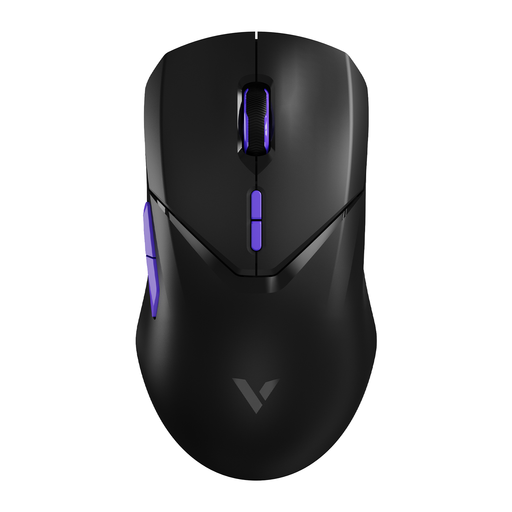
Why This Fits Their Persona: For the gamer who makes no compromises. This wireless mouse is designed for maximum responsiveness and precision, which can provide an edge in fast-paced, competitive games.
Instead of focusing on a uselessly high DPI, this mouse delivers a measurable advantage with its 4000Hz polling rate. According to the manufacturer, Rapoo, this ensures extremely low latency, which is a concrete performance benefit, not a marketing gimmick.
Equipped with a top-tier PAW 3398 sensor for ultimate precision and a superlight 68-gram design for fast, effortless movements.
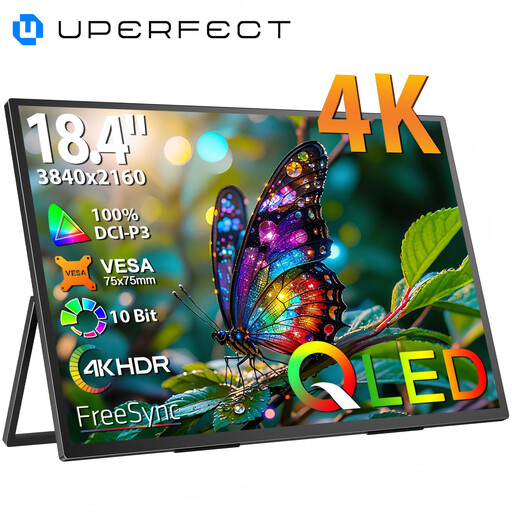
Why This Fits Their Persona: Perfect for those who are frequently on the go but don't want to compromise on screen real estate or image quality. It's ideal as a second screen for a laptop or as a primary display for a game console on location.
This product delivers clear, functional value: a large, razor-sharp 4K screen in a portable form factor. It's not a gimmick but a practical solution to the common problem of insufficient screen space.
A generous 18.4-inch 4K QLED screen offers superior image quality and ample workspace. The combination of USB-C and Mini HDMI ensures broad compatibility.
A complete setup is more than just a mouse or monitor. If you're looking for the heart of your gaming station, we have a selection of systems that meet strict criteria.
For most games and screen resolutions, a DPI setting between 800 and 3,200 is more than enough. A mouse with a maximum DPI of 6,000 to 8,000 offers plenty of flexibility. Higher values are rarely practical and are used primarily for marketing purposes.
Modern wireless technology, especially with a 2.4GHz receiver, has reduced latency (delay) to a minimum. For most gamers, the difference compared to a wired mouse is unnoticeable. Only at the highest competitive level might a wired connection or a specialised wireless mouse with a very high polling rate offer a slight advantage.
An internal SSD significantly shortens game load times. This means you get into your game faster, levels load more quickly, and textures in open-world games are less likely to "pop in". It's one of the most noticeable upgrades you can make to your computer hardware for gaming.
