
Players around one table
You want to play together without a TV, all looking at one screen. An adjustable stand and a game that supports tabletop mode can help. Nintendo describes tabletop mode for the Switch 2 and Switch OLED.


If players are sitting in different places, a TV setup is a natural choice, as long as everyone can see the shared screen. If you want to play at the table without a TV, compare the Nintendo Switch 2 and Switch OLED screens and adjustable stands. Also check the number of players, controls and any extra requirements for each game. An adjustable stand doesn’t guarantee that small text will be readable from every seat.
You want to play together without a TV, all looking at one screen. An adjustable stand and a game that supports tabletop mode can help. Nintendo describes tabletop mode for the Switch 2 and Switch OLED.
You’re sitting partly to the side or further away, and want everyone to be able to see the same screen and game instructions. Jackbox Games recommends making sure the host screen is visible throughout the room.
You want to know in advance how many people can play at once and what controls the chosen minigames require. Jackbox Games describes phones as controllers for Jackbox games.
Best for: anyone who wants to play at the table and on a TV, or is looking for Switch 2-specific game modes.
Keep in mind: Jamboree TV is part of the Switch 2 edition. Camera features require a compatible USB-C camera.
Best for: anyone who wants to play Switch party games in tabletop mode or on a TV, without the Switch 2-specific Jamboree TV modes.
Keep in mind: Nintendo lists a 7-inch OLED screen and an adjustable stand for this model. The Switch 2 edition of Jamboree TV isn’t designed for it.
Best for: anyone playing with a group around a TV and looking for suitable local multiplayer games.
Keep in mind: the Jackbox Party Bundle we looked at is only available in English; this doesn’t apply to all games.
Best for: anyone looking for a TV setup with digital games.
Keep in mind: the console has no disc drive. Check whether each game supports local play with your group.
Best for: anyone who doesn’t need a TV and mainly plays in handheld mode.
Keep in mind: the Lite can’t output to a TV and doesn’t have a built-in stand.
If you’re looking for a games console for party minigames from a side seat, visibility, group controls, suitable games and your overall setup are all important things to consider.
| Concern | What to look for when buying | Who should pay particular attention? |
|---|---|---|
| Clear picture from a side seat | Consider the seating, distance and screen position. Nintendo lists a 7.9-inch screen for Switch 2 and a 7-inch screen for Switch OLED. | If I’m sitting at an angle to the screen, I want to be able to read the game text without having to keep changing seats; around 33% of consumers prioritise visibility from a side seat. |
| Controls for the whole group | Check the number of players and the controls required for each game. Jackbox Games describes phones or tablets as controllers for Jackbox games. | When we’re playing with a group that changes from time to time, I want to know in advance whether everyone can join in with the phones or controllers available; around 27% of consumers prioritise group controls. |
| Minigames to suit the group | Check the language, game mode and any camera requirements. Nintendo links Jamboree TV to the Switch 2 edition; camera features require a compatible USB-C camera. | If we’re mainly playing while seated, I want games with language, game modes and controls that suit the group; around 20% of consumers prioritise suitable minigames. |
| Complete gaming setup | Check which game and controls are included, and what else you’ll need. Microsoft states that the Xbox Series S is digital and comes with one controller. | I want to know what I’ll need in addition to the console, such as a game or extra controls, before choosing a setup; around 20% of consumers focus on having a complete gaming setup. |
A stand helps you angle the screen, but screen size, distance and seating also affect whether everyone can read the game text.
Check the setup from where you’ll actually be sitting. If people are spread out, choose a shared TV screen if that’s easier for the group to see.
Nintendo links Jamboree TV to the Switch 2 edition. Camera features require a compatible USB-C camera.
Check the full game title, the console version and which accessories are needed for the game mode you want.
A compatible camera is sold separately; check whether you need one for the features you want to use.
The number of controllers or phones needed varies by game and game mode. The Xbox Series S comes with one controller, while Jackbox games can use phones as controllers.
Make a list of the players in advance and check what controls everyone needs for each game you’ve chosen.
Relevant models if you’re considering both tabletop play and playing on a TV.
A TV-based alternative if your choice depends on the local multiplayer games you want to play or the PlayStation games you already own.
Xbox Series S is a TV-based option if you’re looking for digital games.
This selection includes Nintendo Switch products for party games in tabletop mode or on a TV. Check each listing to see whether it’s a console, bundle or game, and which items are included.
 No image available
An option if you’re looking for a Switch 2 bundle for tabletop or TV play. Nintendo describes Switch 2 as having an adjustable stand; check that the screen is easy to read from where you’ll be sitting.
The product title lists Nintendo Switch Sports Resort and a 3-month Nintendo Switch Online subscription.
 No image available
This bundle is worth considering if you’re looking for a Nintendo Switch with a game included. The product title lists Mario Kart 8 Deluxe as a physical game card.
Check which controls and other items are included in the bundle, and whether the game you’ve chosen suits the players and game mode you have in mind.
 No image available
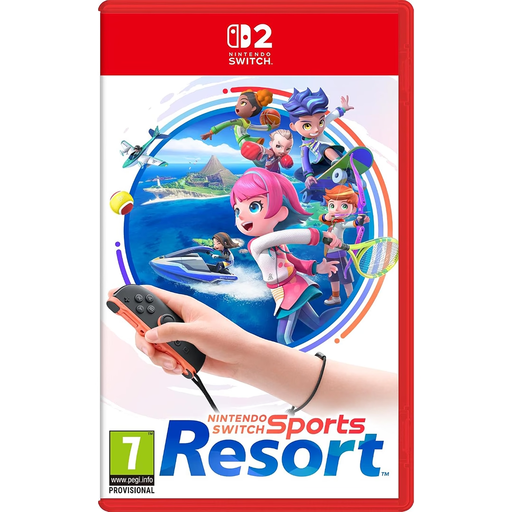
The product name lists Sports Resort for Nintendo Switch 2. Check the product information to see whether this listing is for the game itself or a bundle, and which Switch model the edition is designed for.
 No image available
A good fit if you’re considering tabletop or TV play with a Switch OLED model. Nintendo lists an adjustable stand and a 7-inch OLED screen for the OLED model.
Check that the game you want to play works on this Switch model; the Switch 2 edition of Jamboree TV isn’t designed for it.
 No image available
An option if you want to angle the built-in screen towards the group or connect the console to a TV. Nintendo lists an adjustable stand and a 7.9-inch screen for Switch 2.
Check from the seat you have in mind that everyone can read the game instructions, and whether the console includes the game and controls you need.
No, the Nintendo Switch Lite can’t be connected to a TV. Nintendo describes tabletop mode as using a separate stand and compatible wireless controllers; also check that the game you’ve chosen supports this play style.
No, not for every feature. Nintendo lists specific modes and CameraPlay as requiring a compatible USB-C camera, which is sold separately. Jamboree TV is part of the Switch 2 edition.
Not for the Jackbox Party Bundle we looked at: according to Jackbox Games, players can use a phone or tablet as a controller. Make sure everyone can see the host screen, and check the requirements for the specific game.
For tabletop mode, unfold the stand and place the system on a flat surface. Angle the screen towards the group and check that the instructions are readable from every seat; an adjustable stand doesn’t guarantee this.
Check the PEGI age rating and content information for the specific game. Kijkwijzer also describes rules for shops supplying games to minors; these aren’t a general age limit for owning a console.