
Groups who want to get moving
Looking for short, familiar activities that get players moving in front of the TV, while others can watch or wait their turn. Nintendo notes that the number of players who can play at once varies by sport.


Start by choosing the sports game, then check how many people can play locally at the same time in the mode you want. Match your console and the number of compatible controllers to that. For motion-controlled sports, Nintendo Switch Sports on a TV-compatible Switch system and Sports Resort on Switch 2 are two options. For football or basketball with standard controllers, PS5 and, depending on the game you choose, Xbox are alternatives. The Switch Lite cannot be connected to a TV.
Looking for short, familiar activities that get players moving in front of the TV, while others can watch or wait their turn. Nintendo notes that the number of players who can play at once varies by sport.
Want a local game mode that suits the people actually playing, with enough compatible controllers for everyone. Player numbers depend on the game you choose and, sometimes, the specific activity.
Prefer football or basketball with traditional controllers and choose a console to suit the specific game. PlayStation lists local multiplayer modes for EA SPORTS FC 26 and NBA 2K26.
Choose this option if: you want to make the sports movements yourself in a game such as Nintendo Switch Sports or Sports Resort.
Bear in mind: Sports Resort is for Switch 2, and the number of local players varies by activity in both games.
Choose this option if: you mainly want to play football or basketball from the sofa, for example with a suitable local game on PS5.
Bear in mind: check the local multiplayer mode for the specific game and factor in the controllers you need. The PS5 Digital Edition and Xbox Series S do not play games on disc.
The percentages below relate to consumers considering a games console for playing sports games together around the TV.
| What to consider | What should you check? | Who should give this more weight? |
|---|---|---|
| Motion controls and sports games | Check that the game you want works on the console, and find out which controls and controllers the sport requires. | If I want to make the sports movements myself, I first check that the sport I want and the console are compatible. Consumers who put motion controls first make up around 36% of this group. |
| Local multiplayer | Check the player count for the specific sport or game mode, and make sure you have enough compatible controllers. | If everyone wants to play at the same time, I check the local game mode and make sure there are controllers for all active players. Consumers who put this first make up around 29% of this group. |
| Type of sports game | Choose the specific game first, then check the platform and local player count. | If I’d rather play a football or basketball match with standard controllers, I start with a game that suits that. Consumers who put traditional sports matches first make up around 21% of this group. |
| Complete gaming set-up | Check which game and controllers are included, and whether you need an online subscription for the features you want to use. | If I want the whole group to join in, I look beyond the console itself and check what I need to complete the set-up. Consumers who see the complete set-up as their main budget concern make up around 14% of this group. |
The number of local players varies by activity in Nintendo Switch Sports Resort; not every sport supports four players at once.
Before choosing your set-up, check the sport or game mode you want to play and how many compatible controllers you’ll need.
Nintendo says the Switch Lite cannot be connected to a TV. Nintendo Switch Sports also does not support handheld mode.
For TV gaming, choose a TV-compatible system, then check that it works with the sports game you want.
Nintendo says Joy-Con 2 are not compatible with the Nintendo Switch Sports Leg Strap.
Check which controller is needed for the feature you want. If you detach your Joy-Con 2, attach the wrist straps before starting the game, as Nintendo recommends.
The PS5 Digital Edition and Xbox Series S do not have a disc drive and cannot play games on disc.
Check the exact console model and choose a game edition that works with it.
An option for motion-controlled sports games, with different consoles and games for TV play.
An option for playing local football and basketball matches with traditional controllers, depending on the game you choose.
A digital console option if you start by choosing a suitable sports or party game with local multiplayer.
This selection includes Switch 2 bundles for sports gaming and retro games consoles for TV gaming. For retro consoles, check that they include the specific sports games and local game modes you’re looking for.
 No image available
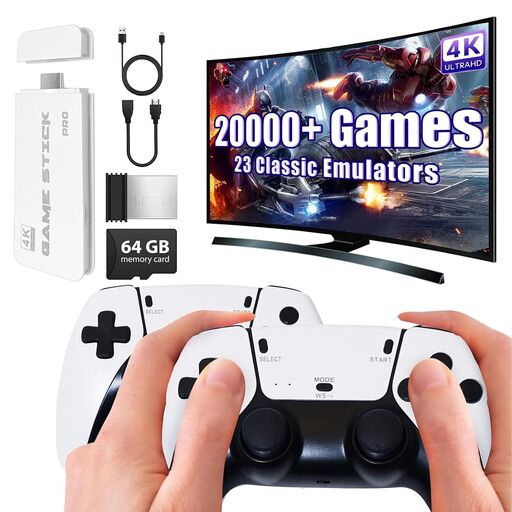
Could suit two-player TV gaming if the included game library contains the sports titles you’re looking for.
The product name lists 20,000+ classic games, 23 emulators, 4K HDMI output and two wireless controllers. Check which games are included and whether they support local multiplayer before choosing.
 No image available
Could suit two-player TV gaming if the sports games and local modes you want are included.
The product name lists over 20,000 pre-installed games, 4K HDMI output and two 2.4 GHz wireless gamepads. Check which sports titles and multiplayer options are included.
 No image available
A good fit if you want to play motion-controlled sports on Switch 2 and are looking for Sports Resort.
The product listing includes the console, Nintendo Switch Sports Resort as a digital game and a 3-month Nintendo Switch Online membership as a digital code. The bundle includes one pair of Joy-Con 2; Nintendo notes that the number of local players varies by sport. Check that you have the controllers needed for the activity you choose.
 No image available
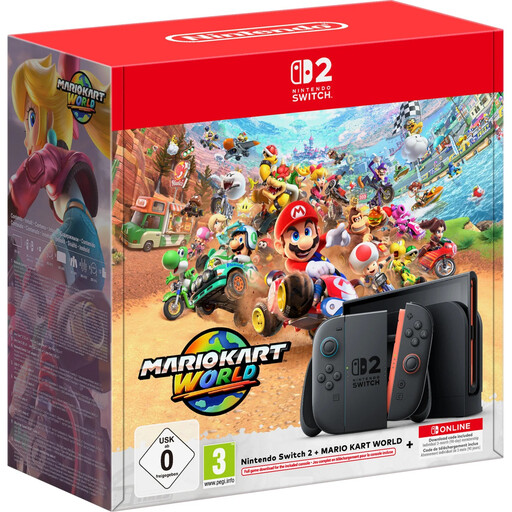
Could be a starting point if you’re looking for a Switch 2 and want to choose the sports game yourself.
The product name lists 256 GB and Mario Kart World as a download game. Sports Resort is not listed as an included game, so check which sports game you’ll need to buy separately.
It depends on the sport. Nintendo lists one to four local players for some activities and one to two for others. Choose the activity, then check how many compatible controllers you’ll need.
No. Nintendo says the Switch Lite cannot be connected to a TV. Nintendo Switch Sports also does not support handheld mode.
Not for local multiplayer, according to Nintendo’s online requirements. Nintendo requires an active Nintendo Switch Online membership to play Nintendo Switch Sports online; that is different from playing locally.
No. PlayStation says the PS5 Digital Edition has no disc drive, and Xbox describes the Series S as all-digital. When you buy a game, check that its edition is compatible with the exact console model.
Make sure you have enough space and follow the instructions for the controllers and wrist straps. Nintendo strongly recommends attaching wrist straps to detached Joy-Con 2 before starting a game.