What should you look for when choosing?
First check that the quiz mode, language and age rating suit your group. Then consider the screen set-up, controls and games you already own.
| What to consider |
What should you check? |
Who is this important for? |
| Quiz, language and age rating |
Check the quiz mode, language and PEGI rating of the specific game. |
If children or players with different language abilities are taking part, I want the quiz to be easy to understand and suitable for their age. Around 33% of consumers put suitable quiz content, language and age rating first. |
| Screen visibility in the living room |
Check whether you have a TV with HDMI, or test whether everyone can read the built-in screen from where they’re sitting. |
In a small living room, I want to follow the questions from my seat without having to get up. Around 27% of consumers prioritise being able to see the shared screen and play while seated. |
| Controls and number of players |
Check the player limit and whether the game mode requires controllers, compatible phones, browsers or a connection. |
If everyone wants to answer at the same time, I want to know in advance whether we have enough suitable input devices. This is the top priority for around 20% of consumers. |
| Existing games and console version |
Check whether your existing games work on the console and whether the quiz is available digitally or on disc. |
I want to know whether I can use my existing games and which version suits the way I want to play. Around 20% of consumers prioritise compatibility with existing games and choosing the right console version. |
Joybuy products for quiz games
These Joybuy products are Nintendo Switch consoles for quiz games you want to play on a TV or in tabletop mode. With Switch 2, check compatibility with the specific game.
 No image available
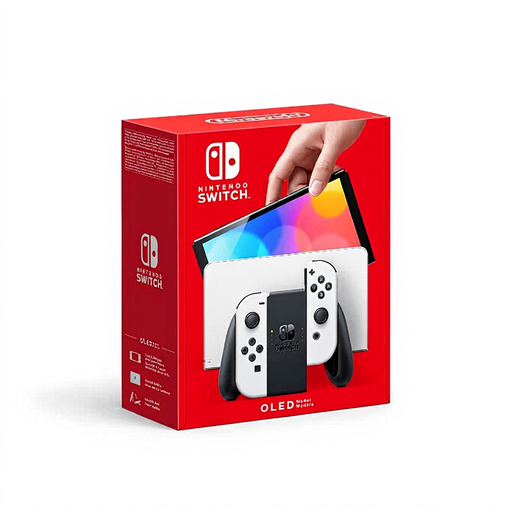
Nintendo Switch OLED White
Suited to quiz games you want to play together on a TV or around the built-in screen.
7-inch OLED screen.
Adjustable stand and tabletop mode.
Dock with HDMI and TV mode.
The Joy-Con controllers can be shared.
View at Joybuy
 No image available
Nintendo Switch 2 (EU)
Suited to quiz games that can be played on a TV or in tabletop mode. Check compatibility before using older Switch games.
Built-in 7.9-inch screen.
Adjustable stand and tabletop mode.
Detachable Joy-Con 2 controllers.
TV mode via the dock.
View at Joybuy
Frequently asked questions
Which games are mainly about answering questions while seated?
Big Brain Academy: Brain vs. Brain offers local brain-busting matches for up to four players, according to Nintendo Netherlands. Everybody 1-2-Switch! includes a quiz round as well as active mini-games. In The Jackbox Party Pack 9, players can join in on their phone or tablet, according to PlayStation Netherlands. Check the game modes and the space needed to play before choosing a console.
Does phone control work without the internet?
The phone-controlled play mode in Everybody 1-2-Switch! requires an active internet connection, according to Nintendo Support Netherlands. Also check that the phones, browser and any sensors are compatible. For Jackbox, players connect using a room code at jackbox.tv, according to the instructions from Jackbox Games.
What do I need to connect for a quiz night on TV?
To play Switch games on a TV, connect the dock to the power supply and HDMI, then select the correct TV input, according to Nintendo Support Netherlands. The Switch Lite doesn’t support TV mode. Before you start, check that everyone can read the screen and that the required phones, controllers and connection are working.
Can I always return a console or download game bought online within 14 days?
For online purchases, there is generally a statutory 14-day cooling-off period from delivery of the product or conclusion of the service, according to ACM ConsuWijzer, but there are exceptions. For example, under certain conditions, you may lose your right to cancel digital content or a game with a broken seal. Your statutory guarantee for a faulty product is separate from the cooling-off period.
Does PEGI guarantee that a quiz is suitable for my child?
No. The Dutch government describes PEGI as an age recommendation relating to potentially harmful content; it doesn’t say whether the language, difficulty or quiz format is right for your child. Check these aspects separately for the specific game.


