
Gamer sharing a room
You want to keep game audio private, so you check how the headset connects and review the controller and system audio settings. Sony, Microsoft and Nintendo describe different audio features and connection options.


First, choose a controller that works with your console or PC, then check how your headset connects. The audio setup varies by platform: for example, Sony requires a wired connection to use the DualSense headset jack on PC and Mac. Don’t assume that buttons will be quiet because of a particular connection or haptic feature; try the controls in your own bedroom, too.
You want to keep game audio private, so you check how the headset connects and review the controller and system audio settings. Sony, Microsoft and Nintendo describe different audio features and connection options.
You want to be sure the controller works with the system you use to play survival horror. Sony, Microsoft, Nintendo and 8BitDo specify compatibility by model and platform.
You’re interested in customisable buttons or tactile effects, but only want to choose features supported by your system and game. Sony, Nintendo and 8BitDo describe these features for specific models.
Start by checking your exact gaming platform. Then check how your headset connects, before considering which extra controls or charging options matter to you.
| What matters when buying | What to look for | Who is this important to? |
|---|---|---|
| Compatibility | Check your console or PC, operating system and connection method. Nintendo specifies that the Switch 2 Pro Controller is for Switch 2 only; 8BitDo lists separate connection methods for Windows and Android. | If I play on a specific console or PC, I want to know in advance whether the controller will work with my system and game. Around 34% of consumers say compatibility is their main purchase concern. |
| Private audio | Check where the headset plugs in and which connection is required. Sony says that using the DualSense headset jack on PC and Mac requires a wired connection. | In a shared bedroom, I want to keep game audio private using a suitable headset connection, and be able to check what audio comes from the controller itself. Around 33% of consumers prioritise private audio. |
| Controls and effects | Check whether the game and platform support extra buttons, haptics or vibration. Nintendo lists customisable GL/GR buttons for the Switch 2 Pro Controller; Sony says DualSense effects depend on the game. | If extra buttons or tactile effects matter to me, I want to check that I can actually use them with my system. Around 20% of consumers say controls and in-game effects are their main purchase concern. |
| Charging and power | Check how the specific model charges and whether the required cable is included with that version. The stated battery life isn’t guaranteed in every set of usage conditions. | For longer gaming sessions, I want to know how to charge the controller and whether I already have the right cable. Around 13% of consumers prioritise power and ease of charging. |
Nintendo says the Switch 2 Pro Controller is for Switch 2 only. The original Switch Pro Controller is a different model, with different specified features.
Check the full model name and your console before buying. Compare audio features only for the model you actually have in mind.
The connection required for your headset may differ from the one used by the controller. Sony requires a wired connection to use the DualSense headset jack on PC and Mac.
Check how the headset connects to your platform before choosing a controller. The white DualSense version we looked at doesn’t include a USB cable, so you may need a suitable cable, depending on your setup.
Bear in mind that you may need to buy a separate cable for that wired connection.
A commercial warranty doesn’t replace your statutory rights. ACM ConsuWijzer explains that, under the applicable conditions, the seller is responsible for providing a solution if a product breaks sooner than you could reasonably expect when used normally.
Check what any extra cover adds and what you can already expect from the seller.
DualSense models are worth considering for PS5 and other devices that support the controller.
The Xbox Wireless Controller is worth considering if you use an Xbox or a supported PC.
The right Pro Controller depends on whether you use the original Switch or Switch 2.
The Ultimate 2C Wireless and Ultimate 2 Bluetooth are different product lines, with their own platform support.
These products include wired options for Xbox and PC, as well as controllers for the original Nintendo Switch and Switch 2. Check each model to make sure its connection, controls and platform support suit your setup.
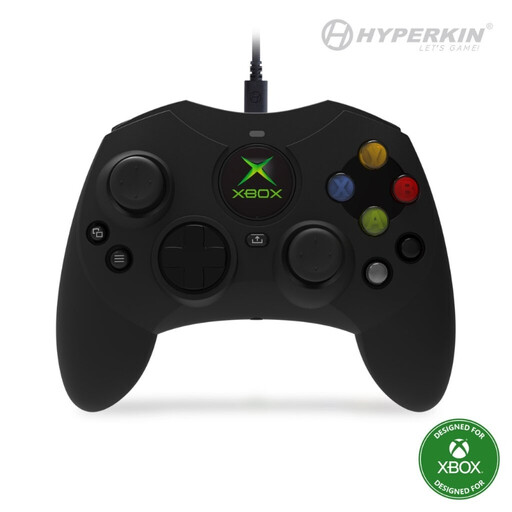 Image unavailable
A wired option if you’re looking for a controller for the platforms listed in the product name.
The product name specifies a wired connection and a black finish.
 Image unavailable
A controller option for anyone playing on the original Nintendo Switch.
Nintendo lists HD Rumble for the original Switch Pro Controller.
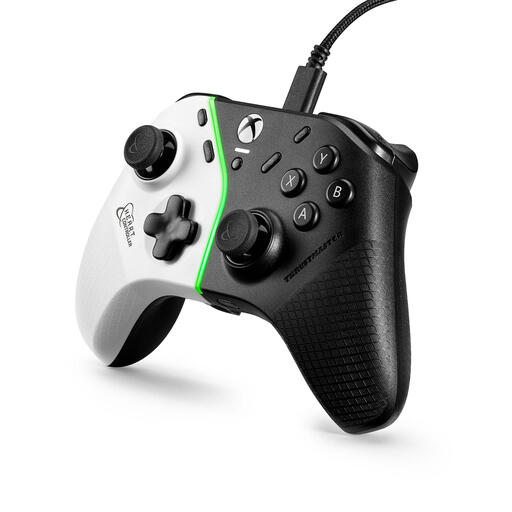 Image unavailable
A wired USB gamepad option if you’re looking for a controller for the platforms listed in the product name.
The product name lists PC, Xbox One, Xbox One S and Xbox One X.
 Image unavailable
An option if you use Switch 2 and want to connect your headset to the controller.
Nintendo specifies a 3.5mm CTIA jack and customisable GL/GR buttons for this Switch 2 model. Nintendo says it is for Switch 2 only.
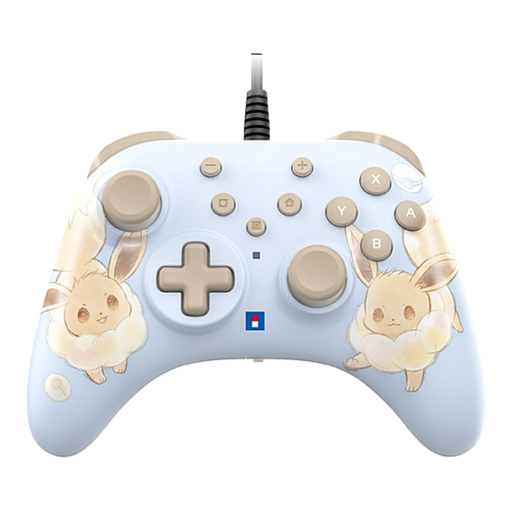 Image unavailable
A wired option if you play on one of the Switch systems listed in the product name.
According to the product information, the USB cable isn’t included; bear this in mind if you want to use the wired connection.
No. Check the audio connection for each controller and setup. Sony says that using the DualSense headset jack on PC and Mac requires a wired connection. So, a wireless controller connection doesn’t automatically mean the headset will also work wirelessly through that jack.
Follow the instructions for the exact model. For the original Switch Pro Controller, Nintendo describes pairing via the dock or wireless synchronisation, and says a full charge takes about six hours. For the Switch 2 Pro Controller, Nintendo lists an included USB charging cable and a charging time of about three hours.
Not necessarily. ACM ConsuWijzer explains that your statutory guarantee applies alongside any commercial warranty. If a product breaks sooner than you could reasonably expect when used normally, the seller must provide a solution under the applicable conditions; there is no single fixed statutory warranty period for controllers.
When you buy remotely from a business, you’ll often have a 14-day cooling-off period, but exceptions and the seller matter. The Dutch government lists buying online from a private individual as an example that doesn’t count as distance selling in this sense.