What should you consider when choosing?
First, check that your device and game are supported. Then work out which cable setup, controls and power source will suit your desk.
| Factor to consider |
What should you check? |
Who is this important for? |
| Platform and game |
Check your console or PC, the exact controller model and version, and whether the game supports the controller. |
If I play on a specific console or PC, I want to make sure both my device and my game support the controller. Around 36% of consumers prioritise platform and game compatibility. |
| Wired or wireless connection |
Check where a USB port is and whether your chosen controller supports Bluetooth, 2.4GHz or USB on your device. |
I want to move my hands freely without a cable running across my desk, but I can also make room for a receiver or plan a cable route. Around 29% of consumers prioritise keeping their desk space clear. |
| Grip and buttons |
Compare the button layout and check whether you can assign functions to any extra buttons on your chosen version. |
For long quests, I want the buttons to be easy to reach and a grip that feels comfortable in my hands. Around 21% of consumers focus mainly on controls and button layout. |
| Batteries and charging |
Check the battery type, what’s included with the version you’re buying and whether you can keep playing with your chosen model connected by cable. |
I don’t want to have to stop unexpectedly during a long mission to replace batteries or recharge. Around 14% of consumers make power their top priority. |
Game controllers at Joybuy
This selection of Joybuy products includes wireless and wired controllers for PC and certain console platforms. Before buying, check support for your specific game and device. Applicable European product requirements apply to wireless equipment; the Dutch Authority for Digital Infrastructure, for example, outlines requirements relating to CE marking. Check the product information for the specific item, as a general model description alone doesn’t confirm compliance.
 No image available
Xbox Wireless Controller for Xbox Series and PC – Ice Breaker Special Edition
An option if you play on a compatible Xbox console or Windows PC and want to play wirelessly.
The Joybuy product listing names Xbox Series X|S, Xbox One and Windows 10/11, Bluetooth and Xbox Wireless. According to the listing, the controller uses two AA batteries and has a stated battery life of up to 40 hours.
View at Joybuy
 No image available
PS5 DualSense V3 Wireless Controller – Cosmic Red
An option for PS5; for PC games, check whether the game supports the DualSense features you want to use.
The Joybuy product listing specifies a built-in battery and USB-C. According to PlayStation, adaptive triggers on PC depend on the game; haptic feedback on PC requires USB and game support.
View at Joybuy
 No image available
Hyperkin DuchesS Wired Controller for Xbox Series X|S, Xbox One and Windows 11|10 (Black)
A wired option if you play on a compatible Xbox device or Windows PC and can route a cable across your desk.
The product listing specifies Hall Effect sticks and a detachable 3 m USB-C cable. Bear the cable route in mind and check support for your game.
View at Joybuy
 No image available
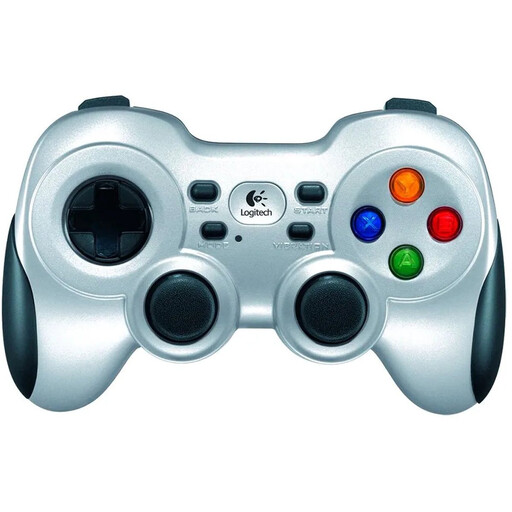
Logitech F710 Wireless Gaming Controller for PC – Silver
A wireless option for PC if you have a USB port available for the included receiver.
The Joybuy product listing specifies a 2.4GHz receiver and two AA batteries; according to the listing, the batteries aren’t rechargeable.
View at Joybuy
 No image available
BEITONG KP70 Haptic Feedback Elite Wireless Controller
An option if you’re looking for programmable buttons and check support for your device and game in advance.
The product name lists PC, NS and NS2. The Joybuy product listing specifies six programmable buttons and a 1500 mAh battery. Check which connection type and platform support apply to your specific needs.
View at Joybuy
Frequently asked questions
Does a DualSense work the same way on PC over Bluetooth as it does over USB?
Not for every extra feature. PlayStation says that haptic feedback on PC requires USB and game support; adaptive triggers also depend on the game.
How do I connect an 8BitDo Ultimate 2C Wireless to a Windows PC?
According to 8BitDo, you can plug the 2.4GHz receiver into a USB port or choose a wired connection. For the 2.4GHz connection, the manual lists Windows 10 version 1903 or later; according to the product specifications, Bluetooth is for Android.
Is the original Switch Pro Controller the same as the Switch 2 Pro Controller?
No. Nintendo describes them as different models with different compatibility. According to Nintendo, the Switch 2 Pro Controller is only compatible with Switch 2, so check the full model name before ordering.
Does a wireless game controller need a CE marking to be sold in the Netherlands?
Applicable European requirements apply to radio equipment placed on the market in the Netherlands. The Dutch Authority for Digital Infrastructure outlines the requirements relating to CE marking; a general product description doesn’t prove that a specific item complies, so check the information for that product.


