What should you look for in a game controller?
First, check whether your device and game support the controller. Consider screen glare separately, so you don’t choose a controller feature expecting it to improve the picture.
| What to consider |
What should you check? |
Who is this important for? |
| Compatibility |
Check the exact controller version for your console or PC, as well as whether the specific game supports controllers. |
If I want to play on a device I already own, I want to know in advance whether the game supports the controller. Around 36% of consumers prioritise compatibility with their device and game. |
| Screen visibility |
Consider your screen’s position and settings separately; don’t treat controller lighting as a solution to glare. |
If glare makes puzzle details hard to see, I want to address the problem at the screen. Around 21% of consumers prioritise visibility in a bright room. |
| Comfort and controls |
Compare the button layout and check whether your game supports features such as extra buttons or special triggers. |
If I’m taking my time over a puzzle, I want a layout that feels comfortable, without extra features I won’t use. Around 29% of consumers prioritise comfort and controls. |
| Cable and power |
Check how the version is powered and whether its cable is long enough for your gaming spot. |
If I want to sit where I like, I weigh up wireless play against using batteries or charging. With a wired controller, I want to know whether the cable will reach my seat. Around 14% of consumers prioritise connectivity and power. |
Joybuy products for different devices
This selection includes controllers for PS4, PS5, PC, Switch and Xbox. Check which controls are supported for each game and controller version.
 No image available
Wireless Dualshock controller for PS4 and PC
An option if you play on PS4 or PC; also check whether your puzzle game supports controller controls.
The product title lists PS4 and PC as compatible systems.
View on Joybuy
 No image available
PlayStation DualSense Wireless Controller – Grand Theft Auto VI White Limited Edition
Worth considering if you play on PS5. For PC, Mac or a mobile device, check whether your game supports the controller controls you want.
The product title lists PS5, PC, Mac and mobile.
View on Joybuy
 No image available
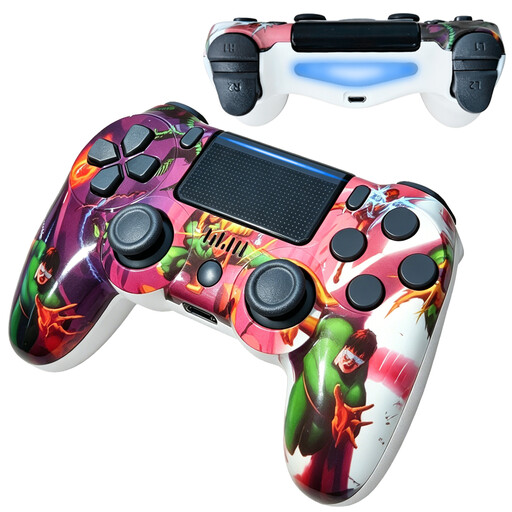
VIELLAN wireless Bluetooth controller for PS4
An option to compare if you’re looking for a wireless controller for PS4; check whether your game supports it.
The product title lists PS4 and Bluetooth.
View on Joybuy
 No image available
Game controller with dual vibration and gyroscope for Switch and PC
An option if you play on Switch or PC; check support for your specific game and device.
The product title lists Switch and PC.
View on Joybuy
 No image available
Xbox Wireless Controller Robot White
Worth considering for a compatible Xbox or Windows PC. If you’re playing on PC, also check whether your puzzle game supports controller controls.
The product title lists a wireless Xbox controller.
View on Joybuy
Frequently asked questions
Will a controller with lighting help with glare in a bright room?
No, lighting on a controller won’t change the screen. Consider your screen’s position and picture settings separately; lighting on a controller doesn’t make puzzle details easier to see.
Will any controller automatically work with my PC puzzle game?
No. Check that your exact controller is supported on PC, and that the specific game supports it too. A game page may tell you which controller types are supported.
Can I use my original Switch Pro Controller with Switch 2?
Yes. Nintendo states that the original Switch Pro Controller works wirelessly with Switch 2, but its HOME button can’t wake the console from sleep mode. Nintendo says the Switch 2 Pro Controller doesn’t work with the original Switch.
What should I check if my wireless controller won’t pair?
Follow the pairing steps for your exact model and device. For a 2.4 GHz connection to Windows, 8BitDo says to use the adapter and set the mode switch to the correct position for the Ultimate 2C Wireless.
What are my rights when I buy a controller online in the Netherlands?
According to ACM ConsuWijzer, online purchases generally come with a cooling-off period of up to and including 14 days after delivery, subject to legal exceptions. You’re also entitled to a product that, under normal use, meets what you could reasonably expect from it; an additional guarantee offered by the seller doesn’t replace this legal right.


