
Console puzzle players
Want to know whether a controller is compatible with their Xbox, PlayStation or Nintendo Switch generation before weighing up any extra features.


First, choose a controller that works with your console or PC and the specific puzzle game. Then weigh up familiar controls, adjustable lighting and wireless use. Controller lighting doesn’t automatically mean the button labels light up. Sony says that DualSense haptic feedback on PC requires both game support and a USB connection.
Want to know whether a controller is compatible with their Xbox, PlayStation or Nintendo Switch generation before weighing up any extra features.
Need a suitable connection and familiar controls. Also check whether the specific game supports controller input; Steamworks offers settings for supported input devices.
Want to find the buttons more easily in a dark room or adjust the lighting. Controller lighting and illuminated button labels aren’t the same thing.
First, check compatibility with your system and game. Then choose based on controls, visibility, comfort and connection.
| Consideration | What should you check? | Who is this important for? |
|---|---|---|
| Compatibility | Check your console generation or PC version, as well as whether the game supports the controller. | I want the controller to work with my system and my puzzle game to support its input, so the basic controls work as expected. Around 29% of consumers give system and game compatibility top priority. |
| Controls | Compare the button layout and check whether button mapping is available on the exact model. | For relaxed puzzle games, I want familiar buttons or a layout I can customise, without unnecessarily complicated settings. Around 23% of consumers put familiar, customisable controls first. |
| Visibility | Check whether the button labels themselves light up and whether the brightness can be adjusted. | In a dark room, I want to find the buttons without bright lighting effects distracting me from the story. Around 18% of consumers give adjustable lighting and visible controls top priority. |
| Comfort | Compare the shape, grip and reach of the buttons. | When I’m playing for longer stretches at a relaxed pace, I want the controller to feel comfortable in my hands and the controls to be easy to reach. Around 18% of consumers prioritise comfort and accessibility. |
| Power and connection | Check whether the controller is wireless or wired, and which cable or adapter you’ll need. | I want to know whether I can sit freely without a cable or play without interruption. Around 12% of consumers give their preferred connection and power method top priority. |
Nintendo confirms that the original Switch Pro Controller can be paired wirelessly with Switch 2. According to Nintendo, the Switch 2 Pro Controller doesn’t work with the original Switch.
Check the full product name and your console generation.
PowerA describes the Lumectra controller reviewed here as having lighting zones, but this doesn’t confirm that every button label lights up.
Check that the specific buttons you want to see in the dark are illuminated.
Connecting a DualSense to a PC doesn’t automatically give you access to all its features. Sony says that haptic feedback requires game support and a USB connection.
Check support for the specific game, the connection and the features you want to use.
Wired and wireless models need different connections and power options. An extended warranty is separate from your statutory rights.
Check which cable, adapter or charging solution you need, and see what’s included with the model. If you need an adapter or charging solution, you may need to buy an extra accessory.
A standard wireless Xbox controller is an option for Xbox consoles and Windows PCs.
DualSense is the option reviewed here for PS5, and can also be used with compatible games on supported PCs.
The Switch Pro Controller and Switch 2 Pro Controller are made for different console generations.
The Advantage Wired with Lumectra reviewed here is a wired option for Xbox Series X|S, Xbox One and Windows 10/11.
According to 8BitDo, the Ultimate 2C Wireless is designed for Windows PCs and Android, with different connections for each platform.
This selection includes controllers for Nintendo Switch systems, Xbox and Windows PC, PS5 and multiple platforms. Check support for each game, and make sure the lighting suits what you want to see in the dark.
 No image available
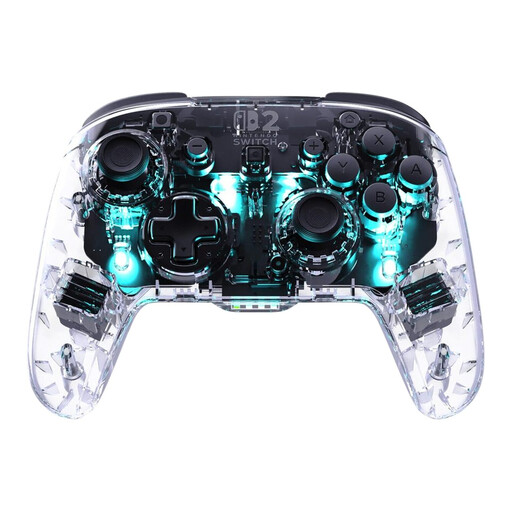
An option for Nintendo Switch players looking for adjustable RGB lighting and customisable buttons.
The product information lists support for Switch 2, Switch, Switch Lite and Switch OLED, four RGB modes with adjustable brightness and colour, and two programmable rear buttons.
 No image available
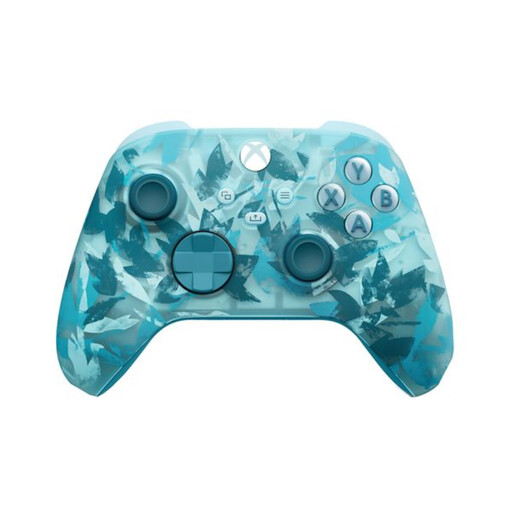
An option if you’re looking for an Xbox controller for an Xbox console or Windows PC.
The product information lists Xbox Series X|S, Xbox One and Windows 10/11, Bluetooth and Xbox Wireless. You can map buttons using the Xbox Accessories app.
 No image available
A controller option for a PS5 setup.
The product information lists haptic feedback and adaptive triggers. For haptic feedback on PC, Sony requires game support and a USB connection.
 No image available
A multi-platform option if you want RGB lighting and play on PC, Switch, iOS or Android.
The product name lists TMR sticks, 2-in-1 triggers and a 1000 Hz polling rate. The product information also mentions an RGB light strip and an included charging dock.
 No image available
An option for Nintendo Switch; Nintendo also confirms that this controller can be used wirelessly with Switch 2.
The product information lists wireless controls, motion controls and HD Rumble.
No, don’t assume that it does. Sony says features may vary by device, and that haptic feedback on PC requires game support and a USB connection.
Yes. Nintendo confirms that the original Switch Pro Controller can be paired wirelessly with Switch 2. The Switch 2 Pro Controller doesn’t work with the original Switch, according to Nintendo.
Check the support and settings for the specific game. Steam offers configuration options for supported input devices, but this doesn’t prove that every game works fully or comfortably with a controller.
Not necessarily. A controller’s lighting zones may light up without illuminating the labels on individual buttons. Check the specifications for the exact model to see whether the buttons you want to find are illuminated.