
Players who want to check compatibility
You play on a specific console or PC and want to check whether the controller works with your system and game.


First, choose a controller that works with your console or PC and the game you play. Lighting alone won’t necessarily make a controller easier to use in the dark. Then check whether you can find the buttons by feel, whether the connection suits your gaming setup and whether you can adjust the lighting effects. Extra haptics are only relevant if your game and device support them.
You play on a specific console or PC and want to check whether the controller works with your system and game.
You want to find the buttons by feel and decide whether lighting helps or distracts. RGB effects don’t automatically mean the action buttons are illuminated.
You’re considering how the controller feels in your hand and whether its connection and power supply suit your gaming setup.
First, check compatibility with your system and game. Then compare how easy the controller is to use in the dark, how comfortable it is during longer sessions and whether any extra features are useful to you.
| What to consider | What should you check? | Who should pay particular attention? |
|---|---|---|
| Compatibility | Check the exact system, controller version, connection and, if necessary, whether the game supports it. | If you use one specific console or PC, you’ll want to avoid buying a controller or feature that doesn’t work with it. Around 36% of consumers say compatibility is their top priority. |
| Controls and lighting | Find out which parts actually light up and whether you can adjust the brightness or lighting effects. | If you play without the room lights on, you’ll want to find the buttons by feel and adjust the effects to suit your preference. Around 29% of consumers say ease of use in the dark is their top priority. |
| Comfort and power | Compare the grip and wired or wireless connection, and check what’s included with the version you’re considering. | For long gaming sessions, you’ll want a controller that feels comfortable to hold, with a cable or power supply that suits where you sit. Around 21% of consumers say comfort during gaming sessions is their top priority. |
| Enhanced gameplay | Check whether the game supports the features you want and whether they require a specific connection. | If extra haptics or customisable buttons matter to you, check that your game and device support them. Around 14% of consumers say enhanced gameplay is their top priority. |
Lighting effects on the controller’s casing don’t necessarily make the action buttons easier to find in the dark.
Check which parts light up on the exact version you’re considering and whether you can adjust the effects.
Nintendo says the Switch 2 Pro Controller doesn’t work with the original Switch. According to Nintendo, the original Switch Pro Controller can be used wirelessly with Switch 2.
Compare your system’s name with the compatibility information for the specific controller.
You can connect a DualSense to a PC, but support for haptics and adaptive triggers varies by game. PlayStation says haptic feedback on PC requires a USB connection.
Check your game’s support and the required connection before taking extra features into account.
The Xbox Wireless Controller is an option for supported Xbox consoles and Windows PCs.
DualSense is the controller option for PS5 and can also connect to supported PCs and other devices.
Nintendo Pro Controllers are worth considering for historical adventures on Switch systems.
The Ultimate 2 Wireless could be an option for a supported device if you value adjustable features and lighting effects.
The Advantage Wired Controller for Xbox Series X|S with Lumectra is a wired option for the specified Xbox systems and Windows.
These controllers are suited to gaming on Switch systems, PS5 or supported Xbox and PC systems. Compare the compatibility listed for each version and the control features that matter for your dark gaming setup.
 No image available
An option for gaming on the listed Switch systems if you want adjustable RGB lighting.
The product name lists Bluetooth, 40-hour battery life, four RGB modes and two programmable buttons.
Compatibility listed includes Switch 2, Switch, Switch Lite and Switch OLED. RGB modes don’t confirm that the button labels light up.
 No image available
An option for PS5; the product information also lists PC, Mac and mobile devices.
The description lists haptic feedback and adaptive triggers. On PC, these features’ functionality depends on the game; PlayStation says a USB connection is required for haptic feedback.
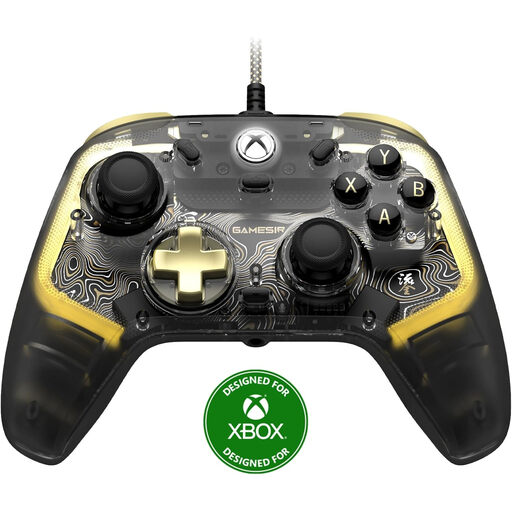 No image available
A wired option if you play on one of the listed Xbox systems or Windows 10/11 and want adjustable RGB lighting.
The product information lists RGB customisation via an app, remappable buttons and vibration motors.
This is a wired controller, so bear the cable in mind when choosing where to play.
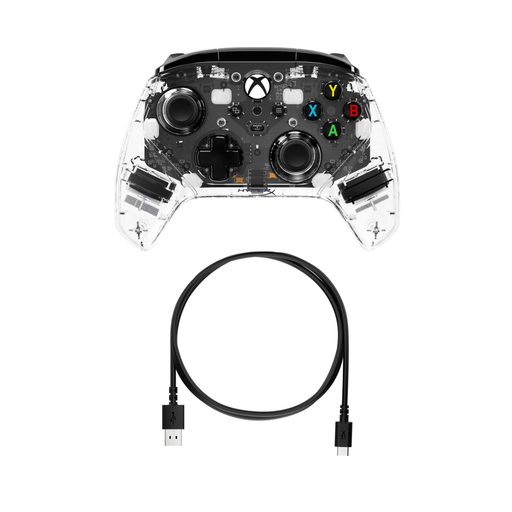 No image available
A wired option for the listed Xbox systems and PC, with adjustable lighting effects and extra control buttons.
The product description lists customisable RGB modes and colours, rear buttons and trigger locks.
The controller is wired, so check that the cable will reach your gaming setup.
 No image available
An option for gaming on Nintendo Switch 2. Nintendo says this controller doesn’t work with the original Switch.
The product description lists HD Rumble, motion controls and a rechargeable battery.
The description mentions an ergonomic design and charging via the console, dock or a USB charger.
No. RGB effects or lighting zones don’t prove that the button labels light up. Check which parts light up on the exact version you’re considering and whether you can adjust the effects.
No. According to PlayStation, support depends on the device and game; haptic feedback in supported PC games requires a USB connection.
No. Nintendo says the Switch 2 Pro Controller only works with Switch 2. According to Nintendo, the original Switch Pro Controller can be used wirelessly with Switch 2.
Before buying, check whether you can adjust the lighting effects on the version you’re considering. The 8BitDo Ultimate 2 Wireless manual advises people with epilepsy or light sensitivity to turn off flashing effects.
For online purchases from a business, the Dutch government says you’ll often have a 14-day cooling-off period; check which exceptions apply. You’re also protected by the statutory guarantee: you’re entitled to a product that works as it should. Any manufacturer’s warranty offered doesn’t replace this legal right.