
Players who enjoy long sessions
You want to know whether the grip, button layout and power options suit you when you play for a long time. If possible, try holding the controller yourself.


First, choose a controller that works with your console or PC and the game you play. Then check that it feels comfortable to hold and that you can reach the buttons easily during a long session. Your game must support haptics and adaptive triggers for these features to work; on PC, DualSense haptics also require a USB connection. To avoid interruptions while you play, consider how the controller is powered or opt for a wired controller.
You want to know whether the grip, button layout and power options suit you when you play for a long time. If possible, try holding the controller yourself.
You play on a console or PC and want to check first which controller, connection type and games your system supports.
You’re looking for haptics, trigger resistance or customisable controls for adventure games, and want to check whether your game actually uses these features.
First, check that the platform, connection and game are compatible. Then consider how the controller feels in your hands, the feedback you want and how you’ll power it during long sessions.
| What to consider | What should you check? | Who is this for? |
|---|---|---|
| Feel in your hands | If possible, hold the controller and check that you can reach the sticks, shoulder buttons and triggers without constantly changing your grip. | When I play for a long time, I want to reach the buttons comfortably without constantly moving my hands. Around 29% of consumers prioritise how a controller feels in their hands. |
| Platform and game | Check the exact console or PC operating system, the connection method and whether your game is supported. | I want to know in advance whether my controller works with my system and game. Around 29% of consumers prioritise platform compatibility. |
| Feedback and controls | Check whether each game supports haptics, adaptive triggers or customisable buttons; DualSense haptics on PC require USB. | When I’m looking for immersive feedback, I want my game to make proper use of these features. Around 24% of consumers prioritise controls supported by the game. |
| Power | Check whether the controller uses batteries, a rechargeable battery or a cable, and which charging option is suitable. | I want to play for a long time without having to charge unexpectedly or change the batteries. Around 18% of consumers prioritise uninterrupted power. |
A controller working with a PC doesn’t mean every game supports haptics or adaptive triggers. PlayStation states that haptic feedback on PC requires a USB connection and support from the game.
Check which features your game supports and whether they work with your chosen connection method.
Nintendo states that the Switch 2 Pro Controller doesn’t work with the original Nintendo Switch.
Check your console’s full name before choosing a controller.
Microsoft states that rechargeable AA batteries don’t charge inside the Xbox Wireless Controller.
Decide in advance between AA batteries with an external charger and a compatible rechargeable Xbox battery.
If you use rechargeable AA batteries, you’ll need a suitable external charging solution.
DualSense is designed for PS5 players and for PC games that support the features you want.
The Xbox Wireless Controller is an official option for Xbox consoles and Windows PCs.
The Switch 2 Pro Controller is designed for players with a Nintendo Switch 2.
The Ultimate 2C Wireless is an option for Windows players looking for an adapter connection and customisable controls.
The G7 SE is a wired controller for Xbox Series X|S, Xbox One and Windows 10/11.
These controllers offer options for Switch, Switch 2, PS5, Xbox and PC, with both wireless and wired models available.
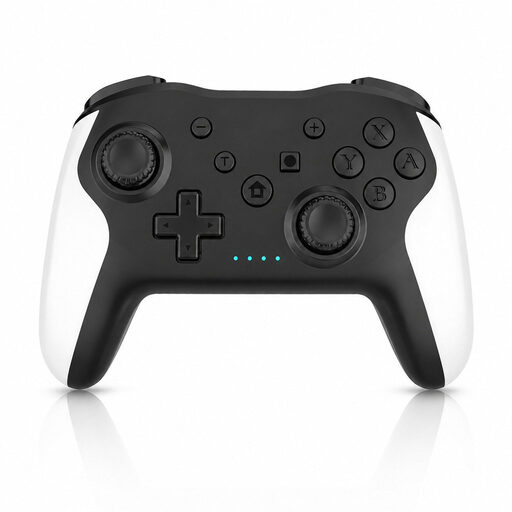 No image available
An option if you’re looking for a wireless controller for Switch or PC; check that its connection and features suit your game.
The product name specifies dual vibration and a gyroscope.
 No image available
Suitable for PS5 games and PC games that support DualSense features.
On PC, haptic feedback requires USB and support from the game. Check these requirements if these features are the reason you’re choosing this controller.
 No image available
An official Xbox and Windows option for anyone looking for a wireless controller with textured grip and button mapping.
It can be powered by AA batteries or a compatible rechargeable Xbox battery. Rechargeable AA batteries won’t charge inside the controller.
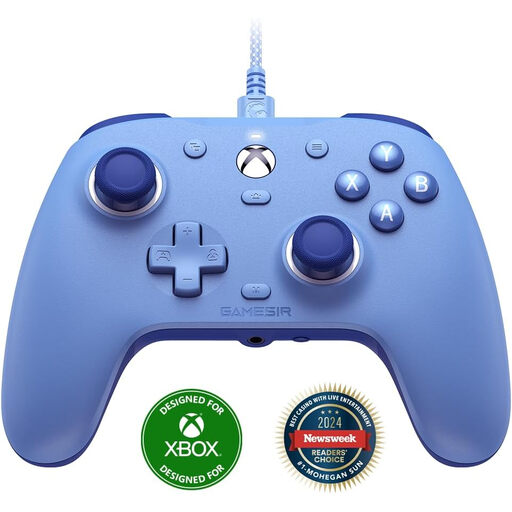 No image available
A wired option for Xbox One, Xbox Series X/S and Windows 10/11 if you’d rather not charge a controller battery while playing.
GameSir highlights Hall-effect sticks and two customisable rear buttons. The cable may restrict how much room you have to move from the sofa.
 No image available
Designed for use with a Nintendo Switch 2; Nintendo states that this controller doesn’t work with the original Switch.
Nintendo estimates the battery life at around 40 hours; actual battery life depends on use.
No. PlayStation says these features must be supported by the game. Haptic feedback on PC also requires a USB connection.
No. Nintendo states that the Switch 2 Pro Controller doesn’t work with the original Nintendo Switch.
Microsoft lists AA batteries and a compatible rechargeable Xbox battery as options. Rechargeable AA batteries need to be charged outside the controller; check which power option is suitable for your model.
You can ask the retailer to provide a product of satisfactory quality. According to the Dutch government, there is no fixed statutory guarantee period for all products; what you can reasonably expect depends on the product and the circumstances.
For many eligible distance sales, you have a 14-day cooling-off period. The Dutch government describes this as a statutory right; check the terms that apply to your purchase.