
Families with a Switch or Switch 2
Want to play together on one screen. Individual Joy-Cons are only suitable if the game supports that control setup. Nintendo Support recommends checking the player limit and required controllers for each game.


First, choose a controller that works with your console and the game’s local multiplayer mode. The number of controllers connected doesn’t determine how many players the game supports. An extra controller won’t make a hard-to-see screen any clearer; on Nintendo Switch 2, you can adjust the brightness in handheld or tabletop mode, according to Nintendo Netherlands. Then check whether each player needs a full gamepad or whether individual Joy-Cons will work with the game. Nintendo Support advises checking this for each game.
Want to play together on one screen. Individual Joy-Cons are only suitable if the game supports that control setup. Nintendo Support recommends checking the player limit and required controllers for each game.
Want an extra full-size controller for their existing console. Check the game’s player limit: Sony says up to four controllers can be used at once, but that doesn’t mean every game supports four players.
Want to adjust their screen setup to suit the room’s lighting. On Nintendo Switch 2, you can adjust the brightness in handheld and tabletop modes, according to Nintendo Netherlands.
Start by checking the exact system and the game’s local multiplayer mode. Then assess screen visibility and the controllers’ batteries or cables separately.
| What to consider | What should you look for? | Who is this important for? |
|---|---|---|
| Compatibility | Check the exact console or PC model, controller version and whether a firmware update is needed. | If I switch between a Switch 2 and an original Switch, I want to avoid choosing a version that won’t work with my system. Around 31% of consumers prioritise compatibility with their console or PC. |
| Players and controls | Check the specific game’s local multiplayer mode, player limit and required controller setup. Nintendo Support directs players to the game information for these details. | When several people are playing on one system, I want to know whether everyone needs a full gamepad or whether one individual Joy-Con will do. Around 25% of consumers prioritise having suitable controls for every player. |
| Screen visibility | Try different screen positions in the room’s lighting. On Switch 2, you can adjust the brightness in handheld or tabletop mode; in TV mode, you use an external screen. | If we’re playing around the built-in screen in bright light, I want everyone to be able to see the picture clearly. Around 25% of consumers prioritise visibility when sharing a screen. |
| Power and cables | Check which batteries or charging options are needed, whether a cable is included and whether its route works for your gaming setup. | For a longer gaming session, I want to know in advance how the controller is powered and whether a cable will restrict where I can play. Around 19% of consumers prioritise power, cables and running costs. |
The number of controllers a system can connect is not the same as the number of players a game supports in local multiplayer.
Check how many people can play the specific game and which controller setup it requires.
An extra input device won’t make a shared screen any easier to see.
Try your setup in the light you’ll be playing in. On Switch 2, you can adjust the screen brightness in handheld or tabletop mode.
Original Joy-Cons can be used wirelessly with Switch 2, but they can’t be attached to or charged from the system, according to Nintendo Netherlands.
Before buying, check how you’ll charge them. If you don’t have an original Switch, you may need a suitable charging accessory.
According to HORI, the Horipad Turbo NSX-005 does not have features including a gyroscope, vibration or NFC. This may matter if a game requires any of them.
Compare its features with the game’s requirements and check that the cable will work with your gaming setup.
Joy-Con and Pro Controller ranges for Nintendo systems, with different control options for local multiplayer.
DualSense is a full-size controller for PS5 and for PC, Mac or mobile devices where the game and connection support it.
The Xbox Wireless Controller is designed for Xbox Series X|S, Xbox One and supported Windows PCs.
The wired Horipad Turbo NSX-005 is designed for Switch 2, the original Switch and Windows PC.
The Ultimate 2 Bluetooth Controller is an option if you need the stated combination of Switch and Windows support.
These controllers are suited to gaming with a Switch, Switch 2 or Xbox system. Check which local multiplayer controls and player numbers each game supports.
 No image available
For anyone looking for a wireless controller for a listed Switch system. Check that the game’s local multiplayer mode supports this control setup.
Bluetooth; rechargeable battery with a stated battery life of 40 hours; TMR sticks; gyroscope; two programmable rear buttons. Listed systems: Switch 2, Switch, Switch Lite and Switch OLED.
 No image available
For anyone looking for a full-size wireless controller for local multiplayer on a listed Xbox system or Windows PC. Check the game and its player limit.
Listed systems: Xbox Series X|S, Xbox One and Windows 10/11 PC. The product information lists two AA batteries and a headset socket as included.
 No image available
For a fixed gaming setup with a listed Switch system, if the game works with a wired controller.
Listed systems: Switch and Switch 2. USB control, programmable rear buttons and a turbo function. The product information states that the USB cable is not included.
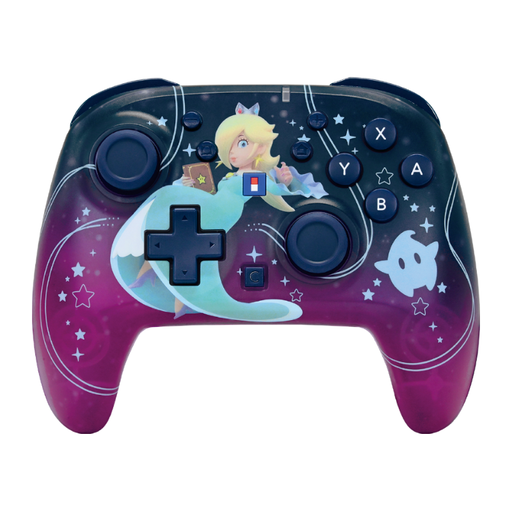 No image available
For anyone looking for a wireless controller for a listed Switch system. Check the game’s required controller setup.
Bluetooth; gyroscope; rechargeable battery with a stated battery life of up to 10 hours; C button and function settings. Listed systems: Switch 2, Switch, Switch OLED and Switch Lite.
 No image available
For anyone looking for a wireless controller for a listed Switch system. Check that the game’s local multiplayer mode supports your chosen control setup.
TMR joystick; stated battery life of 40 hours; C button for GameChat and two programmable rear buttons. Listed systems: Switch 2, Switch and Switch OLED.
No, it depends on the game. Nintendo describes the pair as suitable for local multiplayer in supported games. Check how many players and which controller setup the game mode supports.
Open System Settings and select Brightness. Nintendo Netherlands says you can adjust it automatically or manually in handheld and tabletop modes, but not in TV mode.
You can use original Joy-Cons wirelessly with a Switch 2, but they won’t attach to the system or charge from it. Nintendo lists an original Switch or a suitable charging accessory as charging options.
When you buy from a business remotely in the Netherlands, you’ll generally have a 14-day cooling-off period, according to the Dutch government; terms and exceptions may apply. You’re also entitled to a product that works properly, and the seller must provide a solution if something goes wrong. A manufacturer’s warranty does not replace your statutory rights.