
Switch players with limited cupboard space
Want to play football together without having to store an extra gamepad. EA says individual Joy-Cons can be used in supported FC play modes.


Start with your console or PC and check whether your version of the football game supports local multiplayer with the controller you’ve chosen. On compatible Switch versions of EA SPORTS FC, players can use existing Joy-Cons separately, so you may not need to store an extra controller. A full-size gamepad may be more comfortable to hold, but it does take up extra space. A wireless controller keeps cables out of your play area, while wired models need a safe cable route and somewhere to store the cable.
Want to play football together without having to store an extra gamepad. EA says individual Joy-Cons can be used in supported FC play modes.
Want a full-size extra controller for their PS5, Xbox or Switch, and check first that the model is compatible with their console generation.
Want a second controller for Windows and weigh up a wireless connection against a cable that can be positioned safely and put away.
Choose this if: you have a compatible Switch and version of EA SPORTS FC, and want to play with the controllers you already own.
The trade-off: you won’t need to store an extra controller, but an individual Joy-Con offers less room to grip than a full-size gamepad.
Choose this if: players prefer holding a full-size controller and you can find a model compatible with your console.
The trade-off: you won’t have a cable to contend with, but you will need to store the controller and, depending on the model, charge it or replace its batteries.
Choose this if: the game is compatible and you can safely route a cable around your play area.
The trade-off: the cable takes up space while you play and will need to be put away afterwards.
Choose this if: you play on a Windows PC, have a spare USB-A port and want to play wirelessly without using Bluetooth.
The trade-off: for the 8BitDo Ultimate 2C Wireless, 8BitDo specifies 2.4 GHz via receiver or a cable for Windows; you’ll need to keep the receiver safe.
Before you buy, check your console or PC generation, game version and local play mode. Then compare the controllers you already have with the space available for an extra controller or cable.
| What to consider | What should you check? | Who should pay extra attention? |
|---|---|---|
| Compatibility | Check the console or operating system, game version, local play mode and number of players. | I want to make sure both players can join in on my own system. Around 36% of consumers put compatibility at the top of their list. |
| Storage space and cables | See if your existing Joy-Cons will do; if not, decide where to store the controller, any USB receiver or cable. | If space is limited, I want to avoid leaving an extra controller or cable in the play area. For around 29% of consumers, limited space is the main priority. |
| Grip and controls | Check which buttons the game requires and whether players can hold the chosen controller comfortably. | I prefer a full-size gamepad to an individual Joy-Con. Around 21% of consumers prioritise controls and grip. |
| Power and use | Check the power source, charging options and box contents for the exact version. | If I want to avoid the hassle of charging or replacing batteries, I compare the upkeep before buying. Around 14% of consumers put power and maintenance first. |
A wireless connection alone doesn’t tell you whether a controller will work with your console or game. For example, 8BitDo lists Windows and Android for the Ultimate 2C Wireless, while the Nintendo Switch 2 Pro Controller is designed for Switch 2 only.
Before you buy, check the full model name, platform generation and specified connection type.
EA describes supported play modes in which players can use individual Joy-Cons.
Check whether your Switch and FC version support that play mode, and try it first if the controls suit you.
The PowerA controller reviewed comes with a 10 ft (around 3.05 m) USB-C cable. It needs to be positioned safely while you play.
Decide in advance where the cable can run and where you’ll store it after playing.
The cable will need a dedicated storage spot after the match, too.
Different power details are listed for one Xbox Shock Blue version, so you can’t be sure which power source applies to the exact version without checking.
Check the power source and box contents for the precise model before choosing.
A good fit for Switch players who want to use their existing Joy-Cons or find a full-size controller for their Switch generation.
The DualSense is an option if you’re looking for a full-size extra controller for PS5.
The Xbox Wireless Controller suits players looking for a full-size wireless gamepad for Xbox or Windows.
The Ultimate 2C Wireless is an option for Windows players who want to use a USB receiver.
The wired controller reviewed is designed for Xbox or Windows players who can use a cable route.
These Joybuy products are controllers for a range of consoles and PC platforms. Before ordering, check that the exact model is compatible with your game.
 No image available
The product name lists PS4 and PC as compatible platforms; also check that your particular football game supports the controller.
Wireless connection.
 No image available
An option if you’re looking for a wireless Xbox controller; check compatibility with your Xbox generation or Windows PC.
Colour: Robot White.
 No image available
For anyone looking for a full-size controller for Nintendo Switch; check that it’s compatible with your system generation and game.
Colour: Black.
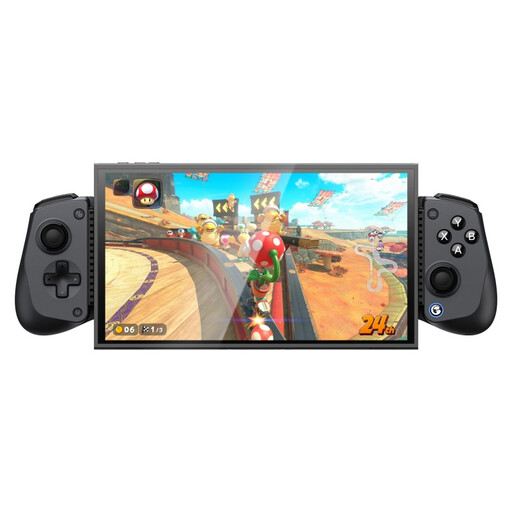 No image available
The product name lists Switch 2, Android, iOS and PC; check that it supports your game and platform.
Bluetooth connection.
 No image available
For Switch 2 players looking for a full-size controller. Nintendo says this model can only be used with Nintendo Switch 2.
Colour: Black.
Not necessarily. EA says players can use individual Joy-Cons in supported EA SPORTS FC play modes for 1-v-1 or co-op. Check the play mode for your game version; if you’d prefer a full-size gamepad, an extra controller may still be the right choice.
No. Nintendo says Joy-Con 2 only works with Nintendo Switch 2. Make sure you know which Joy-Con generation is compatible with your console.
Nintendo describes pairing it with the supplied USB-C cable, or by going to HOME > Controllers > Change Grip/Order and pressing the SYNC button. Follow the instructions for Nintendo Switch 2.
When you buy as a consumer, the seller must offer a solution if the product doesn’t meet what you could reasonably expect from it. The Dutch government says there is no fixed statutory guarantee period in the Netherlands. For online purchases, you also have a 14-day cooling-off period in many cases, although exceptions may apply.