Start by choosing a controller that suits your console or PC and the game you play. Then check how your headset connects. A headset socket doesn’t guarantee that audio will work over every connection: Xbox Support says controller audio on Windows doesn’t work over Bluetooth, while Sony requires a wired controller connection to use the DualSense headset socket on PC and Mac. Extra features are only worth considering if your game and setup support them.
Who is this buying guide for?
Console player with a wired headset
You want to hear game audio through a headset connected to your controller while playing an adventure. The exact console model and available audio connection determine which combination will work. Xbox and Nintendo describe connections for specific controllers, so check compatibility with your own console too.
PC player with headphones
You want to combine controller input and headphone audio without assuming that Bluetooth will also transmit audio through the controller. Xbox Support and PlayStation outline different connection requirements for controller audio on PC.
Player who enjoys long sessions
Once you’ve confirmed the platform and audio setup, you’re comparing the practical differences between a cable, a wireless connection and adjustable controls. PowerA, Nintendo and 8BitDo describe different connections and control features for the models they list.
What should you look for when buying?
First, check that the controller works with your platform and game. Then make sure your preferred headset works with the connection and connection method. Only after that should you consider extra controls and the practicalities of cables or power.
| Buying consideration |
What to check |
Who is this relevant to? |
| Platform and game |
Check the console or PC, its generation, and whether the game supports any special features. |
I want to be sure my controller works with my console or PC and the game before looking at extra features. Around 33% of consumers prioritise platform and game compatibility. |
| Headset audio |
Check the plug, controller socket, platform and connection method as one complete setup. |
I want to use my wired headset while playing and know in advance whether audio will come through the controller. Around 27% of consumers prioritise getting the audio connection right. |
| Controls and feedback |
Look at the button layout and check whether your game supports the haptics or other features you want. |
I’m looking for controls that suit the actions I use most often. Extra buttons or tactile feedback only matter to me if I can make use of them. Around 20% of consumers prioritise controls and feedback. |
| Connection and power |
Check where the cable will run or how the specific model is powered. |
I want to know whether a cable will restrict my playing space during a long session and how a wireless controller gets its power. Around 20% of consumers focus mainly on connection and power. |
Buying pitfalls
-
Assuming Bluetooth guarantees audio through the controller
On Windows, an Xbox controller doesn’t support controller audio over Bluetooth. Sony says the DualSense headset socket requires a wired controller connection on PC and Mac.
Before buying, map out the entire connection: from your gaming device to the controller, and from the controller to the headset. For Xbox controller audio on Windows, use USB or a supported Xbox Wireless Adapter.
-
Confusing the older Switch Pro Controller with the Switch 2 model
Nintendo specifies a 4-pole 3.5 mm CTIA headset connection for the Switch 2 Pro Controller and says that this model is for Switch 2 only. The older Switch Pro Controller is a different product.
Check the full model name and the connections on the exact version you intend to buy.
-
Assuming the manufacturer’s warranty is your only protection
When you buy as a consumer in the Netherlands, your statutory rights are separate from any manufacturer’s warranty. ACM ConsuWijzer says that the seller must resolve the issue free of charge if a product breaks sooner than you could reasonably expect under normal use. What you can expect depends on the circumstances.
Keep your proof of purchase and report any fault to the seller. When considering an extended warranty, check what additional cover it provides.
Brands to consider
Xbox
Xbox controllers are suitable for Xbox consoles and other supported devices, including Windows PCs.
- Xbox lists a 3.5 mm headset socket on its wireless controller.
- According to Xbox Support, controller audio on Windows works over USB or a supported Xbox Wireless Adapter, but not over Bluetooth.
PlayStation
The DualSense is designed for PS5 and works with supported games and devices.
- Sony describes its haptic feedback and adaptive triggers.
- Support for these features varies by game. Sony requires a wired controller connection to use the headset socket on PC and Mac.
Nintendo
When choosing a Switch controller, it’s important to check the generation and exact model.
- Nintendo specifies a 4-pole 3.5 mm CTIA connection for the Switch 2 Pro Controller.
- Nintendo says this model is for Switch 2 only. Don’t assume it has the same features as the older Switch Pro Controller.
PowerA
The Enhanced Wired Controller is a wired option for the Xbox systems and Windows listed by PowerA.
- PowerA lists a 3.5 mm headset socket, microphone mute, two mappable buttons and a detachable 3 m cable for this model.
- Consider where the cable will run and check the exact model; the listed features are the manufacturer’s specifications.
8BitDo
According to 8BitDo, the Ultimate 2 Bluetooth Controller is designed for supported Switch and Windows systems and offers customisable controls.
- 8BitDo lists profiles and mappable buttons.
- For Switch 2, the manufacturer specifies a firmware update. Before buying, check how your headset will connect in your setup.
Controllers at Joybuy
These products suit PC, Xbox and Nintendo Switch 2 setups, alongside models for the listed Switch, mobile and PC platforms. Check each controller’s compatibility and how your headset audio will connect.
 No image available
VIELLAN Wireless Gaming Controller with Hall Effect Joysticks
For PC gaming with a wired headset, check that the listed 3.5 mm connection is compatible with your headset and preferred audio setup.
The product name lists Hall Effect joysticks, 255-level Hall triggers, programmable rear buttons, RGB lighting, a 1000 mAh battery and USB-C. It also mentions a PC & PS5 Layout; check that it’s compatible with your setup.
Joybuy
 No image available
Xbox Wireless Controller Robot White
An option if you want to use a compatible wired headset with an Xbox controller; Xbox lists a 3.5 mm headset socket.
According to Xbox Support, controller audio on Windows works over USB or a supported Xbox Wireless Adapter, but not over Bluetooth.
Joybuy
 No image available
BEITONG KP70 Elite Wireless Gaming Controller
The product name lists PC, Nintendo Switch, Switch 2, Steam and Android as compatible platforms. Check that the exact model works with your device and game.
The name lists haptic triggers, adjustable joysticks and six programmable buttons. Check separately how your headset will connect in your setup.
Joybuy
 No image available
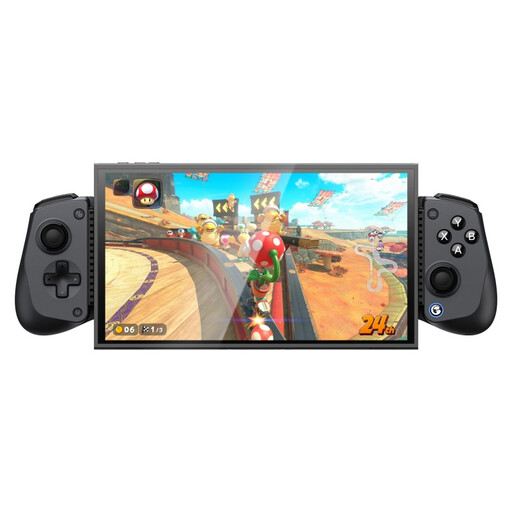
GameSir X5s Bluetooth Gaming Controller
The product name lists Switch 2, Android, iOS and PC. Check which of these platforms works with your device and game.
The name lists Hall Effect joysticks, dual HD rumble motors and a turbo function. Check how your headphones will receive audio in your chosen setup.
Joybuy
 No image available
Nintendo Switch 2 Official Pro Controller Black
For Switch 2 and a wired headset with a compatible plug: Nintendo specifies a 4-pole 3.5 mm CTIA connection for this model and says it’s for Switch 2 only.
Check that your headset plug meets the CTIA standard and compare the model name with your console.
Joybuy
Frequently asked questions
Will a headset connected to an Xbox controller work over Bluetooth on Windows?
Not if you want audio to come through the controller. Xbox Support lists USB and supported Xbox Wireless Adapters for controller audio on Windows, and says this feature doesn’t work over Bluetooth.
Can I use the DualSense headset socket wirelessly with my PC?
No. Sony says the headset socket requires a wired controller connection on PC and Mac. Also check whether your game supports the other DualSense features you want.
Does every Nintendo Pro Controller have a headset socket?
Don’t assume so based on the product name alone. Nintendo specifies a 4-pole 3.5 mm CTIA connection for the Switch 2 Pro Controller and says this model is for Switch 2 only; the older Switch Pro Controller is a separate product.
How do I connect a headset to the wired PowerA controller mentioned here?
PowerA lists a 3.5 mm headset socket. According to the manual, the headset button becomes active when you connect a 3.5 mm plug; the Xbox audio settings take priority over the controls on the controller.
What can I do if my controller breaks too soon under normal use?
For a consumer purchase in the Netherlands, statutory rights apply in addition to any manufacturer’s warranty. ACM ConsuWijzer says the seller must resolve the issue free of charge if a product breaks sooner than you could reasonably expect under normal use, for example by repairing or replacing it, or refunding you. The outcome depends on the circumstances.


