
PS5 players who want to feel the action
If you play cinematic adventures on PS5, check whether the game supports haptic feedback and adaptive triggers. PlayStation describes these features for DualSense.


First, choose a controller that works with your console or PC, then check whether your game supports the features you want. For PS5 adventures with haptic feedback or adaptive triggers, DualSense is a good fit; for Xbox, Windows and Switch 2, platform compatibility, controls, audio and power are all worth considering.
If you play cinematic adventures on PS5, check whether the game supports haptic feedback and adaptive triggers. PlayStation describes these features for DualSense.
If you’re looking for a controller for Xbox or a supported Windows PC, consider the Xbox Wireless Controller’s grip, button layout and power options. Microsoft highlights features including a hybrid D-pad, Bluetooth and button mapping.
If you’re looking for a Switch 2 controller with a headset jack, check the full model name: the Switch 2 Pro Controller is not the same model as a controller for the original Switch. Nintendo lists Switch 2 as its supported system.
Start with your console or PC and the games you play, then compare feedback, controls and power.
| What to consider | What should you look for? | Who should pay particular attention? |
|---|---|---|
| Platform and game | Check the exact console or PC platform and whether the game supports the features you want. | If I want to be sure the controller and its features are right for my system and game, I check both before choosing. Around 33% of consumers prioritise platform and game compatibility. |
| Feel the feedback | Compare the specific feedback features and game support; simply seeing ‘vibration’ listed doesn’t tell you which features are available. | If I want to experience story scenes through haptics or trigger resistance, I check the exact feature and whether my game supports it. Around 27% of consumers give tactile feedback in story-driven games top priority. |
| Controls and headset | Check the button layout and whether the controller has a socket that suits your headset. Don’t assume the buttons are backlit. | For a long session in a dark room, I want my controls and headset sorted without relying on lighting. Around 20% of consumers prioritise controls and headset use. |
| Power and play time | Check whether the controller uses AA batteries or a rechargeable battery, what’s included and how charging works. | If I’d rather not interrupt a gaming session, I check in advance how the controller is powered and when it needs charging. Around 20% of consumers prioritise power and uninterrupted play. |
Vibration motors don’t automatically mean a controller supports adaptive triggers or the specific feedback features of a PS5 game. Nacon says the Revolution 5 Pro doesn’t have adaptive triggers and its vibration motors don’t work with specific PS5 games.
Before deciding based on the word ‘vibration’ alone, compare the exact feedback feature with your game and platform.
The names refer to different controllers. Nintendo lists the Switch 2 Pro Controller for Switch 2 only.
Check the full model name and supported system before placing your order.
The Xbox Wireless Controller can use AA batteries or a separate rechargeable power solution. Microsoft says rechargeable AA batteries cannot be charged in the controller.
Check what’s included with the version you choose and decide in advance how you’ll replace or recharge the batteries.
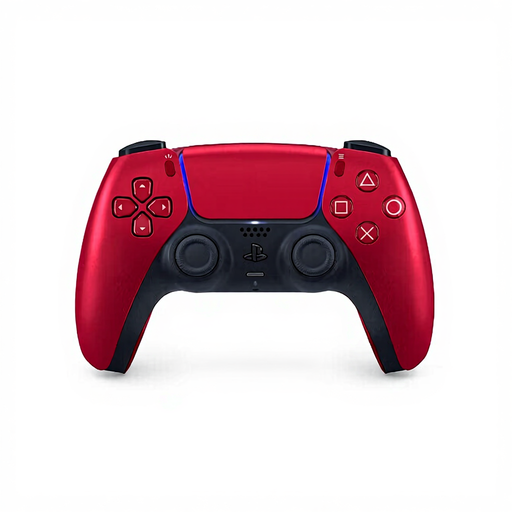
DualSense is designed for PS5 players who want to use haptic feedback and adaptive triggers in supported games.
The Xbox Wireless Controller is an option for Xbox and supported Windows PCs, with a comfortable grip and considered button layout.
The Switch 2 Pro Controller is designed for use with Nintendo Switch 2.
The Ultimate 2C Wireless is an option for Windows players looking for a 2.4GHz receiver or wired connection.
The Revolution 5 Pro is a customisable option for PS5 players who value tailored controls and Hall Effect sticks.
These Joybuy products suit a range of platforms and needs, from PS5 feedback to controls for Xbox, PC and Switch.
 No image available
An option for Xbox or Windows players looking for a controller with a suitable headset jack.
Check the button layout, connection and power options for your set-up.
 No image available
For anyone looking for a Pro Controller for Nintendo Switch; this is not the Switch 2 Pro Controller.
Check that this model is right for the system you want to play on.
 No image available
For PS5 adventures where the game supports haptic feedback or adaptive triggers.
Check whether your game uses these features before factoring them into your decision.
 No image available
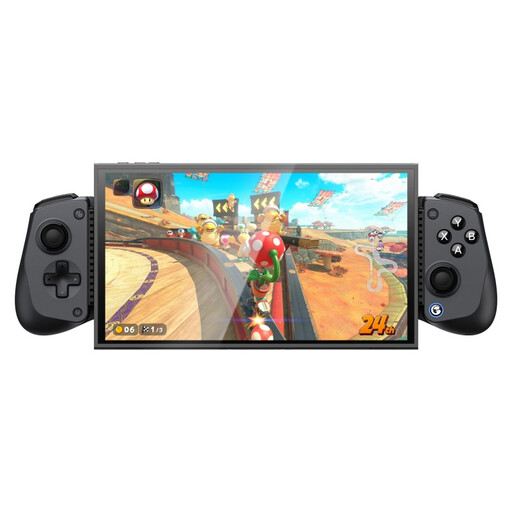
An option if you’re looking for a controller for the platforms and devices listed in the product name.
The product name lists Bluetooth, Hall Effect Joystick and Dual HD Rumble Motors; check that the model is compatible with your device.
 No image available
For Switch 2 players looking for a Pro Controller for this system.
Nintendo lists a headset jack and HD Rumble 2 for the Switch 2 Pro Controller; check whether your game supports the features you want.
No, the game needs to support the feature. PlayStation also says that haptic feedback and adaptive triggers may require a USB connection on other devices.
Follow the pairing steps on your Switch 2 and the instructions supplied with the controller. Nintendo says the included USB charging cable can be used to charge the controller; once paired, check that the features you want work in your game.
No. Microsoft says rechargeable AA batteries must be charged outside the controller, following the battery manufacturer’s instructions. Microsoft also describes a separate rechargeable battery solution for the newer Xbox controller.
No. According to the Government of the Netherlands, there is no fixed legal guarantee period in the Netherlands: you’re entitled to a product that does what you could reasonably expect it to do. If something is wrong, contact the seller; a manufacturer’s guarantee is in addition to your statutory rights.
Radio equipment placed on the EU market must meet European product requirements; manufacturers apply the CE marking when these requirements are met. The Dutch Authority for Digital Infrastructure says Bluetooth can generally be used in the Netherlands without a licence. For a specific controller, check the product information and seller; this doesn’t confirm that every product on offer meets all the requirements.