What should you look for when choosing?
First check that the controller suits your platform and game. Then consider audio, vibration, controls and power for the way you play.
| What to consider |
What to look for |
Who is this important for? |
| Compatibility |
Check the exact version, your console or PC, and support in the game, especially for special features. |
If I want to avoid buying a controller that doesn’t work with my device or game, I check both first. Around 36% of consumers give compatibility top priority. |
| Disturbance in a shared room |
Check whether a compatible headset works with your setup and whether vibration can be adjusted; this tells you nothing about button noise. |
If I want to manage game audio and adjustable effects in a shared bedroom, I check the audio and vibration settings. Around 29% of consumers prioritise keeping disruption to a minimum. |
| Comfort and controls |
Consider the grip and button layout; check whether your game supports extra haptics or motion controls. |
For longer adventure games, I want a grip and controls that suit me. Around 21% of consumers prioritise comfort and controls. |
| Connection and power |
Check whether Bluetooth, USB or any receiver is suitable for your device, and what type of power the version uses. |
If I want to connect my controller easily and keep it ready to use, I check its connection method and power supply. Around 14% of consumers put these practical considerations first. |
Joybuy products for different platforms
These products suit different ways of playing: Xbox and PC, Nintendo Switch and Switch 2, PS5, and several listed devices such as PC and Switch. Check that your platform and game are supported by each controller.
 No image available
Xbox Wireless Controller for Xbox Series/PC - Ice Breaker Special Edition
For playing on Xbox Series or PC; the product information lists a 3.5mm socket for a compatible headset.
View at Joybuy
 No image available
Nintendo Switch Pro Controller - Black
For Nintendo Switch; Nintendo lists motion controls, HD Rumble and amiibo functionality for this controller model.
View at Joybuy
 No image available
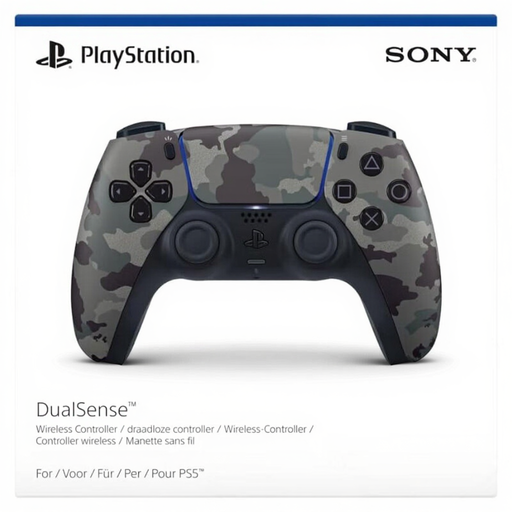
PlayStation Official DualSense Wireless V2 Controller - Grey Camouflage (PS5)
For PS5; haptic feedback and adaptive triggers depend on support in the game.
View at Joybuy
 No image available
GameSir Cyclone 2 Multiplatform Controller - White-Bundle Edition
For anyone looking for a controller that works with several listed devices; the product name lists PC, Switch, iOS and Android.
The product name lists TMR sticks, a 1000Hz polling rate, Hall & Micro 2-in-1 triggers, RGB lighting and a charging dock.
View at Joybuy
 No image available
Nintendo Switch 2 Official Pro Controller - Black
For Nintendo Switch 2. Nintendo says the Switch 2 Pro Controller is only compatible with Switch 2; don’t confuse it with the Switch Pro Controller.
View at Joybuy
Frequently asked questions
Can I use any controller with any fantasy game?
No. Check the exact device, controller version and support in your game. PlayStation says specific DualSense effects on PC are limited to selected titles.
How do I turn off controller vibration on Nintendo Switch?
Open System Settings on Nintendo Switch, go to Controllers and Sensors, then turn off Controller Vibration. Nintendo says this setting applies to all synced controllers.
What if my controller develops a fault soon after purchase during normal use?
According to ACM ConsuWijzer, you’re entitled to a product that works properly, in addition to any commercial warranty. If it breaks during normal use sooner than you could reasonably expect, the retailer must put it right free of charge; the appropriate solution depends on the circumstances. There isn’t one fixed statutory warranty period for every product.
Can I return a controller bought online if I don’t like the grip?
For an online consumer purchase, ACM ConsuWijzer says you usually have a statutory 14-day cooling-off period from delivery. Check which exceptions and returns conditions apply to your purchase.
What should I look for in wireless product safety in the Netherlands?
The Dutch Authority for Digital Infrastructure outlines requirements for radio equipment placed on the market in the EU; equipment that meets the applicable requirements carries a CE mark. This mark isn’t an independent performance test and says nothing about button noise.


