
Console players who prioritise compatibility
You mainly want a controller that works with your Xbox, PS5 or Switch 2, with the features you need available in your game.


First, choose a controller that works with your console or PC; lights or extra buttons won’t make an incompatible model usable. If you play in a dark room, check whether the lighting can be adjusted and switched off. For long quests, you should also consider the connection, power supply and how easy the buttons are to reach.
You mainly want a controller that works with your Xbox, PS5 or Switch 2, with the features you need available in your game.
You play in a dark room and want to be able to adjust or switch off the lighting to suit your preferences.
You want to stay comfortable during long sessions, so you compare power options, connectivity and how easy the controls are to reach.
First, check that the controller and the game features you want work on your platform. Then compare lighting, controls and connectivity for the way you play.
| What to consider | What should you check? | Who is this important for? |
|---|---|---|
| Platform and game | Check which systems are supported, the full model name and whether the game supports the features you want. | If I want to be sure the controller works with my console or PC, I also check that my game supports the features I need. Compatibility is the main priority for around 31% of consumers in this gaming setup. |
| Lighting | Check whether you can adjust the brightness or light zones, and whether you can switch all the lighting off. | I want to decide for myself whether controller lighting is comfortable or distracting in a dark room. Around 25% of consumers prioritise adjustable lighting. |
| Controls for long sessions | Compare the grip and button layout, and check which buttons you can remap on the version you’re considering. | When I play for a long time, I want to reach the buttons without constantly adjusting how I hold the controller. Around 19% of consumers in this gaming setup prioritise comfort during extended play. |
| Connection and power | Check the power source, whether a cable is included and whether its length suits where you sit. | I want to play from my seat without a cable getting in the way, while also keeping the power needs of a wireless controller in mind. Around 13% of consumers prioritise the freedom of wireless play. |
| Stick technology | Check the stick technology on the exact version you’re considering, along with any adjustment options. | If I’m specifically looking for a certain type of stick or extra customisable controls, I want to find out what the particular model offers. Around 12% of consumers in this gaming setup have this as their main technical priority. |
Adjustable lighting doesn’t mean the button labels will be easier to read in the dark. Bright or poorly positioned lights can also be distracting.
Check where the lights are on the exact version you’re considering, and whether you can adjust the brightness or switch them off.
8BitDo lists different compatibility for the Ultimate 2 Bluetooth and Ultimate 2 Wireless. According to 8BitDo, the Bluetooth version requires a firmware update for Switch 2.
Before choosing, compare the full version name and any firmware requirements with your system.
A manufacturer’s or seller’s warranty is in addition to your rights to a product that is fit for purpose. The Government of the Netherlands states that there is no fixed statutory warranty period in the Netherlands.
Keep your proof of purchase and contact the seller if something goes wrong. When considering an extended warranty, check what additional cover it provides.
Xbox wireless controllers are designed for supported Xbox consoles, Windows PCs and the mobile systems listed.
The DualSense is an option for PS5 players who want to use haptic feedback and adaptive triggers when supported by a game.
The Advantage Wired Controller with Lumectra is a wired option for supported Xbox systems and Windows.
The Switch 2 Pro Controller is designed for use with Nintendo Switch 2.
The T7 is a wired option for the Xbox systems and Windows versions listed by GameSir.
The Ultimate 2 Bluetooth is an option for the Switch and Windows systems listed by 8BitDo.
This selection includes wireless and wired controllers for Xbox and PC, a DualSense for PS5 and a Pro Controller for Switch 2. Check that the connection and features of the specific version suit your system.
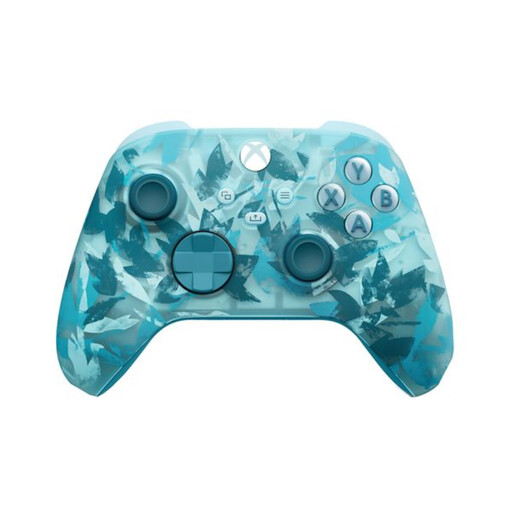 No image available
A wireless option to compare if you play on a supported Xbox or Windows PC.
The product information lists textured grips and AA batteries. According to the product information, the USB-C cable for wired use is sold separately.
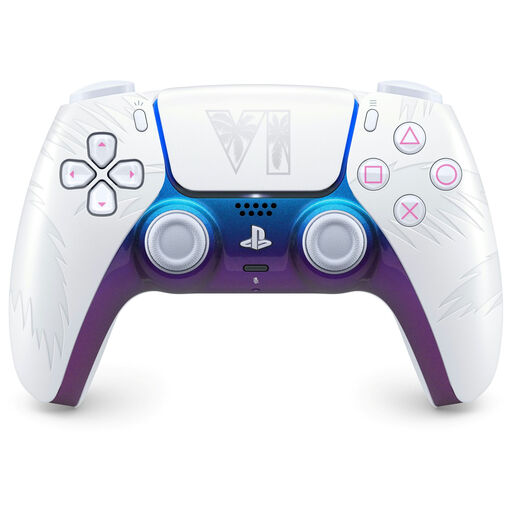 No image available
An option for PS5 players who want to use this version’s supported haptics and adaptive triggers.
The product information also lists a built-in microphone, USB-C and a motion sensor. Sony says that haptics and adaptive triggers depend on the game; a USB connection may be needed for some uses.
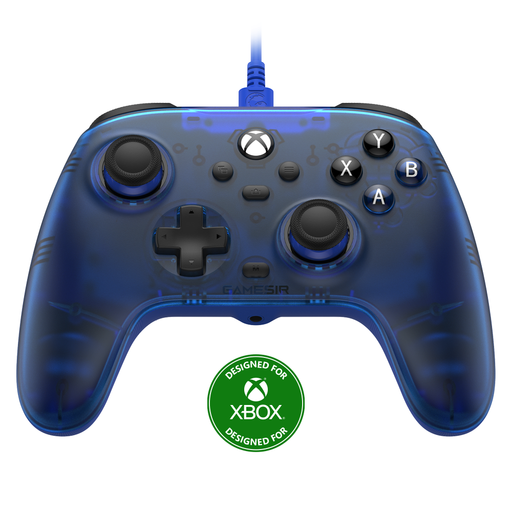 No image available
A wired option to compare if you play on Xbox, Windows or Steam and are looking for Hall effect sticks.
The product name lists Hall effect joysticks and triggers. GameSir specifies a detachable 3 m USB-C cable, so consider the distance between your seat and your system.
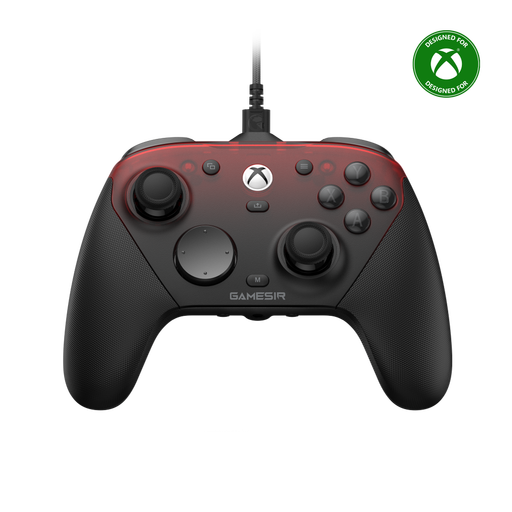 No image available
An option to compare if you want to play wired on Xbox and are looking for wireless connectivity for PC or mobile.
The product name distinguishes wired use on Xbox from wireless use on PC and mobile. Check which connection mode is right for your device.
 No image available
An option if you play on Nintendo Switch 2 and are looking for a controller for that system.
Nintendo states that this controller is for Switch 2 only and doesn’t work with the original Nintendo Switch.
No. According to the model manual, you can adjust the lighting on the PowerA Advantage Wired Controller with Lumectra and switch off all the LEDs. Check that the exact version you’re considering has the same controls.
No, don’t assume they do. Sony says the features are available when a game supports them, and a USB connection may be required.
No. Nintendo states that the Switch 2 Pro Controller doesn’t work with the original Nintendo Switch.
In the Netherlands, you’re entitled to a product that is fit for purpose, and you can contact the seller if there’s a fault. The Government of the Netherlands states that there is no fixed statutory warranty period of exactly two years. For most online consumer purchases, you also have a 14-day cancellation period, with some exceptions.
Take an old electrical controller to a suitable collection point, or use the take-back scheme when buying a similar device. Don’t put used batteries in general waste; the Government of the Netherlands lists collection points at shops that sell batteries.