
Puzzle player who wants to see the buttons
You play in low light and want to know whether the controls themselves light up or whether the lighting is mainly decorative.


First, choose a controller that works with both your device and the specific puzzle game. If you want to find the controls in the dark, check where the lights are and whether you can adjust them. GameSir mentions lighting around ABXY and the D-pad, while 8BitDo specifies RGB lighting around the sticks. This doesn’t necessarily mean the button labels light up. Wired play means you don’t need to recharge, but it limits how freely you can move. Wireless play gives you more freedom, but you’ll need to keep an eye on the battery or charging dock.
You play in low light and want to know whether the controls themselves light up or whether the lighting is mainly decorative.
You want a controller that suits your Xbox, PlayStation or Switch and works with the puzzle game you’ve chosen.
You want to move freely during longer, relaxed sessions, so you take power and charging into account.
First, check that your device and the specific game support controller input. Then see which buttons or parts light up, and decide whether a cable or charging break would work better for your gaming set-up.
| What matters when buying | What to look for | Who will find this important? |
|---|---|---|
| Compatibility | Check the exact platform, any system version requirements and whether the game supports controller input. | If I want to play my puzzle game with a controller, it needs to work with both my device and the game. Around 30% of consumers put compatibility first. |
| Visibility without distracting light | Check which parts light up and whether you can adjust the brightness or lighting effects. | If I want to find the buttons in a dark room, I check whether the controls themselves are lit. Around 30% of consumers give visibility top priority. |
| Intuitive controls | Compare the D-pad, button layout and any button mapping options with the actions you use in your game. | If I often use the directional controls or action buttons, I want a layout that feels comfortable for those actions. Around 20% of consumers put ease of use first. |
| Cable and power | Check the cable length and connection, whether batteries are needed and which charging options are available for that model. | If I play from the sofa, I weigh freedom of movement against charging and where a cable would reach. Around 20% of consumers make power or going cable-free their main consideration. |
Lighting around the sticks or on the casing won’t necessarily make the letters on the action buttons visible.
Check the product images and specifications to see which parts light up, and check separately whether you can dim the lights.
Support for a platform doesn’t guarantee that you can play a specific puzzle game with a controller.
Check the compatibility information for the exact controller model as well as the information for your game.
The manufacturer’s warranty and your rights against the retailer aren’t the same thing. ACM ConsuWijzer says that if a product breaks sooner than you could reasonably expect during normal use, the retailer must put things right at no cost to you.
Keep your proof of purchase and contact the retailer if there’s a fault.
The wired T7 Pro Retro Green is an option if you’re looking for lighting around the controls for the Xbox and Windows systems listed.
According to PowerA, the Advantage Wired Controller for Xbox Series X|S with Lumectra is designed for Xbox One, Xbox Series X|S and Windows 10/11.
The Ultimate 2 Bluetooth is a wireless option with a charging dock for Switch and Windows, subject to the stated version requirements.
The Nintendo Switch Pro Controller is a good fit if you want to stick with the controls of a Switch system.
The Xbox Wireless Controller is an option for Xbox consoles and supported Windows PCs.
The DualSense is an option for PS5 players and for PC games that support the features you want.
These Joybuy products cover controller options for Switch, PC, Xbox and PS5. Check that each model works with your device and puzzle game.
 No image available
An option for a Switch set-up if you’re looking for a wireless gamepad with lighting.
The product name specifies Bluetooth, a 7-colour LED, vibration feedback and a 10 m range; it doesn’t confirm that the button labels are lit.
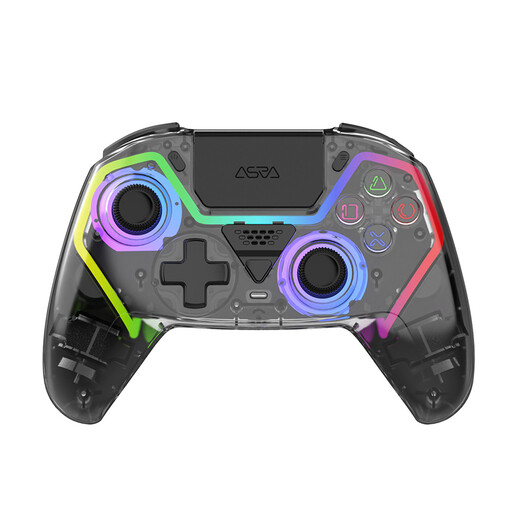 No image available
An option for a PS5 set-up if you’re looking for a wireless controller with programmable buttons.
The product name specifies Hall Effect joysticks, RGB lighting and a 1000 mAh battery; it doesn’t confirm that the button labels light up.
 No image available
An option if you’re looking for programmable back buttons and lighting. Check that the stated PC and PS5 layouts suit your device and game.
The product name specifies Hall Effect joysticks, 255-level Hall triggers, RGB lighting, a 1000 mAh battery and USB-C.
 No image available
An option if you’re looking for a controller with a charging dock for Switch or PC. Check which connection type and game support suit your set-up.
The product name specifies RGB lighting, a charging dock and support for PC, Switch, iOS and Android.
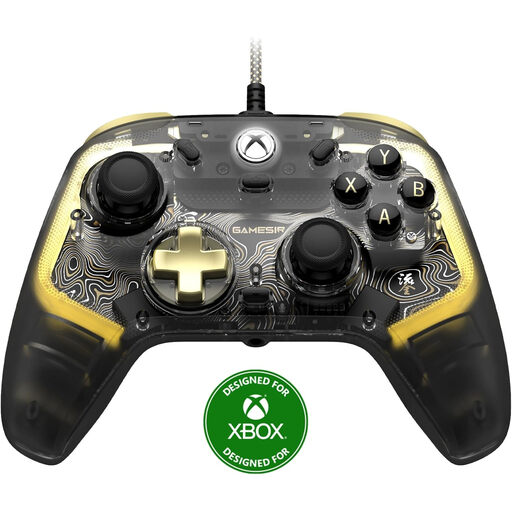 No image available
A wired option for the Xbox and Windows systems listed if you’re looking for a controller with RGB lighting.
The product name specifies Xbox Series X/S, Xbox One and Windows 10/11. The lighting doesn’t confirm that the button labels light up.
No. Check the specific game. A controller working with Windows doesn’t automatically mean the game supports controller input.
Yes. Nintendo provides pairing instructions for both Nintendo Switch 2 and Nintendo Switch. This isn’t the same model as the separate Switch 2 Pro Controller.
According to Nintendo, you can charge the controller using the dock or directly with a compatible power supply. Nintendo says a full charge takes around six hours.
For an online purchase, ACM ConsuWijzer says you generally have up to 14 days after delivery to change your mind, with exceptions that you should check in advance. If a controller breaks sooner than you could reasonably expect during normal use, you can exercise your statutory rights against the retailer; in the Netherlands, there isn’t simply one fixed two-year time limit.