Start by choosing a controller that works with both your gaming platform and the game itself; a different power option won’t make an unsupported model compatible. If you’re short on sockets, compare a wired controller, a wireless model with AA batteries and a rechargeable controller that you can charge through a suitable USB port. Also check which port, cable or receiver you’ll need, and whether batteries or accessories have to be bought separately.
Who is this relevant for?
Gamer with one spare port
You want to play without needing an extra socket for a controller charger. Compare the USB ports on your console or PC with the controller’s battery type. Microsoft specifies AA batteries for the standard wireless Xbox controller; Nintendo says the Switch dock can charge it through a USB port.
Sofa gamer who wants to keep cables out of the way
You want to sit wherever you like, while knowing how the controller gets its power and whether wireless use requires a USB receiver. Microsoft and 8BitDo describe different power and connection options for their controllers.
Gamer looking for extra features
You want controls or features that suit your game, without assuming they’ll work on every device. Sony says that DualSense features depend on support from the game and device.
What should you look for when choosing?
First, check that your device and game are supported. Then choose a power and connection option that suits the available ports and the distance to where you sit.
| Buying concern |
What should you check? |
Who is this important for? |
| Compatibility with your platform and game |
Check the exact device and whether the game supports the controller. Sony, Microsoft and 8BitDo each specify different platform and connection requirements. |
If you want to be sure your controller works with your console, PC and superhero game, make this your first check. Around 36% of consumers put compatibility at the top of their list. |
| Power without an extra socket |
Check whether you have a spare USB port, which cable is used and whether the model needs AA batteries. |
If you have few spare connections at home, you’ll want to know in advance whether the controller runs via USB or uses batteries. Around 29% of consumers prioritise avoiding the need for an extra socket. |
| Freedom to move and USB ports |
Measure a safe cable route, or check the wireless connection method and whether it needs a USB receiver. |
If you play from the sofa, you won’t want a controller cable crossing a walkway; a receiver may still take up a port. Around 21% of consumers prioritise sitting without a cable. |
| Extra controls and game features |
Check whether the game supports the features of the exact model; haptic feedback on PC may have additional requirements. |
If you’re looking for extra buttons or tactile effects, you’ll want to know whether your game actually supports them. Around 14% of consumers cite extra gaming controls as their main buying concern. |
Common pitfalls
-
Assuming every wireless controller works with your console
Connection methods and platform support vary by model. A wireless connection alone doesn’t tell you whether your device or game supports the controller.
Before you focus on battery life or extra buttons, check that the manufacturer supports your device and game.
-
Thinking wireless means you won’t need to charge it
A wireless controller may use AA batteries or have a rechargeable battery. These options don’t require the same connection or charging solution.
Check the battery type, the cable included and the spare USB ports available in your current set-up.
-
Choosing a wired controller without measuring the cable route
The cable length isn’t the same as the straight-line distance if you need to route the cable safely around furniture.
Measure the route to where you sit and check that the required USB port is free. PowerA lists a 3 m cable for its Enhanced Wired Controller.
-
Assuming extra features are available in every game
Support for haptic feedback, adaptive triggers or extra buttons may depend on the game and device.
Check support for the specific game before making extra features part of your decision. Sony says haptic feedback on PC requires a USB connection and game support.
Brands to compare
Sony PlayStation
DualSense for PS5 and, subject to the stated requirements, compatible PC and mobile games.
- Sony lists haptic feedback and adaptive triggers for the DualSense.
- Support varies by game and device; Sony says haptic feedback on PC requires USB.
Microsoft Xbox
The standard wireless Xbox controller for supported Xbox consoles and Windows PCs, with AA batteries or a suitable wired connection.
- AA batteries let you play wirelessly without keeping the controller connected to a charger while you play.
- Allow for replacement batteries or a separate charging solution. Features of other Xbox models don’t automatically apply to this standard model.
Nintendo
Switch Pro Controller for supported Nintendo Switch systems.
- Nintendo lists around 40 hours of battery life, depending on usage conditions.
- It still needs charging; Nintendo says to use the included cable and a USB port on the Switch dock.
PowerA
Enhanced Wired Controller as a wired option for supported Xbox consoles and Windows.
- PowerA says this model has a detachable 3 m USB cable and two mappable buttons.
- The cable uses a USB port and needs to reach safely to where you sit.
8BitDo
Ultimate 2C Wireless for supported Windows and Android devices, with connection options that vary by platform.
- 8BitDo lists 2.4 GHz and USB for Windows, Bluetooth for Android and extra mappable bumpers.
- According to 8BitDo, wireless connection to Windows uses a USB-A receiver; the stated battery life is based on laboratory conditions.
Joybuy products
This selection from Joybuy includes controllers whose product names specify PS4, PC, Xbox or several named platforms. Before you buy, check that your device and game support the controller you’ve chosen.
 No image available
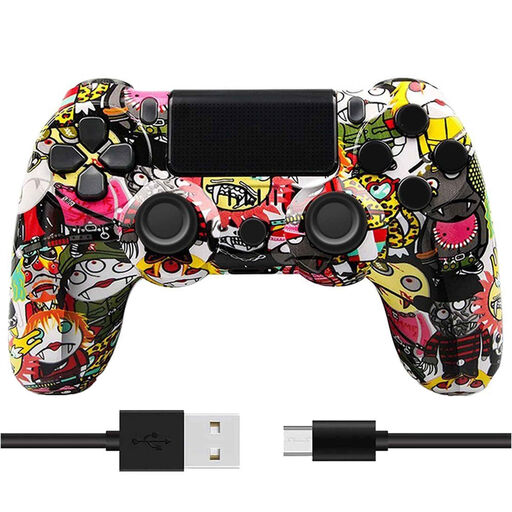
NAXSIR Wireless Gamepad for PS4, Cartoon Pattern
A wireless gamepad for playing on PS4 without running a controller cable to where you sit.
The product name lists Bluetooth, dual vibration and a rechargeable battery. It still needs charging.
View at Joybuy
 No image available
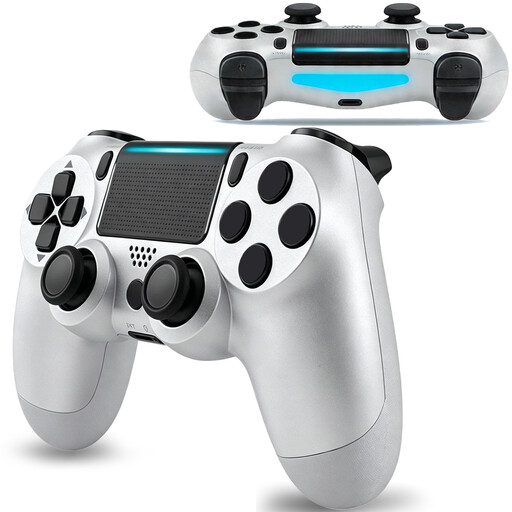
VIELLAN Wireless Bluetooth Controller for PS4, 600 mAh
A wireless PS4 controller for a cable-free set-up with a rechargeable battery.
The product name lists Bluetooth, a 600 mAh battery, dual vibration motors and a 6-axis sensor. It still needs charging.
View at Joybuy
 No image available
VIELLAN Wireless Gaming Controller for PC, PS5 layout
A wireless controller for playing on PC without running a controller cable to where you sit.
The product name lists Hall Effect sticks, 255-level Hall triggers, programmable rear buttons, RGB lighting, a 1000 mAh battery and USB-C. The PS5 layout mentioned doesn’t confirm PS5 compatibility.
View at Joybuy
 No image available
GameSir Cyclone 2 Multiplatform Controller, Black-Bundle Edition
A multiplatform controller for use with one of the devices named in the product title; check that your specific game is supported.
The product name lists PC, Switch, iOS and Android, TMR sticks, Hall and Micro triggers, a 1000 Hz polling rate, RGB lighting and a charging dock.
View at Joybuy
 No image available
GameSir G7 SE Wired Xbox Controller
A wired option for playing on one of the Xbox or Windows systems named in the product title.
The product name lists Xbox Series X/S, Xbox One and Windows 10/11. The USB connection uses a port; check that the cable route reaches where you sit safely.
View at Joybuy
Frequently asked questions
Can I use a DualSense on PC for my game?
You can if the connection and game are supported. Sony lists USB and Bluetooth connections for certain PCs; according to Sony, haptic feedback on PC requires USB and support from the game. Also check whether adaptive triggers work in each game.
How can I charge a Switch Pro Controller without an extra socket?
Nintendo says to charge it using the included USB cable and an available USB port on the Switch dock. The dock itself needs to be connected to a suitable power source; Nintendo says a full charge takes around six hours.
Will a USB cable charge the AA batteries in the standard wireless Xbox controller?
Don’t assume a USB cable will charge AA batteries. Microsoft specifies AA batteries for the standard model and lists rechargeable batteries separately for other Xbox controller ranges. Check the battery type and whether you’ll need a separate charging solution.


