
Console player
You mainly want to make sure a controller works with your Xbox, PS5 or Switch. Also check which features your game supports.


First, choose a controller that works with your console or PC, then check that your game supports the features you want. For long gaming sessions, grip, connection and power all matter. A controller won’t make your screen easier to see.
You mainly want to make sure a controller works with your Xbox, PS5 or Switch. Also check which features your game supports.
You play through adventures for hours at a time and pay attention to grip, cable length and how your controller is powered. Specifications alone won’t tell you whether its shape feels comfortable in your hands.
You play in a bright room and want to know whether the issue is with the controls or with screen visibility. On Switch and Switch 2, you can adjust screen brightness in handheld or tabletop mode.
First, check that the controller is compatible with your system and game. Then consider comfort, power and the features you actually want to use while playing.
| What to consider | What should you check? | Who is this important for? |
|---|---|---|
| System and game | Check the console or PC version, connection type and support in the specific game. | If I want to make sure my controller works with my device and game, I check that combination first. Around 36% of consumers put compatibility first. |
| Comfort and power | Consider the grip, cable length and whether the model uses batteries or needs charging. | For long gaming sessions, I want a controller that feels comfortable in my hands, with a cable or power source that suits my gaming setup. Around 29% of consumers prioritise this combination. |
| Extra controls and feedback | Check which buttons or effects are available and whether your game and connection support them. | If I want to use specific extra buttons or tactile effects, I first check that my game supports them. Around 21% of consumers put these features first. |
| Screen visibility in a bright room | Check how the screen looks where you play; adjust its brightness if the option is available. | When ambient light makes the screen hard to read, I first check whether changing a screen setting could help before buying a different controller. Around 14% of consumers prioritise screen visibility. |
The Nintendo Switch 2 Pro Controller only works with Switch 2. Nintendo says the original Switch Pro Controller can also be paired with Switch 2.
Compare the full product name with the console you own; don’t treat the two Pro Controllers as the same model.
The Xbox model discussed here comes with a USB-C cable and uses AA batteries, so the connection doesn’t necessarily mean those batteries can be charged through the controller.
Check the power source and what’s included with the specific model you’re buying, not just whether it has a USB-C port.
On Switch and Switch 2, you adjust screen brightness through the system, not the controller.
First, check screen visibility where you play and adjust the screen settings if available. Then choose a controller for the controls.
DualSense effects depend on support from the game and the connection. The 8BitDo Ultimate 2C Wireless and Ultimate 2C Bluetooth are models for different systems.
Check the full model name, your device and whether the game supports the feature you want.
The Xbox Wireless Controller is designed for supported Xbox consoles and Windows PCs; support for iOS and Android is also listed for certain models.
DualSense is designed for PS5 and also works with certain PCs and mobile devices; the game partly determines whether extra effects are available.
The original Switch Pro Controller and the Switch 2 Pro Controller suit different compatibility needs. First, check which console you have.
The G7 SE is a wired option for the Xbox systems and Windows 10/11 listed by GameSir.
The Ultimate 2C range includes models for different systems: Wireless for Windows and Android, and Bluetooth for Switch.
This Joybuy selection includes controllers for various Xbox and Windows systems, PS5 and Nintendo Switch consoles.
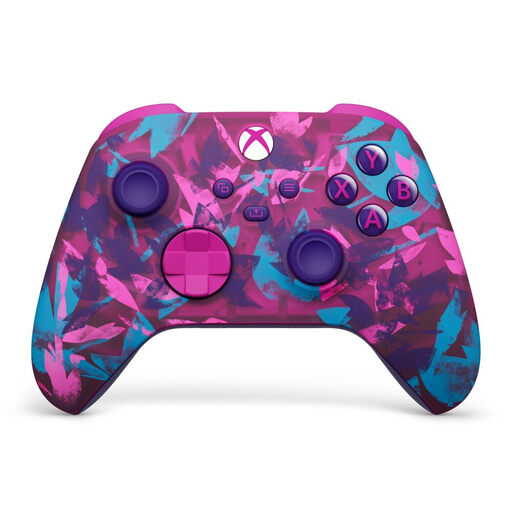 No image available
An option if you play on Xbox Series X|S, Xbox One or Windows 10/11 and are looking for a wireless controller.
This model uses two AA batteries and has a stated battery life of up to 40 hours.
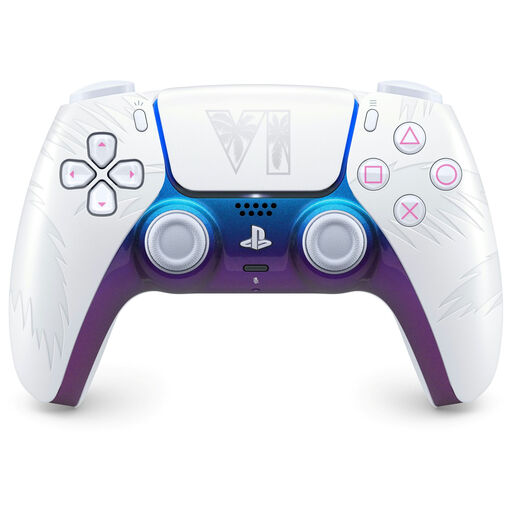 No image available
An option for PS5, or for PC, Mac and mobile when the game and device support the controller features you want.
Haptic feedback and adaptive triggers depend on game support; a USB connection may be needed for haptic feedback on PC.
 No image available
An option if you’re looking for a controller for Nintendo Switch; Nintendo also says the original Pro Controller can be paired with Switch 2.
Nintendo estimates battery life at around 40 hours, depending on use.
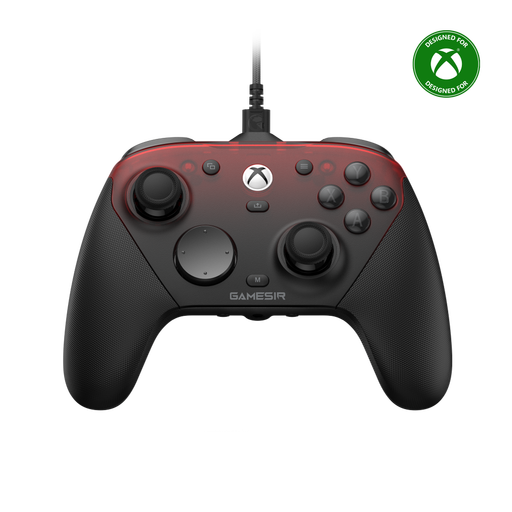 No image available
An option if you’re looking for a controller for Xbox or PC and want a choice of connection types. Check that the model listed is right for your device.
 No image available
An option if you’re looking for a controller for Nintendo Switch 2. This model doesn’t work with the original Switch.
No, a controller doesn’t adjust screen visibility. For Switch and Switch 2, Nintendo provides separate screen brightness settings in handheld and tabletop mode. For another screen, check its settings.
Nintendo explains that you can pair it using USB via the dock, or by pressing the SYNC button and selecting CONTROLLERS > CHANGE GRIP/ORDER. This works with both Switch and Switch 2; the system must be switched on.
No. According to PlayStation, the game must support the feature; a USB connection may also be needed for haptic feedback on PC.
For online purchases, there is generally a statutory 14-day cooling-off period that ends 14 days after delivery, according to ACM ConsuWijzer. The statutory guarantee also applies: if a product breaks too soon during normal use, the seller must provide an appropriate free solution, according to ACM. Check the applicable terms and any exceptions.
According to the Dutch government, you can take an old electrical appliance to a collection point or return it to a shop when you buy a similar new appliance. Used batteries must not go in the bin; take them to a designated collection point.