
Vandaag of morgen in huis

Kwaliteit gegarandeerd

Welkomstaanbiedingen ontgrendelen: GRATIS bezorging | Tot 80% korting | Gratis 30 dagen JoyPlus-proefperiode
Download de app
A new game controller can make or break your gaming experience. But the market is flooded with options, and not every gamepad is worth its price tag. Many gamers make the same mistakes: they fall for marketing hype or overlook crucial flaws. Before you purchase a new wireless controller, it's essential to know what to look for to avoid a bad buy.
As a Joybuy Product Recommendation Officer, I'm here to help you cut through the noise. We'll focus on the facts so you can choose a controller that fits your playstyle and platform, whether that's a PS5, Nintendo Switch, or PC.
Many controllers look great at first glance but hide problems that only surface after a few weeks or months. These are the three most common pitfalls.
To sidestep the pitfalls above, there are a few technical specifications you need to check before buying a gamepad.
This is arguably the most important specification for preventing stick drift.
A good wireless controller offers stable and simple connectivity. Check if the controller has native support for your primary platform. A PS5 controller like the Sony DualSense works seamlessly with the PlayStation 5, including unique features like haptic feedback. Want a PC controller that also works on other devices? Look for models with multi-mode connectivity: Bluetooth for mobile devices and Switch, and a 2.4GHz dongle for a low-latency connection on PC.
A controller should feel comfortable in your hands, even during long gaming sessions. Pay attention to the weight, shape, and texture of the grips. Official controllers from brands like Sony and Nintendo typically have a high standard for build quality and ergonomics. Third-party controllers can vary, so pay attention to the materials used and the overall finish.
Below are some popular choices, matched with specific user profiles. We explain how these models avoid the common pitfalls.
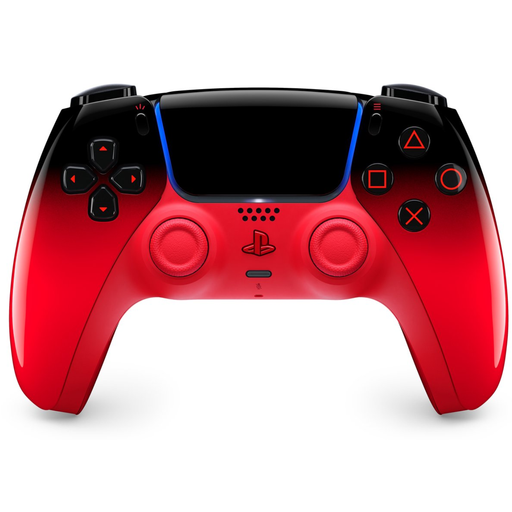
Why This Fits Their Persona: This user wants the full, developer-intended experience on the PS5. The DualSense is the only controller that fully supports the console's unique haptic feedback and adaptive triggers.
As an official Sony controller, its build quality and platform integration are guaranteed. You won't encounter vague compatibility issues, and the controller is built for a long lifespan under normal use.
Full support for haptic feedback and adaptive triggers. Seamless integration with both PS5 and PC (for supported games).
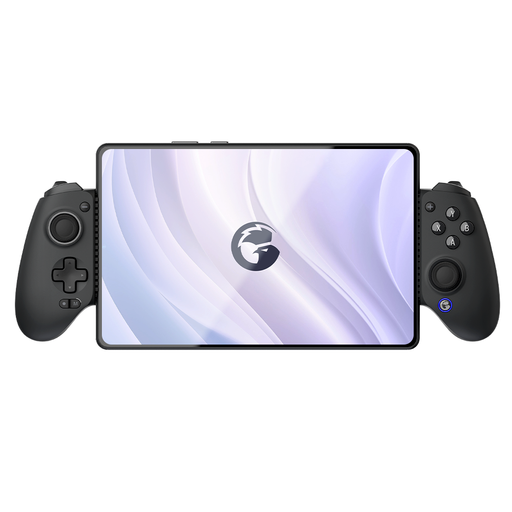
Why This Fits Their Persona: This gamer plays on multiple systems (PC, Switch, mobile) and seeks a durable, precise controller. The G8 is designed for cross-platform use and focuses on durability.
According to GameSir, this model is equipped with Hall-effect joysticks and triggers. This tackles the root cause of stick drift and offers a much longer lifespan than controllers with traditional potentiometers.
Broad compatibility for Switch, iOS, Android, and PC. The Hall effect technology ensures durable precision, making it a smart long-term investment.
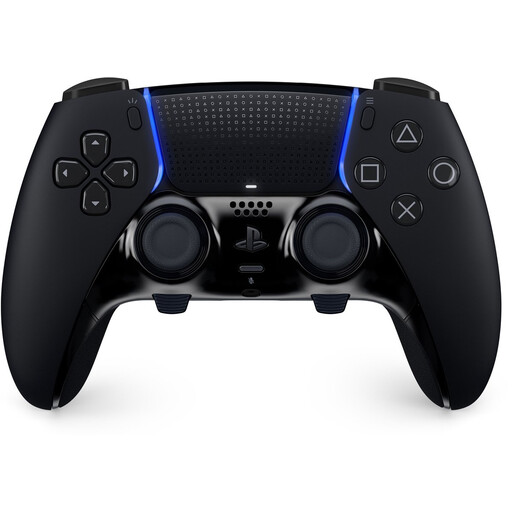
Why This Fits Their Persona: This player seeks maximum control and customisation for a competitive edge. Price is secondary to performance and personalisation.
This isn't a case of paying for unnecessary "pro" features. The customisable buttons, adjustable triggers, and swappable stick modules are functional upgrades that this user will actually leverage to improve their performance.
Fully customisable controls, including swappable stick modules (sold separately) to extend its lifespan. Retains all features of the standard DualSense.
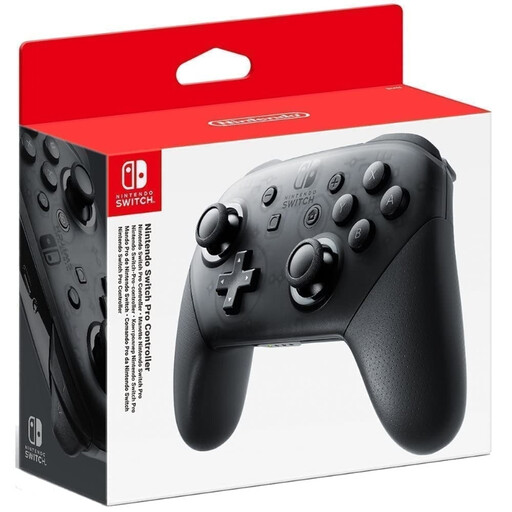
Why This Fits Their Persona: For the Nintendo Switch gamer who often plays in docked mode and wants a more traditional, comfortable controller for long sessions with games like Zelda or Super Smash Bros.
As an official Nintendo Switch controller, compatibility is perfect. All features, such as HD Rumble and motion controls, work as intended. The build quality is robust and reliable.
Exceptional battery life (up to 40 hours, according to Nintendo). Very comfortable ergonomics for a traditional gaming experience.
We have compiled a complete, up-to-date list of products that fully meet these strict selection criteria and local regulations.
Battery life varies greatly by model. The Sony DualSense for the PS5 has a 1,560 mAh capacity and typically lasts 6 to 12 hours, depending on the game and use of haptic feedback. The Nintendo Switch Pro Controller is known for its long stamina and can last up to 40 hours on a full charge, according to Nintendo. Always check the manufacturer's specifications.
A 'pro controller' typically offers extra customisation options aimed at competitive gamers. These include:
Yes, the Sony DualSense PS5 controller is compatible with a PC. You can connect it via a USB-C cable or through Bluetooth. Steam offers extensive support for the DualSense, including the ability to customise the button layout. However, features like adaptive triggers and haptic feedback only work in PC games that specifically support them.
