
Looking for a particular story
First, check which platforms offer the adventure games on your wish list. PlayStation lists The Last of Us Part I for PS5, while Nintendo has a Switch 2 edition of The Legend of Zelda: Tears of the Kingdom.


Start by choosing the story-driven games you want to play and checking which platforms they’re available on. Then work out how much space you have and whether you want to play at a monitor, on the go, or both. A PS5 with a disc drive suits the PlayStation games you want to play and physical games, while the compact, all-digital Xbox Series S rules out discs. Nintendo Switch 2 is a good fit if playing on both its built-in screen and an external display matters to you. A portable PC handheld could work if you already have a PC game library, but check that each game is compatible and allow room for ventilation around any console.
First, check which platforms offer the adventure games on your wish list. PlayStation lists The Last of Us Part I for PS5, while Nintendo has a Switch 2 edition of The Legend of Zelda: Tears of the Kingdom.
You’ll need to make room for the console itself, as well as its connections and enough space for ventilation. Sony and Microsoft provide placement guidance for their consoles, which you can bear in mind when measuring up.
A built-in screen lets you play without a desk monitor. Nintendo Switch 2 and Steam Deck OLED both offer this option, but you’ll need to check compatibility separately for their different game libraries.
Start with the games you want to play. Then measure the space you have, including room for ventilation, and decide between discs, digital gaming and a built-in screen.
| What to consider | What should you check? | Who is this important for? |
|---|---|---|
| Games you want to play | Check the platform and edition for each game, and decide whether you want to play physical games too. | If I want to play a few specific adventure games, I’ll first check where they’re available. Around 33% of consumers prioritise the games available. |
| Setup space and ventilation | Measure the space, room for cables and clearance around the console. Sony recommends at least 10 cm around a PS5; Microsoft specifies 4–6 inches on all sides for Xbox Series X and S. | On a narrow desk, I want to know whether the console will fit with enough room for airflow. Around 27% of consumers focus mainly on the space needed for the setup. |
| Screen and playing style | Check your screen’s inputs and the playing mode that a stated display specification applies to. Nintendo lists a built-in 7.9-inch screen for Switch 2 and HDMI output through the dock. | If I want to play without a desk monitor too, a built-in screen matters; for monitor use, I’ll check the connection. Around 20% of consumers prioritise screen use or portability. |
| Discs and storage | Check whether the model plays discs and which storage expansions it supports. Nintendo specifies microSD Express for expanding storage for Switch 2 games. | I want to know whether I can use my physical games and how much space my digital library will need. Around 20% of consumers prioritise game media and storage. |
A small case doesn’t mean the console can be used without clearance around it. Manufacturers recommend leaving room for ventilation, even with compact models.
Measure the space with the cables in place, and allow for the placement guidance for your chosen model.
Switch 2’s HDMI output applies when using the dock, not the built-in screen. Sony’s PS5 Pro enhancements depend on supported games and displays.
Check the game, playing mode, display and connection before choosing based on a display specification.
The Xbox Series S and PS5 Digital Edition models covered here don’t play discs. That means an existing collection of physical games isn’t compatible with these versions.
Check the format of your current games and choose a model that supports it.
A general mention of disc use doesn’t confirm which disc drive is included with a specific model.
Check the exact variant and included components against the official model specifications.
PS5 models are worth considering if you’re looking for specific PlayStation games.
Series S is an all-digital option if you’re looking for a compact Xbox setup; Series X is another Xbox option if 4K gaming is important to you.
Switch 2 is an option if you want to play adventures on both its built-in screen and an external display.
Steam Deck OLED is a portable PC gaming option if you have a suitable Steam library and also want to use an external display.
This selection includes portable PC handhelds, Nintendo Switch 2 and a PS5 Slim with a disc drive. For PC handhelds, compare the games you want with their compatibility; for consoles, also consider the platform, how you’ll use the screen, and whether you want physical or digital games.
 No image available
A portable PC handheld with a built-in screen for gaming without a fixed desk monitor.
The product description lists an 8-inch WUXGA screen, SteamOS and microSD storage expansion. Use a compatible 65–100 W USB-C adapter and keep the vents clear.
 No image available
A handheld with a built-in screen for PC gaming without a fixed monitor setup.
The product information lists Windows 11 Home, an 8.8-inch OLED touchscreen and two USB4 ports with DisplayPort 2.1.
 No image available
A portable model with a built-in screen for gaming without a separate monitor.
The product information lists a 7-inch FHD touchscreen, 16 GB RAM and a 512 GB SSD. The description mentions PC titles and Xbox Game Pass games as possible uses; the charger must be purchased separately.
 No image available
A good fit if you want to play at a desk in tabletop mode as well as in handheld mode.
The product description lists a built-in 7.9-inch screen, tabletop mode and connection to a TV through the dock. Nintendo confirms a Switch 2 edition of The Legend of Zelda: Tears of the Kingdom.
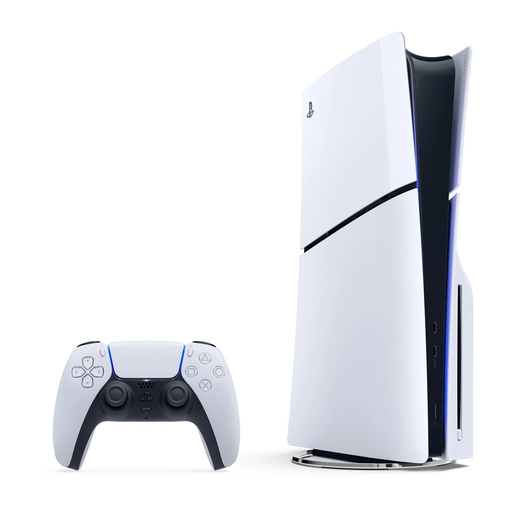 No image available
An option if you want to play The Last of Us Part I on PS5 and use physical games.
The product description lists 1 TB of SSD storage and an Ultra HD Blu-ray disc drive. Sony recommends at least 10 cm of clearance around the PS5.
Don’t go by the console’s dimensions alone. Sony recommends at least 10 cm of clearance around a PS5 and advises against placing it in a cramped space. Microsoft recommends 4–6 inches of clearance on all sides for Xbox Series X and S, and says not to put them in an enclosed cabinet.
Yes. Nintendo lists handheld and tabletop modes, with a built-in 7.9-inch screen. The stated output of up to 3840 × 2160 at 60 fps applies to HDMI use in the dock; check that your screen supports the input you want to use.
Nintendo specifies microSD Express cards for expanding storage for Switch 2 games. According to Nintendo, other microSD standards can only be used to copy screenshots and videos from a Nintendo Switch. A system update via the internet is required to use microSD Express.
No, you don’t need to buy extra cover to have a statutory guarantee. ACM ConsuWijzer says that with normal use, you’re entitled to a product that works for as long as you could reasonably expect it to; if a product is faulty, the seller must resolve the issue in line with the applicable terms. This is separate from any additional manufacturer’s or paid-for warranty.
For a product bought online, ACM ConsuWijzer generally gives you 14 days from delivery to change your mind. Additional conditions may apply to digital games: the seller may agree with you that the cooling-off period ends once the download starts. So check the terms for the specific purchase.