
Student with a small desk
You want to create a virtual home without letting the monitor take over your study space. So, consider both the screen size and the stand’s footprint.


First, measure the space available on your desk and check whether your computer or console can deliver the resolution and refresh rate you want through your chosen connection. A monitor of around 24 inches with Full HD suits a compact setup. A 27-inch QHD screen gives you more pixels for detail and study work, but needs more space and a device capable of handling QHD.
You want to create a virtual home without letting the monitor take over your study space. So, consider both the screen size and the stand’s footprint.
You want to see the finer details in a virtual interior and have room for a larger screen. Check that your computer can handle the QHD resolution you choose.
You use the same monitor for gaming and studying, so readability, adjustability and your devices’ connections matter too. Arboportaal points out that small symbols, reflections and poor ambient lighting can all reduce readability.
Choose this option: if you have limited desk space and want a compact screen for gaming and studying.
Bear in mind: 1920 × 1080 pixels gives you less detail and workspace than the QHD option considered here.
Choose this option: if your desk has enough space, you want more pixels and your device can output QHD.
Bear in mind: the larger screen takes up more room, and the refresh rate you can achieve depends on your device and connection.
| What to consider | What should you check? | Who is this important for? |
|---|---|---|
| Desk space | Measure the available width and depth, then compare them with the monitor’s dimensions, including the stand. | If your desk also needs room for books and a keyboard, start by checking the stand and screen width. Around 42% of consumers say desk space is their top priority. |
| Picture detail and workspace | Compare Full HD with QHD and check whether your computer or console can output the resolution you choose. | If you want to view floor plans, furniture and fine image details, and have enough room, focus on resolution and screen space. Around 33% of consumers say picture detail and workspace are their top buying priority. |
| Studying and gaming on one screen | Check the adjustability, available video connections and the refresh rate supported by the port you’ll use. | If you switch between studying and gaming, look for a readable, adjustable setup and connections that suit your devices. Around 25% of consumers say this shared use is their top priority. |
The screen might fit widthways, but the stand could take up too much usable space on a shallow desk.
Measure the available space and check the model’s dimensions, including the stand.
Extra warranty cover can mean additional costs. First, compare what it adds to your statutory rights.
The refresh rate you can achieve may vary between connections. For the AOC 24G4X, the manufacturer quotes 180 Hz; check which refresh rate your own device can deliver through the port you’ve chosen.
Before buying, check your device’s connection, cable and video output for the resolution and refresh rate you want to use.
According to ACM ConsuWijzer, your statutory guarantee remains in place alongside a commercial or manufacturer’s warranty.
Check what extra cover actually adds. If a product does not meet what you could reasonably expect and you want to make a claim under your statutory guarantee, contact the seller.
The 24G4X is a compact Full HD option with a 23.8-inch Fast IPS panel.
The Legion R27q-30 is a 27-inch QHD option for anyone who wants more screen space and detail and has enough room on their desk.
The TUF Gaming VG249Q3A is another compact Full HD option, with a 23.8-inch Fast IPS panel.
These Joybuy products suit either the compact Full HD option or the larger QHD option for gaming and studying. Before choosing, check the space available on your desk and the output from your computer or console.
 No image available
Suited to anyone who wants more screen space and detail and has enough room on their desk. The product name lists 2560 × 1440 pixels, 180 Hz and 1 ms.
Check whether your device can output the resolution and refresh rate you want through your chosen connection.
 No image available
Suited to anyone looking for a compact screen for a student room. The product name lists 1080p, 200 Hz and 1 ms.
Full HD gives you less detail and workspace than the QHD option considered here.
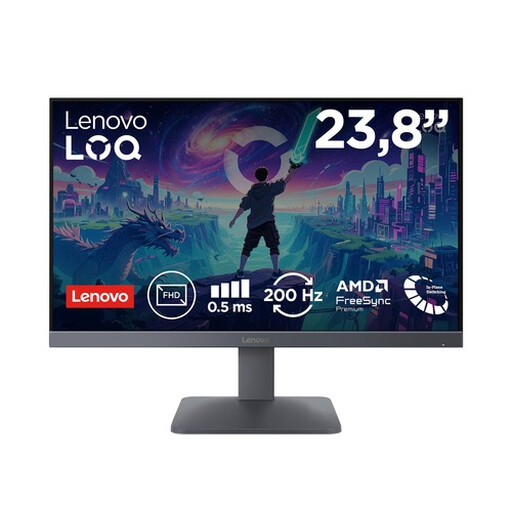 No image available
Suited to anyone looking for a compact Full HD option for gaming and studying. The product name lists Fast IPS, 200 Hz and 0.5 ms MPRT.
Full HD gives you less detail and workspace than the QHD option considered here.
 No image available
Suited to anyone looking for a compact Full HD screen for a shared study and gaming setup. The product name lists a 24-inch screen size.
Full HD gives you less detail and workspace than the QHD option considered here.
 No image available
Suited to anyone looking for more screen space and QHD resolution, with enough room on their desk. The product name lists 2560 × 1440 pixels.
Check whether your device can output the resolution and refresh rate you want through your chosen connection.
No, don’t treat 180 Hz as a requirement for this use. Start by considering screen size, resolution and your device’s output. The maximum refresh rate you can achieve may also vary between connections.
Compare the monitor’s dimensions, including the stand, with your desk, and check that your computer or console and the monitor have a suitable video connection. Also check which refresh rate you can achieve through the port you’ve chosen.
According to ACM ConsuWijzer, the seller is responsible for the statutory guarantee if, under normal use, a product does not meet what you could reasonably expect. Depending on the circumstances, the remedy may be a free repair, a replacement or a refund; a manufacturer’s warranty does not replace this right.
According to ACM ConsuWijzer, a standard online consumer purchase generally comes with a statutory cooling-off period that ends 14 days after delivery. Check the applicable terms and exceptions before returning the monitor.
If you buy a new, similar appliance as a private customer, the seller must take back your old appliance free of charge, even for an online purchase, according to the Dutch government. You can also take electrical appliances to your local council’s collection point.