
Card player who needs to read lots of text
You want to read cards, small labels and game menus clearly, so you’re considering viewing distance, screen size and resolution.


For card games, your choice should mainly depend on how easy the screen is to read from your viewing distance. A compact Full HD screen suits a smaller desk, while a 27-inch QHD screen offers more pixels and screen space if your computer can handle that resolution. For example, the BenQ GW2490 is a 23.8-inch Full HD model, while MSI describes the G274QPF E2 as a 27-inch QHD monitor. If you want to connect your headphones to the monitor, check that the exact model has a suitable headphone output. A very high refresh rate isn’t essential if you mainly play card games.
You want to read cards, small labels and game menus clearly, so you’re considering viewing distance, screen size and resolution.
You want to know where the audio comes from and whether your headphones will work with the connection you choose. If you also use a microphone, check its connection separately.
You want to position the screen comfortably and may find an adjustable stand more important than an exceptionally high refresh rate.
Start with the screen size and resolution that suit your viewing distance, then check the audio connection and how easily you can position the screen.
| What to consider | What to check before buying | Who might prioritise this? |
|---|---|---|
| Readability and space | Compare the size, resolution and available desk space. The BenQ GW2490 is 23.8-inch Full HD; the MSI G274QPF E2 is 27-inch QHD. | If you want to read cards and small text clearly from your usual seat, readability comes first; around 31% of consumers make this their top priority. |
| Headphone connection | Check whether the port on the exact model is a headphone output or line-out, and whether the connection is suitable. Dell warns that a line-out isn’t necessarily intended for headphones. | If you want to connect your wired headphones to the monitor, check for the right output first; around 31% of consumers prioritise this audio connection. |
| Screen position | Check whether the stand can be adjusted for height and tilt. MSI lists up to 130 mm of height adjustment for the G274QPF E2; Dell says the G2725D stand only tilts. | If you want to position the screen to suit your desk and viewing posture during long sessions, around 23% of consumers prioritise this adjustability. |
| Speed for other games | Check the maximum refresh rate for each connection. MSI specifies up to 180 Hz via DisplayPort and 144 Hz via HDMI at QHD for the G274QPF E2. | If you play fast-paced games as well as card games, the speed available through each input may matter; around 15% of consumers prioritise speed for other types of games. |
HDMI and DisplayPort can carry audio, but that doesn’t mean every monitor has a suitable headphone output. A line-out isn’t automatically intended for headphones.
Check the port description for the exact model. If the monitor doesn’t have a suitable output, see whether you can connect your headphones to your PC or console instead.
The maximum refresh rate may vary between inputs. For the G274QPF E2 at QHD, MSI lists 180 Hz via DisplayPort and 144 Hz via HDMI.
Choose based on readability, audio and screen position first. Check the refresh rate for each port if you also want to use the monitor for fast-paced games.
The product details on the Joybuy listing for the MSI MAG 27CQ6F give the model name as MAG 27C6F. The model names therefore don’t match.
Compare the full model code and product specifications before buying. Don’t assume the listing is for the same model without checking.
A manufacturer’s warranty isn’t the same as your legal rights if a product is faulty. According to the Dutch government, there’s no fixed time limit for the legal guarantee in the Netherlands.
Keep your proof of purchase and contact the seller if there’s a problem with the product.
According to BenQ, the GW2490 is a 23.8-inch Full HD model with a stated refresh rate of 100 Hz.
According to MSI’s product specifications, the MSI G274QPF E2 is a 27-inch QHD model with a headphone output.
The Dell G2725D is a 27-inch QHD model with a clearly specified headphone output.
The Philips Evnia 27M2N3500NL/01 is a 27-inch QHD model for which Philips specifies 180 Hz.
The LG UltraGear 27GR83Q-B is a 27-inch QHD model for anyone who also wants to use their monitor for other games.
These models suit compact Full HD and larger QHD setups. Check whether each model’s audio output is suitable for your headphones.
 No image available
Suited to a compact Full HD setup if you want to connect wired headphones to the monitor.
23.8-inch IPS screen; Full HD 1920 × 1080; 144 Hz; height and tilt adjustment; headphone output.
 No image available
A good choice if you’re looking for a larger QHD screen and want to connect wired headphones to the monitor.
QHD 2560 × 1440; 3.5 mm headphone output; up to 240 Hz via DisplayPort; adjustable stand.
No image available
A 27-inch model for anyone looking for a larger screen; the product name specifies Full HD.
The product information lists a 3.5 mm headphone output and an adjustable stand.
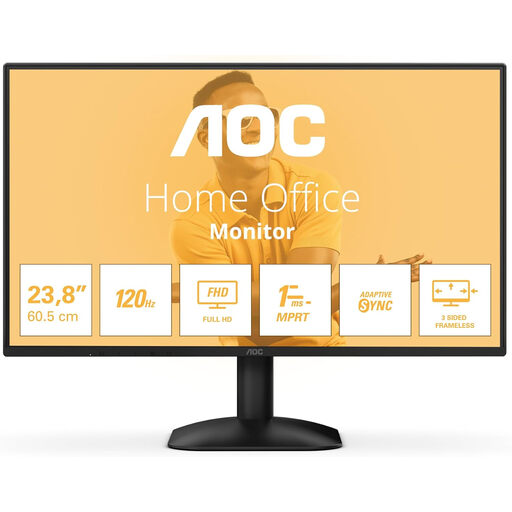 No image available
Suited to a compact Full HD setup; the product name specifies a headphone output.
1920 × 1080; HDMI, DisplayPort and headphone output.
 No image available
A larger QHD model with an adjustable stand. Check the function of the audio output if you want to connect headphones to it.
2560 × 1440; 240 Hz via DisplayPort and 144 Hz via HDMI; 3.5 mm audio output; height, swivel, tilt and pivot adjustment.
No, not if you play audio through a suitable connection on your PC or console. If you want to connect your headphones to the monitor, check that the exact model has a suitable output. Audio via HDMI or DisplayPort doesn’t mean the monitor has built-in speakers.
First, check the port type, the connection to your source, the selected audio output device and the volume. For applicable models, BenQ explains that you can select the monitor as the output device; menus and features vary by model.
Don’t assume that the headphone output also supports a microphone signal. Check the connections and specifications for the monitor and headset. If suitable, you could connect the microphone directly to your PC or console instead.
Check how much the stand can be adjusted and whether it will fit on your desk. MSI lists up to 130 mm of height adjustment for the G274QPF E2; Dell says the G2725D only tilts. Once installed, adjust the screen position to suit your workspace.
For eligible distance purchases from a business, you’ll often have a 14-day cooling-off period. You’re also entitled to a product that is fit for purpose. According to the Dutch government, there’s no fixed time limit for the legal guarantee in the Netherlands; the solution to a problem depends on the circumstances.