
Collector with a personal catalogue
You want to enter find details and photos neatly, and be able to restore them locally. The right laptop depends in part on your chosen software and the size of your photo collection.


First, choose a laptop that runs your cataloguing software, then work out how much space you need for photos and catalogue files. For lots of large photo files, the Consumentenbond recommends 512 GB or more as a guide; that internal storage is no substitute for a separate, restorable copy on an external drive.
You want to enter find details and photos neatly, and be able to restore them locally. The right laptop depends in part on your chosen software and the size of your photo collection.
You want to store large numbers of specimen photos, so you need to consider laptop storage, photo folders and backup space together.
You take your laptop to a storage or work area and weigh portability against screen space and the ability to connect external storage.
Choose this option if: your catalogue programme requires Windows or you want to continue using your existing Windows setup.
Bear in mind: you’ll need to check that your catalogue database and photo folders are included, and that you can restore files.
Choose this option if: your software runs on macOS or is browser-based, and you want to use Time Machine for a local backup.
Bear in mind: Apple recommends a backup drive with at least twice the storage capacity of your Mac for Time Machine. Also check that your drive’s connector fits or whether you’ll need an adapter.
Choose this option if: you want to manage your collection through a browser. According to its provider, Specify 7 works in a modern browser.
Bear in mind: browser access doesn’t automatically mean the database is stored locally; check where your data is kept and how you can export it.
| Consideration | What should you check? | Who is this most relevant to? |
|---|---|---|
| Compatibility with catalogue software | Check which operating systems your exact programme and version support. For browser-based software, also find out where the database is stored and whether you can export your data. | If my catalogue programme only works on certain systems, I want to know before I buy. Around 36% of this group prioritise software compatibility. |
| A restorable local backup | Check which catalogue files and photo folders are copied, whether the drive connects, and whether you can restore a file. | I don’t just want to connect a drive; I also want to be able to restore files if they’re lost. Around 29% of this group put the ability to restore files first. |
| Space for specimen photos | Check the size of your current files and allow for growth. The Consumentenbond recommends 512 GB or more as a guide if you work with lots of large photo and video files. | If my collection contains lots of photos, I want enough working space without counting backup storage as part of it. Around 21% of this group prioritise photo storage capacity. |
| Portability and connections | Compare the screen size and weight with your workspace, and check that the USB ports are suitable for your external drive and any card reader. | If I catalogue in different places, both portability and connecting my equipment matter. Around 14% of this group prioritise working on site. |
The Consumentenbond warns that changes or deletions can be synced through OneDrive. Syncing alone is therefore not the same as having a separate copy that you’ve tested for restorability.
Also make a local copy and try restoring a catalogue file and a photo.
Internal storage gives you working space; an external copy lets you restore files. They serve different purposes.
Assess the storage you need for your work and for backups separately, and check that your external drive is compatible with the laptop you choose.
You’ll also need external storage for a local copy; if the connection isn’t compatible, you may need an adapter.
A product range may include models with different processors, storage and connections. A feature of the range won’t necessarily apply to every model on offer.
Before you buy, compare the full model number and specifications of the exact configuration.
The MacBook Air M5 offers a macOS option if your catalogue software runs on macOS and you want to use Time Machine.
The HP ProBook 4 G1ah 14-inch, configuration C5BW5AT#ABH, is a Windows laptop option.
The Dell Pro 14 PC14250 is a business Windows laptop range with a 14-inch screen.
The ThinkPad E14 Gen 7 (Intel) is a Windows option to consider if you need a range of wired connections.
These laptops suit Windows or macOS workflows for cataloguing, storing photos and making local backups. Before you buy, check that your software runs on the operating system you choose and that you can connect external storage.
 Image unavailable
A Windows model to consider if your catalogue programme requires Windows.
The listed configuration has 16 GB of DDR5 memory and a 512 GB SSD.
It has a 15.6-inch Full HD screen.
 Image unavailable
A compact Windows model to consider if you want to use your laptop in different workspaces.
The description lists a weight of 1,40 kg, USB-C and USB-A ports, and a 14-inch screen.
The configuration includes 16 GB of DDR4 memory and a 512 GB SSD.
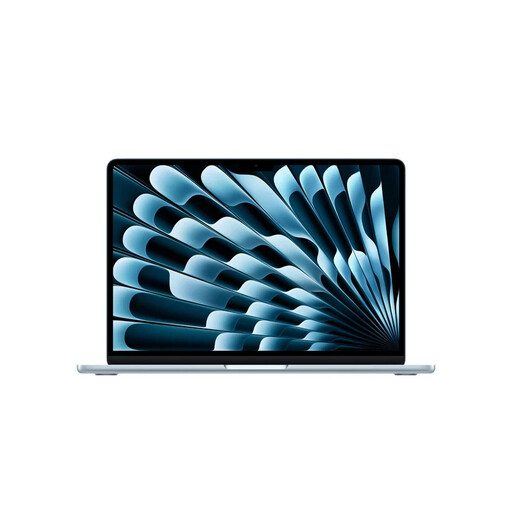 Image unavailable
A macOS option if your catalogue software runs on macOS and you want to use Time Machine for local backups.
This model has 16 GB of memory, 512 GB of storage and two Thunderbolt 4/USB-C ports.
Apple recommends a backup drive with at least twice the storage capacity of your Mac for Time Machine. You may need an adapter if your external drive has a different connector.
The listed weight is 1,23 kg.
 Image unavailable
A Windows model to consider if your catalogue programme requires Windows and you want a 15.3-inch screen.
The description lists 16 GB of memory, a 512 GB SSD and a weight of around 1,50 kg.
The power adapter isn’t included and must be bought separately.
 Image unavailable
A Windows option to consider if you need a range of connections for your workspace.
The description lists USB-C, USB-A, Gigabit Ethernet and a microSD card reader.
This model has a 15.6-inch screen, 16 GB of RAM and a 512 GB SSD.
Not always: according to its provider, Specify 7 runs in a browser without desktop software needing to be installed. That doesn’t automatically tell you where the database is stored; check the hosting and export options before finalising your local backup plan.
Microsoft describes File History as working with an external drive or a network location. Check that your photo and catalogue folders are included, then try restoring a file.
Apple describes using Time Machine with a connected external storage device. Apple recommends a backup drive with at least twice the storage capacity of your Mac; also check whether the drive needs to be erased when you set it up.
That depends on the number of photos, their file sizes and how much you expect your collection to grow. The Consumentenbond recommends 512 GB or more as a guide if you regularly work with large files; keep storage for an external backup separate as well.