
Collection data entry
If you regularly enter quantities, measurements or other figures, weigh up the convenience of a dedicated number pad against the extra width of a full-size keyboard.


Start with your main task: entering lots of figures calls for a dedicated number pad, while frequently switching between records and using the mouse makes easy-to-reach navigation keys and enough room for your mouse more important. Having two record windows side by side does not, on its own, mean you need a split keyboard; choose one only if you want to position the two halves separately. Also check the physical keyboard layout, connection and any software required for your computer.
If you regularly enter quantities, measurements or other figures, weigh up the convenience of a dedicated number pad against the extra width of a full-size keyboard.
If you switch between record windows, correct fields and often use the mouse, you’ll benefit from easily accessible navigation keys and space to move the mouse next to your keyboard.
During long data-entry sessions, being able to choose your hand position may be a factor. A different keyboard is no substitute for a suitable workstation setup or taking breaks.
First decide whether entering figures, having room for your mouse, hand position, or the connection and layout matters most to you. Then compare the design and the keys you actually use when cataloguing.
| What to consider | What to look for | Who will find this most important? |
|---|---|---|
| Numbers or mouse space | Choose between a built-in number pad and a more compact setup; check whether a separate number pad suits the way you work. | If I often enter measurements and quantities, I want a dedicated number pad; around 36% of consumers put entering figures first. |
| Record navigation | Check that the arrow and navigation keys are easy to reach. Microsoft Support explains how to snap windows using the Windows key + Left Arrow or Right Arrow. | If I edit records and regularly reach for the mouse, I want keys I can access quickly without taking up unnecessary desk space; around 29% of consumers prioritise navigation and mouse space. |
| Hand position | With two halves that can be positioned separately, consider the desk space required and how long it may take to get used to a different setup. | If I type long descriptions, I want to choose my own hand position; around 21% of consumers put hand position first. |
| Layout and connection | Compare the physical key labels with your input language and check that the connection and any configuration software work with your computer. | If I enter symbols, names and keyboard shortcuts, I want a suitable layout and connection; around 14% of consumers check compatibility first. |
A split screen concerns how windows are arranged; a physically split keyboard changes where you place your hands.
Choose a keyboard with two separate halves only if you want the flexibility to position them independently. For navigating between windows, first check which standard keys you need.
CHERRY describes the KC 6000 SLIM as a full-size keyboard. A compact model and a separate number pad are a different combination.
Check the layout of the exact version and decide whether you want a built-in or separate number pad. If you later find you enter lots of figures, buying a separate number pad could mean an extra purchase.
Logitech links Smart Actions to Logi Options+ and Keychron lists Launcher for key customisation. That does not guarantee that a specific action will work in your cataloguing software.
Check the shortcuts in your own software and whether you can use the required configuration software on your computer.
Key layouts and features can vary between versions. Keychron lists hot-swapping only for the version designed to support it.
Before ordering, check the full version name, physical layout and features of the specific model.
According to CHERRY, the KC 6000 SLIM is a full-size wired keyboard with USB-A.
The MX Keys S is a conventional keyboard for anyone looking for customisable actions or the ability to switch between compatible devices.
R-Go Tools describes the Split Break Version 2 as a keyboard with two halves that can be positioned separately.
According to Keychron, the K10 Max is a full-size ANSI mechanical keyboard with key customisation options.
This Joybuy selection includes keyboards with a number pad for entering figures, as well as more compact models for anyone who wants to keep more desk space free next to the keyboard.
 No image available
Suitable for anyone who enters lots of figures while cataloguing and wants to use the arrow keys for navigation.
The product name specifies a wired QWERTY layout and full-size design; the product description mentions a number pad and arrow keys.
 No image available
Suitable for anyone looking for a numeric keypad and document navigation keys when entering collection data.
The product information lists Touch ID, a numeric keypad, document navigation keys and full-size arrow keys.
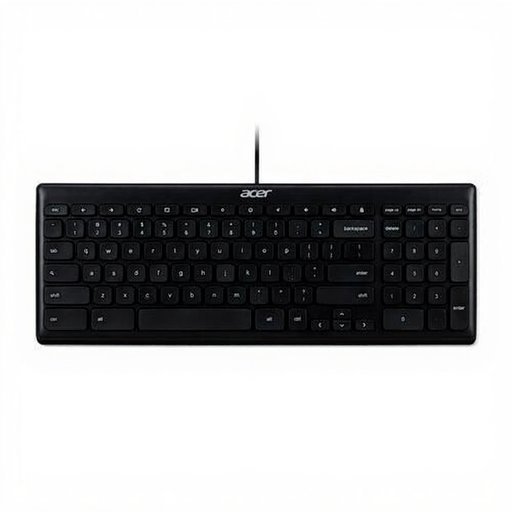 No image available
Suitable for anyone who needs a wired setup and a number pad for entering figures.
The product name specifies USB and US International QWERTY; the product information lists a full-size design and a number pad.
 No image available
Suitable for anyone looking for a more compact desk setup while retaining arrow and function keys.
The product name lists three connection options: USB, Bluetooth and 2.4G. The product description specifies an 82-key layout with arrow and function keys.
 No image available
Suitable for anyone who values a small setup more than a built-in number pad.
The product name specifies 61 keys and RGB lighting. The product description states that this model has no number pad.
No, not if both windows are on the same Windows computer. Microsoft Support explains how to snap windows using the Windows key + Left Arrow or Right Arrow; switching devices is intended for use with separate devices.
Check the physical key layout of the version, the input layout set on your computer and the connection it uses. CHERRY lists Windows and USB-A for the KC 6000 SLIM; the required connection and software may vary by model.
No. R-Go Tools describes repositionable keyboard halves and a break indicator that depends on software. The Dutch Arboportaal also recommends changing posture and taking micro-breaks when working with a screen; the product feature does not establish an individual health benefit.
For distance purchases from a business, there is generally a 14-day cooling-off period, according to the Government of the Netherlands; exceptions and the seller’s identity matter. If a product does not conform to the contract, you may also have statutory rights against the seller. Check the seller and the returns information for your specific order.
The employer obligations described by the Dutch Arboportaal do not automatically apply to someone cataloguing a collection privately. For employees who work with a screen for more than two hours a day, the Arboportaal lists requirements including that the screen and keyboard are not attached to each other; whether these rules apply therefore depends on the working situation.