
People sitting around the room
If you have chairs beside the sofa, you’ll want the picture to remain clear from those angled seats. The Consumentenbond says a wide viewing angle is a plus when several people watch sport together.


First, measure the distance to the furthest seats and view the screen from the side, too: screen size and viewing angle together determine how well everyone can follow the match. Then consider the room’s lighting, on-screen movement, sound and the actual source of the match. A higher panel refresh rate or a 4K label alone does not guarantee a better broadcast.
If you have chairs beside the sofa, you’ll want the picture to remain clear from those angled seats. The Consumentenbond says a wide viewing angle is a plus when several people watch sport together.
If windows or lamps might reflect on the screen, compare the brightness and reflections of the specific TV you’re considering. The Consumentenbond describes differences between OLED and QLED, but the conditions in your own room are what really matter.
If your seats are further from the TV, choose a screen size that suits both your actual viewing distance and the space available for the set. The Consumentenbond uses viewing distance as a starting point for estimating screen size.
Start with viewing distance and seats to the side, then consider the room’s lighting and the actual source of the match. The Consumentenbond generally describes OLED as offering a wider viewing angle and QLED TVs as often being brighter, but the specific TV and viewing conditions still matter.
| What to consider | What should you check? | Who should give this more weight? |
|---|---|---|
| Screen size and viewing distance | Measure from your eyes to the screen position, including from the furthest seat you’d normally use. Use the Consumentenbond rule of thumb — viewing distance divided by around 2.4 — as a starting point, and check the TV’s external dimensions, including the stand. | With seats at the back, I want everyone to be able to follow the game; that’s why around 25% of consumers put screen size at the top of their buying priorities. |
| Viewing from the side | View the specific model from the seats you plan to use at the side, and look for changes in colour and contrast. A technology label is no substitute for checking this yourself. | If guests are sitting beside the sofa, I want the picture to remain watchable from an angle; that’s why around 25% of consumers put viewing angle first. |
| Daylight and reflections | Compare screens in lighting similar to your own living room, and check whether windows or lamps are reflected from your seats. | When I watch during the day, I want to be able to follow the ball and players despite the incoming light; that’s why around 20% of consumers prioritise visibility in daylight. |
| Movement and match signal | Check which app, channel or receiver will deliver the match. Compare football footage and motion settings; a higher panel refresh rate doesn’t guarantee a better picture. | I want to judge the actual broadcast, not just a shop demo; that’s why around 20% of consumers make movement and the match signal their top buying priority. |
| Sound and additional costs | Listen to the TV’s sound and check the connections for any audio equipment you already own. Also compare installation requirements and the energy label for the exact model. | If everyone needs to hear the commentary clearly, I also want to know what extra audio equipment or installation will involve; that’s why around 10% of consumers prioritise sound and total costs. |
In a shared room, guests will also be sitting at an angle. With LCD screens, colour or contrast can change from those seats.
Assess the specific TV from the seats you plan to use at the side, and in lighting similar to your room.
Motion interpolation can introduce artefacts with unpredictable movement. The panel refresh rate also doesn’t tell you what picture quality the broadcast itself will deliver.
Compare football footage using the source you intend to watch, and try switching motion processing on and off if possible.
A 4K screen won’t automatically display a broadcast in native 4K if there isn’t a suitable 4K source.
Check the resolution and access offered by the service, channel or receiver you plan to use to watch the match.
The TV’s specifications don’t determine who is broadcasting a particular match or what access you’ll need to watch it.
Before buying, check the match source and whether you’ll need a suitable app, connection or receiver.
LG’s C6 OLED models are worth considering when weighing viewing angle and brightness against reflections in your own living room.
The 65-inch QN1EH Neo QLED Mini LED is a model to compare if your room is bright.
The C6K series includes QD-Mini LED models, letting you consider screen size and placement alongside your viewing conditions.
According to Philips, the 65OLED811/12 combines a 65-inch OLED screen with Ambilight.
The BRAVIA 9 is a Mini LED model to include in your comparison for a living room with daylight.
These TV options are intended to help you weigh up viewing distance, seating, match source and the features you need.
 No image available
A 65-inch OLED option for anyone who has considered the screen size and seating in their own room.
The product information lists a native refresh rate of 120 Hz, Brightness Booster and a 40 W audio system. Check reflections and visibility from the side seats in your own room.
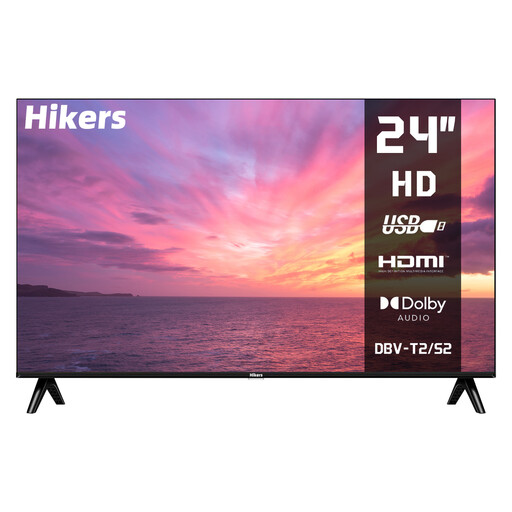 No image available
A compact option if 24 inches suits your viewing distance and available space, and you’re using an external source for the match.
The product information lists HD resolution of 1366 × 768, HDMI, USB and DVB-S2/T2/C tuners. This isn’t a smart TV, so check how you plan to receive the match.
 No image available
A 65-inch option if this size suits your viewing distance and you want to include QD-Mini LED in your comparison.
The product information lists QD-Mini LED, 144 Hz VRR, HDMI 2.1 and an Onkyo 2.1 audio system. Check how clearly the picture can be seen from the side seats in your own room.
 No image available
An 86-inch model to consider only if your viewing distance and available space can accommodate such a large screen.
The product title lists 4K, 144 Hz and HDMI 2.1. Measure the available space, too, and check the TV’s external dimensions.
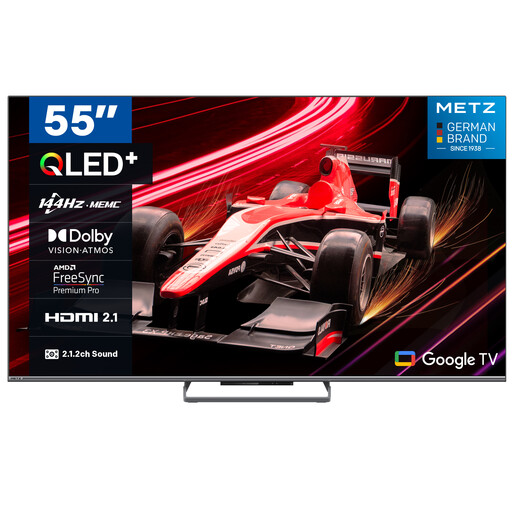 No image available
A 55-inch option if that size suits your viewing distance and the available space in a shared room.
The product information lists 144 Hz, MEMC and an integrated 2.1.2 audio system. Compare its motion handling with the match source you plan to use.
Measure the usual seating positions, especially the furthest seat, and use the Consumentenbond rule of thumb — viewing distance divided by around 2.4 — as a starting point for the screen diagonal in centimetres. Then compare the available sizes and check the TV’s external dimensions, including the stand.
No. Those labels alone don’t guarantee a better picture of the match. You’ll need a suitable source for 4K detail, and motion interpolation can introduce artefacts with unpredictable movement. Check the broadcast and, if possible, try the motion settings.
First check which channel or service is broadcasting the match and whether you’ll need a subscription, app or receiver. Then check that the necessary app or connection is compatible with the TV you’ve chosen. The TV’s specifications alone don’t give you access to the broadcast.
Assess the specific screen from the seats you plan to use at the side, in lighting similar to your living room. OLED generally offers a wider viewing angle; LCD models can often be brighter, but reflections and picture quality vary from one TV to another.
Listen to the TV’s built-in sound and check which connections you’ll need for your receiver or existing audio equipment. The connections you need depend on how you receive the match and which devices you plan to use.